Your Tech Story

Tech News

How to Protect Yourself From AI Voice Cloning Scams

How to Protect Yourself From AI Voice Cloning Scams

As AI technology advances, so do the capabilities of scammers seeking to exploit it for fraudulent purposes. From political manipulation to personal financial scams, AI voice cloning poses a significant threat to individuals and society as a whole. Here are some essential strategies to defend yourself against these increasingly sophisticated schemes:

Fact-Check and Verify

How to Protect Yourself From AI Voice Cloning Scams

Image Source: elearningindustry.com

One of the most effective ways to protect yourself from AI voice scams is to fact-check and verify any suspicious communications. Whether it’s a robocall impersonating a public figure or a supposed family member asking for money, take the time to confirm the authenticity of the message. Utilize trusted sources and conduct online research to cross-reference information and identify potential scams.

End the Call

If you receive a call from an unknown number or encounter a suspicious situation, trust your instincts and end the communication. Avoid engaging with the caller and refrain from providing any personal or financial information. Instead, reach out to the purported individual or organization using verified contact information to confirm the legitimacy of the request. By terminating the call promptly, you can mitigate the risk of inadvertently providing scammers with valuable voice data.

Stay Vigilant

Remain vigilant and aware of the evolving tactics employed by scammers utilizing AI voice cloning technology. Stay informed about recent scams and consumer alerts issued by regulatory agencies and law enforcement authorities. Educate yourself and your loved ones about the potential dangers of AI voice scams and encourage them to adopt cautious communication practices.

Report Suspicious Activity

If you encounter a suspected AI voice cloning scam or believe you have been targeted by fraudulent activity, report it to the appropriate authorities immediately. Contact your local law enforcement agency, as well as relevant consumer protection agencies such as the Federal Trade Commission (FTC). By reporting incidents of scamming, you can contribute to ongoing efforts to combat cybercrime and protect others from falling victim to similar schemes.

Utilize Security Measures

Consider implementing additional security measures to safeguard against AI voice cloning scams. Explore options such as call-blocking apps, spam filters, and two-factor authentication for sensitive accounts. Be proactive in updating your security settings and software to stay ahead of emerging threats and vulnerabilities.

Educate Others

Share your knowledge and experiences regarding AI voice cloning scams with friends, family, and colleagues. Encourage open dialogue about cybersecurity awareness and the importance of exercising caution when interacting with unfamiliar callers or messages. By collectively raising awareness and promoting responsible communication practices, we can collectively defend against the proliferation of AI voice cloning scams.

In conclusion, defending yourself against AI voice cloning scams requires a combination of vigilance, verification, and proactive measures. By staying informed, remaining cautious, and taking decisive action when necessary, you can protect yourself and others from falling victim to these deceptive tactics.

How To Delete Your YouTube Channel: Step-by-Step Guide

How To Delete Your YouTube Channel: Step-by-Step Guide

In this digital age, our online presence often evolves as we explore different platforms and content creation. However, there may come a time when you decide to move away from a platform like YouTube. Deleting your YouTube channel may seem like a daunting task, but fear not; I will guide you through the process step by step. In this article, we will discuss how to delete your YouTube channel while keeping your content and subscribers in mind.

Understanding the Consequences

How To Delete Your YouTube Channel: Step-by-Step Guide

Before we dive into the deletion process, it is important to understand its implications. Deleting your YouTube channel is permanent, and there is no way to reverse it. You will lose all your videos, comments and other data associated with the channel. Take a moment to consider whether this is the right decision for you.

Backing Up Your Content

If you’ve decided to delete your YouTube channel, the first step is to backup your content. This ensures that you have a copy of your video and data for future reference. You can download your videos using YouTube’s built-in features or third-party tools.

Deleting the YouTube Channel

Now, let’s get started with the actual deletion process:

  • Open your web browser and go to YouTube.com.

  • Sign in to the Google account that is connected to the YouTube channel you want to delete.

  • Click on your profile picture in the upper right corner of the YouTube homepage.

  • Select “YouTube Studio” from the dropdown menu.

  • In YouTube Studio, click “Settings” in the left sidebar.

  • Go to the “Channel” section.

  • Click on “Advanced settings.”

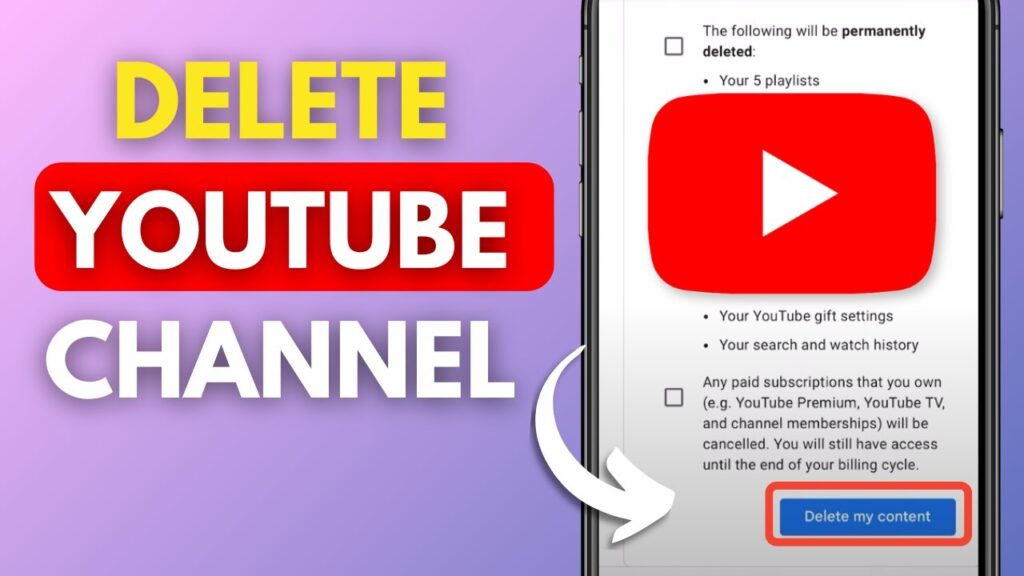
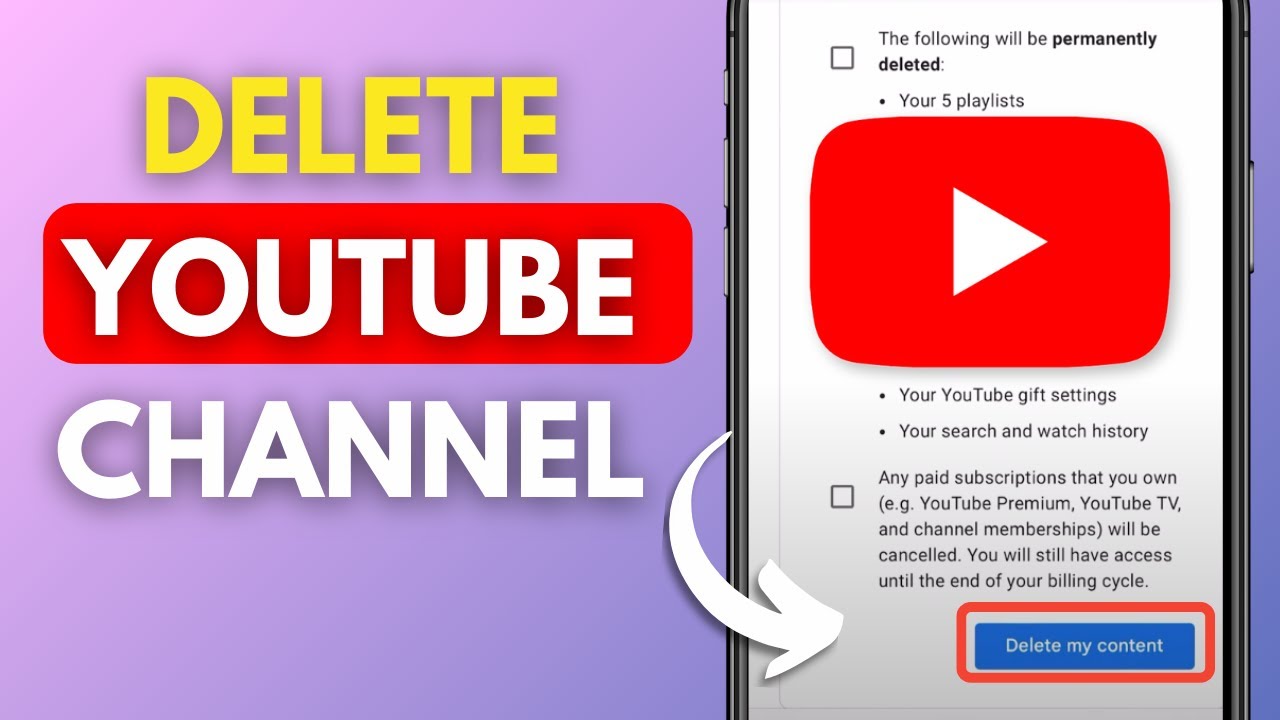
  • Scroll to the bottom of the page and find the “Delete Channel” option.

  • You will be asked to enter your Google Account password for verification.

  • Confirm your intention to delete the channel.

Conclusion

Congratulations! You have successfully deleted your YouTube channel. Remember that this action is irreversible, so be completely sure of your decision before proceeding. If you ever want to return to YouTube, you can always create a new channel and start fresh.

FAQs

  1. Can I recover my deleted YouTube channel? No, once you delete your YouTube channel, it’s gone forever. There is no way to recover it or its contents.

  2. Is there a waiting period before the channel is permanently deleted? Yes, there is a 30-day grace period after deletion during which you can change your mind and restore your channel.

  3. What happens to my subscribers when I delete my channel? Your subscribers will no longer be able to access your content, and will not be notified of the deletion.

  4. Do I lose my YouTube earnings when I delete my channel? Yes, any unpaid earnings will be confiscated, and you will not receive any future payments. Make sure you have withdrawn your earnings before deleting your channel.

  5. Can I delete my YouTube channel on the mobile app? The deletion process is easy to navigate on a computer. It is recommended to use a web browser for this task.

How to Add Google Calendar Event Via Gmail: Quick Tips

How to Add Google Calendar Event Via Gmail: Quick Tips

How to Add Google Calendar Event Via Gmail: Quick Tips

Image Source: cedarville.edu

Have you ever been scrambling to find a date or event detail that you thought you had quickly written down somewhere? If this sounds like you, don’t panic; there is an easy fix for it. Making Google Calendar events straight from Gmail may transform your life by preventing you from ever missing another deadline or significant occasion. Let’s examine the detailed procedure and delve into this productivity trick.


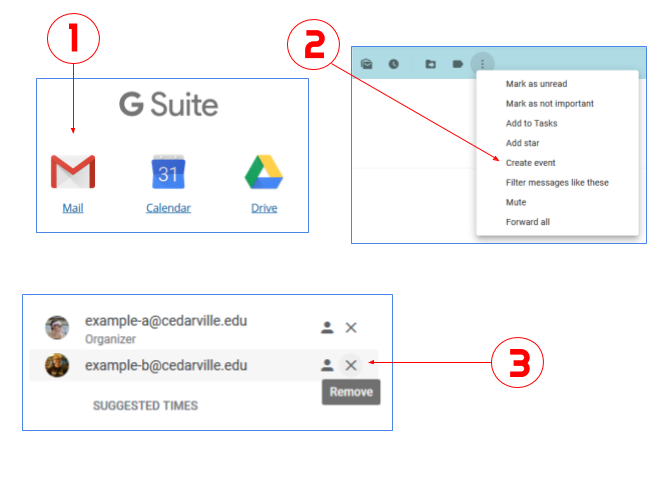
Step 1: Start Gmail

Open Gmail on your phone or computer to get started. The procedure is the same on both systems, giving users freedom.

Step 2: Click on the Email or Event

Open the email or message that has the pertinent details you want to add to your Google Calendar. 

This approach guarantees smooth integration, regardless of the meeting time, project deadline, or any other important information.

Step 3: Construct an Event

Find the “More” toggle (three dots) in the upper-right corner of the email at the top. You will see a drop-down menu with the option to “Create event.”

Step 4: "Allow" Notifications.

Once you click “Create event,” a new window will open and ask if you wish to accept calendar notifications. Selecting alerts guarantees that you get reminders on time. To make this feature active, click “Allow”. Keep in mind that these alerts seem like normal phone or computer notifications, which sets them apart from typical in-browser or in-app reminders.

Step 5: Complete the Information

Although the linked email subject may automatically appear in the subject line, you are free to change it to suit your tastes. Modify the event’s information, such as the time, place, attendees, and reminders that are planned. Use the “Notification” toggle (bell) to set a reminder and select the desired notification period.

Step 6: Save

After completing the information, click the blue “Save” button located in the upper-right corner. You’ve been able to successfully create an event on Google Calendar right from Gmail. You may quickly update information on the event card by editing it if something changes.

Adding Events to Your Calendar from Your Phone

You must manually open the Calendar app and create a new event in order to add an event from your phone. To add a task straight from Gmail to Google Tasks, click the three dots in the upper-right corner of the email and select “Add to tasks.” Before adding a task, make sure you have downloaded the Tasks app.

Putting Events in Google Calendar That Are Permanent

After creating an event, you can choose a repetition range from the drop-down menu or click the “All Day” option to have the event repeat. You may customise Google Calendar to include weekly, monthly, or annual repeats.

 
Apple Unveils Over 600 Apps for Vision Pro: A New Era of Augmented Reality

Apple Unveils Over 600 Apps for Vision Pro: A New Era of Augmented Reality

In an exciting development that marks a significant milestone in the world of tech, Apple has recently announced the launch of over 600 new apps designed exclusively for its groundbreaking Apple Vision Pro. This announcement not only reflects Apple’s commitment to innovation but also opens up a new realm of possibilities for users of this innovative device. In this article, we will take an in-depth look at what Apple Vision Pro is, the variety of apps being offered and how they are set to revolutionize the user experience.

What is Apple Vision Pro?

Apple Vision Pro, the tech giant’s latest marvel, is a testament to Apple’s continued pursuit of innovation. The device integrates the most advanced technology to deliver a unique augmented reality (AR) experience, setting a new standard for personal computing.

The Impact of Apple Vision Pro on Tech and Lifestyle

The introduction of the Apple Vision Pro isn’t just a leap in technology; It is a change in the way we interact with the digital world. It is designed to integrate seamlessly into daily life, giving users a more immersive and intuitive way to work, play and learn.

Overview of the New Apps

Apple Unveils Over 600 Apps for Vision Pro: A New Era of Augmented Reality

Image Source: trustedreviews.com

With over 600 new apps built for the Apple Vision Pro, users are spoiled for choice. These apps cover a wide range of functionalities from productivity and gaming to health and fitness, each designed to take advantage of the unique capabilities of Apple Vision Pro.

Categories of Apps Available

The variety of apps available is a testament to the versatility of the Apple Vision Pro. Let’s explore some categories:

Productivity Apps:

These apps are designed to increase efficiency, offering new ways to manage tasks, meetings, and projects.

Gaming Apps:

Immerse yourself in a new dimension of gaming with apps that bring virtual worlds to life.

Health and Fitness Apps:

Stay on top of your health goals with apps that track progress, offer virtual workouts, and provide health tips.

Educational Apps:

Learning has never been more engaging with apps that provide interactive lessons and immersive educational experiences.

Highlighted Apps for Apple Vision Pro

Must-Try Apps for Enhanced Productivity

Among the plethora of apps, many are known for their ability to increase productivity. These apps provide innovative solutions for time management, organization, and collaboration, making them a must-have for any professional.

Gaming Apps to Look Out For

Apple Vision Pro’s gaming apps are set to redefine the gaming experience. With immersive AR capabilities, these games provide a level of interactivity and realism that was previously unimaginable.

Health and Fitness Apps

The health and fitness apps available for the Apple Vision Pro are designed to motivate and guide users to a healthy lifestyle. From tracking workouts to providing personalized health advice, these apps are your new fitness companions.

How These Apps Change the Game

Enhancing User Experience

The apps developed for Apple Vision Pro aren’t just applications; They are experiences. They are designed to improve the way users interact with their devices, providing more intuitive, immersive and personalized ways to use technology.

Pushing the Boundaries of Innovation

The launch of these apps marks a new era of innovation. They utilize Apple Vision Pro’s advanced technology and inspire developers to think creatively about enhancing the user experience.

Conclusion

Apple’s announcement of over 600 new apps for Apple Vision Pro is an important step towards integrating technology into our daily lives. These apps promise to enhance productivity, entertainment, health, and learning, while providing users with a glimpse of the future of personal computing.

India's Crackdown on Paytm Bank After Years of Warnings

India’s Crackdown on Paytm Bank After Years of Warnings

India’s banking regulator, the Reserve Bank of India (RBI), sent shockwaves through the finance and tech industries with its sudden suspension of much of digital giant Paytm’s business late Wednesday. This move, however, wasn’t entirely unexpected, as the RBI had been cautioning Paytm about concerning interactions between its popular payments app and its lesser-known banking arm for the past two years.

The Regulatory Concerns

India's Crackdown on Paytm Bank After Years of Warnings

Image Source: gulfnews.com

A technical audit conducted by the RBI revealed troubling money and data traffic flows between Paytm Payments Bank Ltd. and the broader Paytm ecosystem. These flows not only raised accounting issues but also posed challenges for regulatory oversight. Despite repeated warnings from the regulator, these issues remained unresolved, leading to the drastic action taken.

Management Overlap and Conflict of Interest

Another area of concern highlighted by the RBI was the significant overlap in management between the bank and the larger fintech company. The presence of the same top executives and decision-makers across both entities raised red flags regarding potential conflicts of interest, further exacerbating regulatory worries.

The RBI’s Directive

The RBI’s directive ordered Paytm Payments Bank to cease its popular mobile wallet business and other activities, citing persistent non-compliance and supervisory concerns. This directive, effective from February 29, is a significant blow to Paytm, as it directly impacts a substantial portion of its operational earnings.

The market reacted swiftly to the news, with Paytm’s shares plunging 20% in Mumbai trading, marking the sharpest decline since its stock-market debut. Analysts anticipate severe revenue and profitability implications for Paytm in the medium to long term, potentially hampering its ability to retain customers and offer payment and loan products.

In response to the RBI’s order, Paytm stated its commitment to comply with the directive and expressed willingness to work with the regulator to address concerns promptly. However, the company also indicated its intention to disassociate from Paytm Payments Bank and explore partnerships with other banks for its financial and payment services.

The freezing of Paytm’s banking activities by the RBI underscores the growing regulatory scrutiny facing fintech companies in India. For Paytm, this development represents a significant setback in its quest for profitability and investor confidence. As the company navigates these challenges, its ability to adapt and regain regulatory trust will be crucial for its long-term sustainability in the Indian market.

Why Instagram's Last Active is Not Showing and How to Enable it?

Why Instagram’s Last Active is Not Showing and How to Enable it?

Instagram has become a ubiquitous part of our social lives, connecting us with friends, family, and even celebrities. One feature that is often overlooked but plays an important role in this social interaction is the “last active” state. This little information can help us understand when our friends are online or when they have recently checked the app. But what happens when this feature mysteriously disappears or doesn’t work as expected?

The Mystery of Missing Last Active

You’ve probably experienced this yourself – visiting a friend’s chat window only to find the last active status conspicuously absent. Before getting into the intricacies of why this happens, it’s important to understand the basics.

Understanding Instagram's Activity Status Feature

Why Instagram's Last Active is Not Showing and How to Enable it?

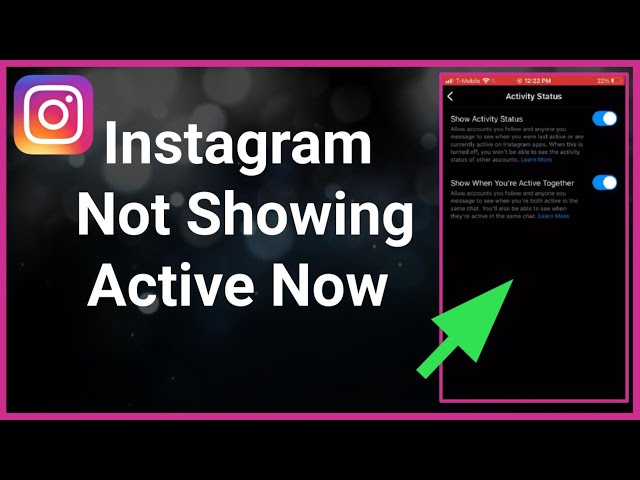
Activity status on Instagram shows when a user was last active on the app or when they are currently active. But it’s not just a simple to switch. Privacy concerns have led Instagram to provide settings that control who sees this information.

How to Turn On Activity Status

Turning on your activity status is straightforward.

  • Launch the Instagram app on your device.

  • Tap your profile icon in the bottom right.

  • Tap the menu (three lines) in the top right, then select ‘Settings’.

  • In the Settings menu, select ‘Privacy’.

  • Scroll down to ‘Activity Status’ under Privacy Settings.

  • Turn on the ‘Show activity status’ toggle (it will turn blue).

Reasons Why Last Active Might Not Show

If your activity status is on but you still can’t see the last active status of others, it may be because they have turned off their activity. Remember, this feature is reciprocal – if you hide your status, you can’t see others too.

The Impact of User Behavior

User behavior can also affect the visibility of Last Active. Irregular movement patterns may cause the position to appear incorrect or delayed.

Conclusion

In conclusion, Instagram’s Last Active feature is a useful tool for staying in touch, but it is subject to various factors such as privacy settings, technical issues, and user behavior. Understanding these can improve your Instagram experience while respecting the privacy of others.

FAQs

  1. Can I see Last Active if someone has muted me?

    • No, muting affects the visibility of the Last Active status.

  2. Does Last Active show for all followers?

    • Only when the activity status of both parties is On.

  1. Is it possible to see Last Active without being friends?

    • No, you need to follow each other for this feature to work.

  2. Can I hide my Last Active status from a specific user?

    • Instagram currently does not allow selectively hiding activity status.

  1. Why is my Last Active status showing the wrong time?

    • This may be due to some disorder or irregular activity pattern.