Your Tech Story

Team YTS

TikTok Now Has a Dedicated App on the Apple Vision Pro

TikTok Now Has a Dedicated App on the Apple Vision Pro

TikTok, the global sensation that has captured the hearts and screens of millions, is now venturing into new territories with its dedicated app for Apple Vision Pro. The move marks a significant leap from smartphone screens to immersive mixed-reality experiences. But what does this integration mean for users, content creators, and the tech industry at large?

TikTok's Evolution

TikTok’s journey from a mobile app to a multi-platform giant reflects its adaptability and ambition. The app’s venture into mixed reality through Apple Vision Pro marks a new era of content consumption. Integrating TikTok with Apple Vision Pro isn’t just an extension; This is a change in how we experience social media. This collaboration merges TikTok’s dynamic content with Apple’s cutting-edge technology, setting a new standard for interactive engagement.

The Apple Vision Pro Experience

TikTok Now Has a Dedicated App on the Apple Vision Pro

Image Source: lifehacker.com

Apple Vision Pro brings mixed reality into the mainstream, seamlessly blending the digital and physical worlds. It provides a unique platform for apps to provide a more engaging and immersive experience. With the introduction of TikTok, Apple Vision Pro’s app ecosystem is set to expand, attracting a variety of applications that leverage its mixed reality capabilities to deliver unique experiences.

TikTok App on Apple Vision Pro

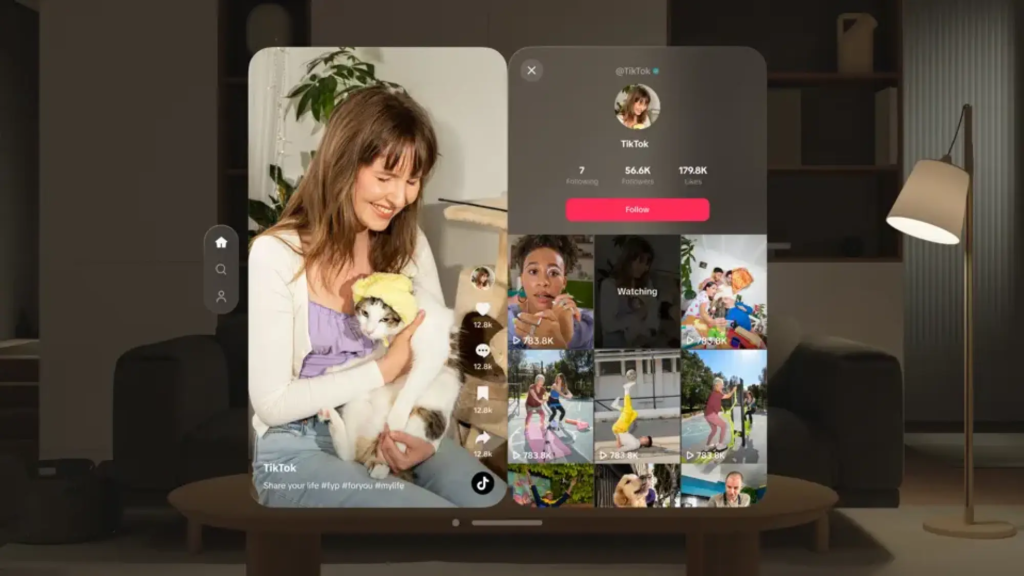
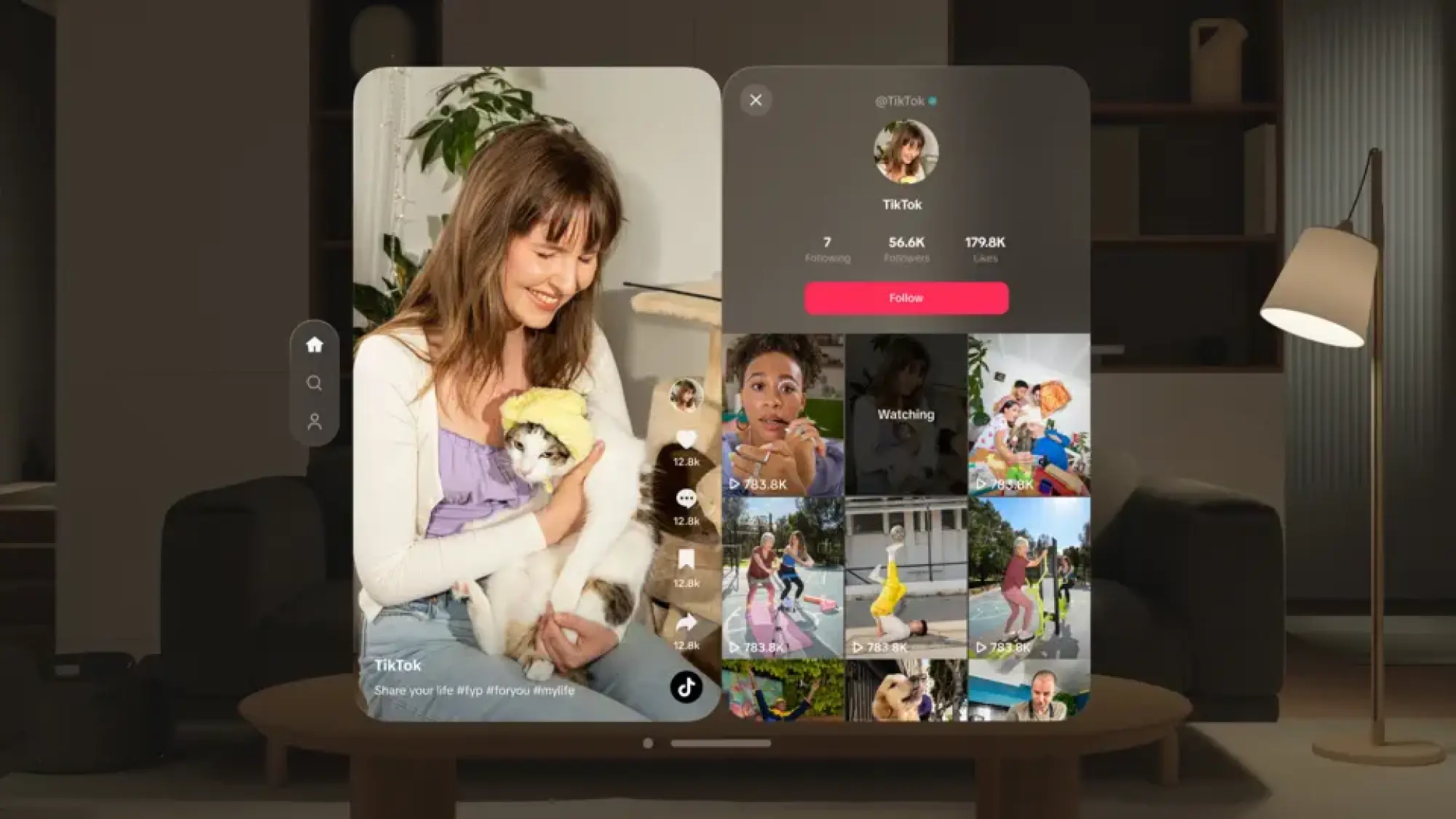
The TikTok app on the Apple Vision Pro is designed to maximize the mixed reality features of the device, giving users a new way to interact with content. From spatial audio to 3D effects, the app sets a new standard for immersive social media. Users can navigate through TikTok’s endless stream of content in an immersive environment, interact with videos in three-dimensional space, and experience content in previously unimaginable ways.

The Implications

This new platform provides a canvas for content creators to experiment with mixed reality features while pushing the boundaries of creativity and engagement. Viewers get a front row seat to a revolutionary content experience, where TikTok videos are no longer confined to flat screens, but envelop them in interactive environments.

Conclusion

TikTok’s dedicated app for the Apple Vision Pro is a bold step into the future of content consumption. Merging the world’s leading short-video platform with groundbreaking mixed reality technology, opens up new possibilities for conversation, creativity and engagement. As we stand on the brink of this new digital age, one thing is clear: the way we view, create, and interact with content is about to change forever.

Threat to Starlink? US Intelligence has Confirmed that Russia is Developing Anti-Satellite Technology

Threat to Starlink? US Intelligence has Confirmed that Russia is Developing Anti-Satellite Technology

In a significant announcement that has caught the attention of global security experts and space enthusiasts alike, the United States has confirmed that Russia is in the process of developing an advanced anti-satellite (ASAT) system. This groundbreaking revelation not only raises alarms about the potential vulnerability of satellite networks that are crucial for global communications, including SpaceX’s ambitious Starlink project, but also signals a possible escalation in space-based warfare capabilities.

Starlink's Mission and Technology

Threat to Starlink? US Intelligence has Confirmed that Russia is Developing Anti-Satellite Technology

Starlink, the satellite internet constellation being deployed by SpaceX to provide high-speed internet across the globe, could face unprecedented threats if such anti-satellite technologies are operationalized. The system aims to blanket the earth with broadband coverage, especially targeting regions where internet access has been unreliable or completely unavailable. However, the Russian initiative to develop an ASAT system could jeopardize the operational integrity and security of these satellites, posing a significant setback to global connectivity efforts.

The Potential Threat to Starlink

The development of such anti-satellite capabilities is not just a concern for companies like SpaceX but also represents a broader threat to the peaceful use of outer space. Satellites play a pivotal role in various critical applications beyond communications, including navigation, weather forecasting, and global surveillance. The ability to target and potentially disable these satellites could have far-reaching implications for global security, environmental monitoring, and even everyday conveniences that have become integral to modern life.

This development has prompted a swift response from the international community, with calls for increased diplomatic engagement and the establishment of norms and treaties to govern the militarization of space. The confirmation of Russia’s anti-satellite system underscores the urgent need for a collaborative approach to space security, ensuring that space remains a domain for peaceful exploration and use.

“Although I am limited in how much I can share about the specific nature of the threat, I can confirm that it is related to an anti-satellite capability that Russia is developing,” White House National Security Communications Advisor John Kirby said on Thursday.

c-span.org

As the situation unfolds, the focus will be on how nations and private entities can work together to mitigate these emerging threats to satellite infrastructure. The future of global satellite communications, including ambitious projects like Starlink, may well depend on the ability of the international community to address these challenges head-on, ensuring the safety and security of critical space assets in an increasingly contested outer space environment.

How To Stop Contact Sharing On iPhone iOS 17

How To Stop Contact Sharing On iPhone iOS 17

In an era where data privacy is more important than ever, it is essential to understand how to manage your personal information on devices like the iPhone. iOS 17 introduces various features to enhance user experience and privacy controls, including the ability to manage contact sharing. This guide will walk you through the steps to turn off contact sharing on your iPhone, ensuring that your data will remain private and secure.

Understanding Contact Sharing on iOS 17

What is Contact Sharing?

How To Stop Contact Sharing On iPhone iOS 17

Image Source: beebom.com

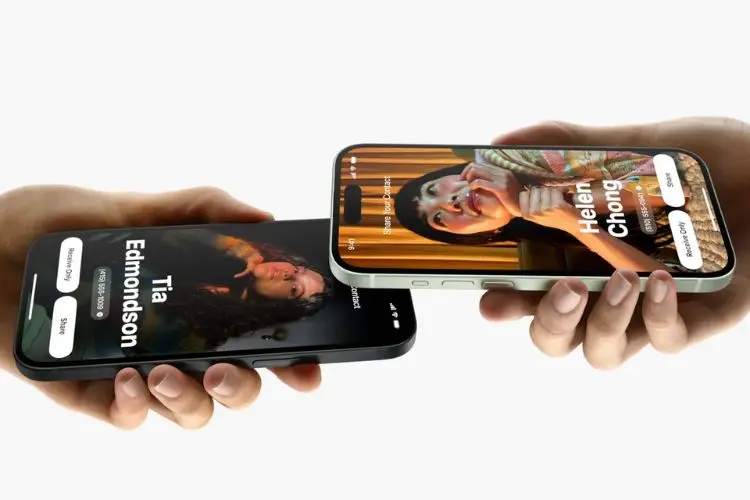
Contact sharing on iOS 17 allows users to seamlessly share their contact information with other iOS devices. The feature is designed to facilitate an easy exchange of information, but raises privacy concerns for many.

How Does It Work?

The feature uses Apple’s ecosystem to sync contact information across devices owned by the user or shared with family and friends. While convenient, this can inadvertently lead to over-sharing of personal data.

The Importance of Managing Contact Sharing

Privacy Concerns

With the increasing risk of data breaches, managing who has access to your contact information is important. Turning off contact sharing can be a proactive step toward protecting your privacy.

Data Management

Controlling contact sharing helps manage your digital footprint, ensuring that only intended recipients have access to your contact details.

Step-by-Step Guide to Turn Off Contact Sharing

  1. Open the ‘Settings’ app on your iPhone.

  2. Scroll down and select ‘Contacts’.

  3. Tap on ‘Share My Contact Info’.

  4. Toggle the switch to ‘Off’ to disable contact sharing.

Ensure the changes are saved before exiting Settings. Your contact information will no longer be shared automatically.

Troubleshooting Common Issues

If you encounter any issues, restarting your device or checking for iOS updates may help resolve the issue. Turning off contact sharing may impact convenience but significantly increases privacy and security.

Conclusion

Controlling contact sharing on your iPhone is an important aspect of managing your privacy and security in the digital age. iOS 17 provides tools to customize these settings, ensuring users can take advantage of connectivity without compromising their personal information. Remember, taking charge of your digital footprint is not only about protecting your data, but also protecting your peace of mind.

The Ultimate Guide to Using Galaxy AI for Real-Time Language Translation

The Ultimate Guide to Using Galaxy AI for Real-Time Language Translation

In an increasingly globalized world, the ability to communicate across linguistic barriers is more important than ever. Enter Galaxy AI, a cutting-edge tool designed to break down these barriers by translating spoken conversations in real time. This article explains how to leverage Galaxy AI for seamless communication, ensuring that linguistic differences no longer hinder personal or professional interactions.

Understanding Galaxy AI

What is Galaxy AI?

Galaxy AI is a sophisticated language translation application that uses artificial intelligence to provide instant spoken language translations. It is designed to facilitate clear and accurate communication between speakers of different languages, making it an invaluable tool for travelers, business professionals, and anyone looking to bridge the language divide.

The Technology Behind Galaxy AI

The Ultimate Guide to Using Galaxy AI for Real-Time Language Translation

At the heart of Galaxy AI is a powerful AI engine that combines speech recognition, machine learning, and natural language processing technologies. This allows it to not only recognize and translate spoken words, but also understand context, idioms, and cultural nuances, providing translations that are both accurate and meaningful.

Setting Up Galaxy AI for Translation

Downloading and Installing

Getting started with Galaxy AI is straightforward. First of all, download the app. Installation is quick and once complete, you will be asked to select your primary language and the languages ​​you want to translate.

Configuring Galaxy AI Settings

After installation, take a moment to explore Galaxy AI’s settings. Here, you can adjust preferences for voice speed, level of translation accuracy, and whether you want the translation to be read aloud. Tailoring these settings to your needs improves the translation experience.

How to Use Galaxy AI for Spoken Conversations

Starting a Conversation

Starting a translated conversation with Galaxy AI is as simple as pressing the microphone button and speaking. The app will automatically detect the spoken language and provide a translation in the chosen language, either textually or audibly, based on your settings.

Real-Time Translation Features

Galaxy AI’s real-time translation capability is its standout feature. As you speak, the app instantly translates your words, allowing smooth, natural conversations. It can handle complex sentences and specialized terminology with impressive accuracy.

Tips for Clear Communication

To ensure the best possible translation:

  • Speak with clarity and at a moderate pace.

  • Avoid slang and idiomatic expressions unless necessary.

  • Use simple sentences to convey complex ideas.

Advanced Features of Galaxy AI

Customizing Translation Preferences

Galaxy AI offers the ability to customize translation settings for different scenarios such as formal meetings or casual conversations. This customization ensures that the tone and formality of the translation matche the context of your conversation.

Utilizing Offline Translation

One of the most practical features of Galaxy AI is its ability to translate without an internet connection. Although the range of languages ​​in offline mode may be limited, it is incredibly useful for communicating in areas with poor or no connectivity.

Troubleshooting Common Issues

Dealing with Misinterpretations

No translation tool is perfect, and misinterpretations may occur. If a translation doesn’t seem right, try rewriting your sentence or speaking more clearly. Often, a slight adjustment can significantly improve accuracy.

Connectivity Problems

For online translation in real-time, a stable Internet connection is important. If you encounter any problems, check your connection and switch to offline mode if necessary, taking into account the limitations mentioned earlier.

Conclusion

Galaxy AI represents a significant leap forward in overcoming language barriers. By understanding its capabilities and making the most of its features, users can communicate more effectively and confidently in different languages. As AI technology continues to advance, the possibility of even more accurate and nuanced translations is on the horizon, promising a future where linguistic differences are no longer a barrier.

The Ultimate Guide to Recovering Deleted Posts on Facebook

The Ultimate Guide to Recovering Deleted Posts on Facebook

Facebook, with its billions of users, is a treasure trove of memories, moments, and messages. Whether it’s a heartfelt post, a beloved photo, or a lively discussion, the content we share on Facebook often holds significant emotional value. But what happens when a post you love gets accidentally deleted? Is it gone forever, or is there any hope for recovery? Let’s look at the possibilities and find out how to recover deleted posts on Facebook.

Understanding Facebook's Data Policy

The Ultimate Guide to Recovering Deleted Posts on Facebook

Image Source: pipiads.com

First, it’s important to understand what happens behind the scenes when you delete a post on Facebook. According to the platform’s data policy, deleting a post removes it from your profile, timeline, and Facebook’s servers. This action is generally considered permanent, with Facebook saying that once a post is deleted, it cannot be recovered.

Steps to Attempt Recovery of a Deleted Post

While the official stance might seem discouraging, there are a few avenues you can explore in your quest to recover lost content.

Checking the Activity Log

Your Activity Log is a comprehensive record of your activities on Facebook, including posts, comments, and likes. Although this will not allow you to directly recover deleted posts, it may provide clues or remains of lost content.

Exploring the Archive Feature

Facebook offers an archive feature for posts that you no longer want to appear on your timeline but aren’t ready to delete permanently. If you’ve used this feature, recovering your content is as simple as accessing your archive and restoring the post.

Downloading Your Facebook Data

Downloading your Facebook data from time to time can serve as a preventive measure, ensuring that you have a backup of all your content, including posts. If you did this before deleting a post, you may still find the content in your downloaded files.

Utilizing Third-Party Tools

Although there is no official tool for post recovery, some third-party applications claim to recover deleted social media content. However, use caution and do thorough research, as their use raises privacy and security concerns.

Preventive Measures

Prevention is better than cure. Backing up your Facebook data regularly and using the Archive feature judiciously can help you avoid the regret of accidentally deleting valuable content.

The Role of Customer Support

In cases where you suspect that your content has been removed due to a glitch or unauthorized access, reaching out to Facebook Support may provide clarity or assistance. Although they usually can’t recover deleted posts, they can provide assistance with account security and related issues.

Conclusion

The digital sphere is fleeting, and our interactions on platforms like Facebook are more fragile than we imagine. Although recovering deleted Facebook posts is challenging and often not possible through official methods, understanding your options can provide some solace and a path forward. More importantly, this journey highlights the importance of digital responsibility and the need to take proactive steps to protect our online memories.

FAQs

  1. Can I recover a post deleted from Facebook after 30 days?

    • Once a post is deleted from Facebook, it is considered permanently deleted regardless of the time frame.

  2. Does Facebook keep copies of deleted posts?

    • Facebook’s policy states that deleted posts are removed from their servers and cannot be recovered.

  3. Can I use third-party apps to recover deleted Facebook posts?

    • While some apps claim to recover deleted content, their effectiveness is unverified, and they may pose security risks.

  4. What is the difference between archiving and deleting a post on Facebook?

    • Archiving a post hides it from your Timeline without removing it from Facebook, allowing future retrieval, while deleting a post permanently removes it.

  5. How often should I download my Facebook data for backups?

    • It depends on how often you post the content you want to keep. A regular schedule, such as monthly or quarterly, is recommended for active users.

Meta Will No Longer Suggest Political Content to Users on Instagram, Threads

Meta Will No Longer Suggest Political Content to Users on Instagram, Threads

In a significant change in policy, Meta has announced that it will no longer recommend political content to users on Instagram and Threads. The decision marks a significant change in how the social media giant handles the intersection of politics and social networking. This article highlights the implications, rationale and potential impacts of this new policy.

The role of social media in shaping political discourse has increased rapidly. Meta, formerly known as Facebook, has been at the center of this growth. However, it has also faced criticism for its handling of political content and misinformation.

Meta's Announcement

Meta Will No Longer Suggest Political Content to Users on Instagram, Threads

Meta has decided to implement a significant policy change on its social media platform, Instagram and Threads, by no longer recommending political content to its users. This strategic move aims to enhance the overall user experience by creating a more neutral and less divisive social media environment. By reducing the visibility of political content, Meta intends to reduce the spread of misinformation and reduce the potential for polarization among its user base. The decision reflects Meta’s commitment to fostering a more positive and engaging online community, while also addressing growing concerns about the role of social media in political discourse and the spread of political misinformation.

Impact on Users

Instagram and Threads are set to significantly change user experiences, aiming for a more peaceful and personalized social media environment. The move is expected to reduce the risk of unwanted political discussions and content, potentially reducing polarization and promoting a more enjoyable online space for users who seek entertainment, personal connections, or interests beyond the political sphere.

Impact on Political Content

Meta’s decision to stop recommending political content on Instagram and threads is expected to reduce the visibility and reach of political messages, impacting the way these are shared and engaged on the platforms. Political entities may need to adjust their strategies to maintain audience engagement without the aid of algorithmic campaigning.

Global Implications

The impact of META’s policy extends beyond the US. This part considers its implications for global political discourse and regional differences. Looking to the future, Meta is likely to introduce more policies and features aimed at improving user experience and combating misinformation.

Conclusion

Meta’s decision to stop recommending political content on Instagram and Threads is a historic step. This reflects the growing recognition of the role of social media in politics and the need for responsible content curation.