Your Tech Story

Technology

Google’s 2019 ‘Code Yellow’ Blurred Line Between Search, Ads


Google’s 2019 ‘Code Yellow’ Blurred Line Between Search, Ads

Emails presented in the Justice Department’s historic antitrust hearing in opposition to the search engine giant revealed that in February 2019, the previous head of search at Alphabet Inc.’s child firm Google complained to coworkers that his team was getting excessively involved with advertising for the beneficial aspects of the product and company.

Google’s 2019 ‘Code Yellow’ Blurred Line Between Search, Ads

Image Source: techxplore.com

To allow its engineers to develop on Google’s search engine without being constrained by the team whose aim is to maximise advertising income, Google keeps a firewall across its search and ad teams. However, in February 2019, when evidence from the antitrust trial was made public on Tuesday, Google secretly issued a “Code Yellow” due to worries that the business could miss its quarterly targets for search revenue.

Documents state that during the seven-week crisis, engineers from Google’s search as well as Chrome browser divisions were transferred to investigate the reason behind the slowdown in user inquiries.

Justice Division Ben Gomes, a previously employed Google employee, was contacted by the firm to defend itself and demonstrate the progress it has achieved in search, especially in the mobile space. On interrogation, however, attorney David Dahlquist of the Justice Department brought to light the conflicts that existed between Gomes’ search department and its marketing competitors.

The goal of the interrogation was to disprove Google’s claims that its search team only concentrates on enhancing user experience and is occasionally drawn into the advertising space, where the Department of Justice claims Google has been able to hike prices without facing opposition.

In its eighth week of trial, the fundamental question is whether Google used billions of dollars to suppress competition and retain its monopoly over internet search, in violation of the law.

Google Chief Executive Officer Pichai refutes the Department of Justice's Claims of Evidence Erasure.

Google refuted the notion that the firm’s advertising revenue targets had an impact on results from searches and innovation in a statement.

“The organic results you see in search are not affected by our ads systems or by the ads we show for a query,” said Peter Schottenfels, a Google spokesperson.

finance.yahoo.com

Google claims that its improved offering has allowed them to grab almost 90 percent of the search engine market, and that the general public has benefited from its innovations in internet search. However, emails shown in court on Tuesday indicated that several important members of the search team at the business expressed worry about Google prioritising revenue above innovation.

How to Check, Install, Update, and Uninstall Drivers on Windows

Keep Your Windows Drivers Up-to-Date: How to Check, Install, Update, and Uninstall Drivers on Windows

Drivers are essential software components that allow your operating system (like Windows) to communicate with hardware devices. Whether it’s your printer, graphics card, or keyboard, they all need drivers to function correctly.

Checking Your Drivers:

How to Check, Install, Update, and Uninstall Drivers on Windows

Image Source: alphr.com

First things first, let’s play detective and check the status of your drivers. You don’t need a magnifying glass for this; just follow these steps:

  • Press the Windows key + X and click on ‘Device Manager’.
  • In Device Manager, you will see a list of devices. Click on any to view driver details.
  • If you see a yellow exclamation mark, Houston, we have a problem. That driver said, “Help, I’m not functioning properly!”

Installing Drivers:

So, you’ve got some new hardware, and it’s time to roll out the drivers. Here’s how to install them:

  • Again, open Device Manager.
  • Right-click on the device that requires a driver and select ‘Update Driver’.
  • Select ‘Search automatically for updated driver software’ and let Windows work its magic.

Updating Drivers:

Just like updating your favorite apps, it’s important to keep your drivers up to date. Here’s information about updating them:

  • Again, open Device Manager.
  • Click on the device and select ‘Update Driver’.
  • This time, select ‘Browse my computer for driver software’ if you downloaded the latest driver manually.
  • Follow the prompts, and you are up to date!

Uninstalling Drivers:

Sometimes, things don’t work out and you have to say goodbye to the driver. Here’s the uninstalling process:

  • Open Device Manager (feeling like a pro yet?).
  • Click on the device and select ‘Update Driver’.
  • Confirm your decision, and it’s done. Don’t worry; It’s not you, it’s them.

Troubleshooting:

Sometimes drivers are unable to function properly. If you’re experiencing issues, try these quick solutions:

  • Revert to a previous driver version if a new update is causing the trouble.
  • Boot into Safe Mode to troubleshoot without any interference.
  • Use System Restore to go back to that happy time when everything was working.

Conclusion:

And there you have it folks! You are now a Driver Wizard, ready to check, install, update, and uninstall drivers like a professional. Remember, keeping your drivers under control is like giving your PC regular health checks – it keeps things running smoothly and prevents future headaches.

FAQs

1. What’s a driver, and why is it so important? A driver is like a translator that helps your operating system and hardware communicate effectively. Without it, they’re speaking different languages!

2. How often should I update my Windows drivers? Generally, if it doesn’t work properly, don’t fix it. But for security and performance, it’s good to check for updates every few months.

3. Can outdated drivers cause problems? Absolutely! They can cause hardware malfunction, security vulnerabilities, and overall system instability.

4. Should I use driver update software? This isn’t necessary, but it can save you time and hassle, especially if you’re not comfortable going into Device Manager.

Tesla stock closes below $200, hits 5-month low amid tough October

Tesla Stock Falls Below $200 for First Time Since May

Tesla’s stock declined 4.8 percent on Monday, breaking below 200 dollars and reaching lows that have not occurred since late May, even in the face of a bounce in the entire market and a resurgence in discounted tech.

Panasonic's Reduced Battery Production in Japan

Tesla’s stock was being affected by two news stories. First, Panasonic, the company that supplies its batteries to Tesla, reduced car battery manufacturing in Japan during the September quarter and lowered its projected year profit by 15 percent, citing the impact of a worldwide slowdown in sales of electric vehicles.

Across the world, Panasonic supplies battery cells for electric vehicles to manufacturers; however, in the United States, the Japanese business collaborates with Tesla to manufacture the cells at the Gigafactory in Nevada.

Panasonic's Global Production Cut and Its Impact on Tesla's Model S and Model X

Having said that, the corporation said that it has reduced production, not for North American business processes, but for clients worldwide and in Japan. In the second quarter, Panasonic ceased to provide Tesla with its 1865 electric vehicle batteries; nevertheless, the older batteries are still utilised in Tesla Model S as well as Model X cars, which are not eligible for electric vehicle (EV) tax credits under the Inflation Reduction Act (IRA).

“The IRA has a price ceiling up to $80,000 and since the high-end models exceed that level, demand decreased,” Panasonic CFO Hirokazu Umeda said on Monday.

finance.yahoo.com
Tesla stock closes below $200, hits 5-month low amid tough October

Image Source: uk.finance.yahoo.com

The second potentially negative development for Tesla was the announcement by chipmaker ON Semiconductor that its earnings and revenue outlook were lower than anticipated as a result of declining sales.

Silicon carbide chips manufactured by ON Semiconductor, are used by Tesla in its electric vehicle powertrain and other essential parts. Compared to regular silicon chips, silicon carbide chips can often resist higher temperatures, use less energy, and are designed for a longer lifespan. The financiers may be watching a decline in the market for silicon carbide as a sign that sales of electric vehicles particularly Tesla’s, are softening.

Gary Black, a Tesla investor from The Future Fund, commented on the company’s decline today.

“$TSLA weakness today could be due to big $ON guidance miss (-18%). ON sells silicon carbide chips to EV makers and cited 'increased risk to automotive demand due to high-interest rates,'" Black wrote on X, formerly Twitter, around midday on Monday.

finance.yahoo.com

Although down more than 22 percent in the last month, the stocks of Tesla continue to be up 60 percent year to date.

The Ultimate Guide to Selecting Value-for-Money Noise-Cancelling Earbuds​

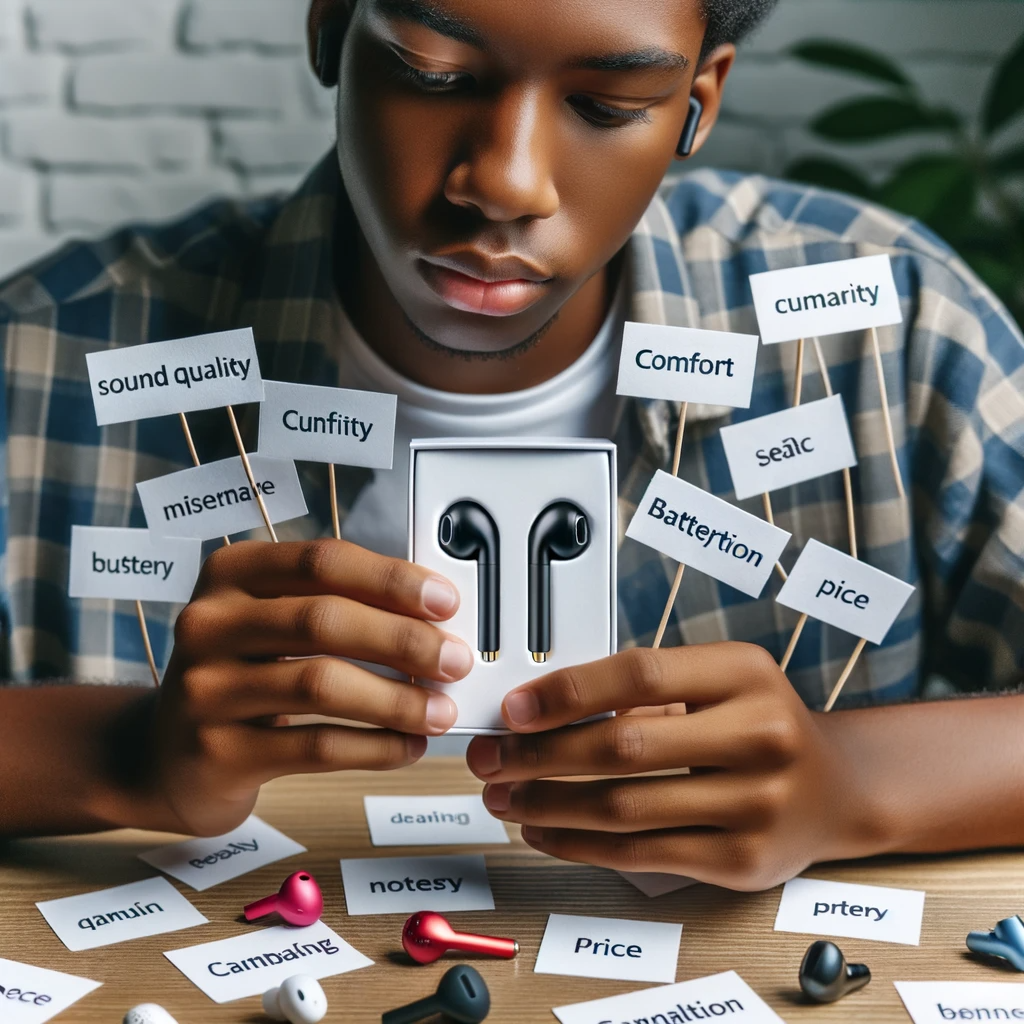
In a world where the hustle and bustle of daily life can be overwhelming, noise-cancelling earbuds have become a sanctuary for music lovers and busy professionals alike. But with a plethora of options available, how do you select a pair that offers the best bang for your buck? This comprehensive guide will walk you through the nuances of noise-cancelling technology and what to look for when choosing your perfect pair.

Understanding Noise Cancellation Technology

Before diving into the selection process, it’s crucial to understand the technology behind noise cancellation.

Active vs. Passive Noise Cancellation

Noise-cancelling earbuds come in two Flavors: active and passive. Active noise cancellation (ANC) uses microphones and speakers to create sound waves that counteract ambient noise. Passive noise cancellation, on the other hand, relies on the physical design of the earbuds to block out sound.

How Noise Cancellation Works

ANC earbuds pick up external sounds with built-in microphones. They then produce sound waves that are the exact opposite (anti-phase) of the unwanted noise, effectively cancelling it out. This technology is particularly effective against consistent, low-frequency sounds like the hum of an airplane or the rumble of a train.

Factors to Consider When Choosing Earbuds

With a basic understanding of noise cancellation, let’s delve into the factors that make a pair of earbuds truly value for money.

Sound Quality
The primary purpose of earbuds is to deliver sound, so quality is paramount. Look for earbuds with clear highs, rich mids, and deep bass. Reading reviews and testing them out (if possible) can give you a good idea of their audio fidelity.

Battery Life
ANC technology requires power, so battery life is a significant consideration. Ensure that the earbuds you choose can last through your daily activities without frequent recharging.

Comfort and Fit
Comfort is subjective, but it’s essential for long listening sessions. Look for earbuds with multiple ear tip sizes or those made from soft, flexible materials.

Build Quality and Durability
Your earbuds should withstand the rigors of daily use. Durable materials and solid construction are indicators of a pair that will last.

Additional Features

Modern earbuds come with a suite of additional features like touch controls, voice assistants, and customizable sound profiles. While not essential, these can enhance your listening experience.

Top Picks for Value-for-Money Noise-Cancelling Earbuds

Let’s explore some options across different price ranges.

Budget-Friendly Options

You don’t have to break the bank to get decent noise-cancelling earbuds. Brands like  Anker and Taotronics offer affordable options that don’t skimp on quality.

Mid-Range Contenders

For those willing to spend a bit more, brands like One Plus, Jabra and Sony provide a balance between cost and advanced features.

Premium Choices

If you’re looking for the crème de la crème, brands like Apple, Bose and Sennheiser offer top-tier noise cancellation and sound quality, albeit at a higher price point.

Where to Buy Your Earbuds

Once you’ve made your choice, it’s time to purchase. Consider buying from reputable retailers or directly from the manufacturer to ensure authenticity and warranty coverage.

Caring for Your Noise-Cancelling Earbuds

To get the most out of your investment, proper care is essential. Store them in a case when not in use, keep them clean, and avoid exposing them to extreme temperatures.

Conclusion

Selecting the right noise-cancelling earbuds doesn’t have to be daunting. By understanding the technology and considering the factors outlined in this guide, you can find a pair that offers excellent value for money and enhances your audio experience.

FAQs

  1. Can noise-cancelling earbuds completely eliminate all sounds? No, while they significantly reduce ambient noise, they can’t block out everything, especially sudden, high-frequency sounds.
  2. Do noise-cancelling earbuds pose any health risks? There’s no evidence to suggest that noise-cancelling earbuds pose health risks. However, listening at high volumes for extended periods can damage hearing.
  3. How long do noise-cancelling earbuds typically last? With proper care, quality noise-cancelling earbuds can last several years.
  4. Can I use noise-cancelling earbuds without music? Yes, you can use them to reduce ambient noise even when you’re not listening to audio.
  5. Are there noise-cancelling earbuds suitable for exercise? Yes, many brands offer sweat-resistant earbuds designed for physical activity.
YouTube is now cracking down on ad-blockers globally

YouTube is now cracking down on ad-blockers globally

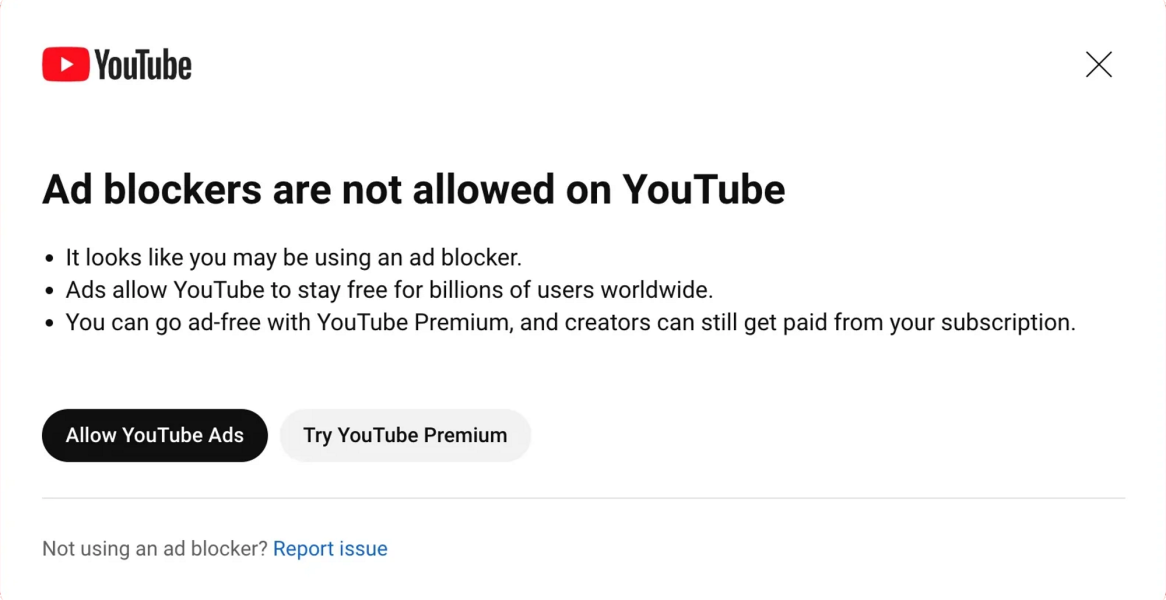
In a significant move to combat ad-blocker usage on its platform, YouTube has launched a global initiative aimed at curbing the practice that violates its Terms of Service.

YouTube is now cracking down on ad-blockers globally

Image Source: techspot.com

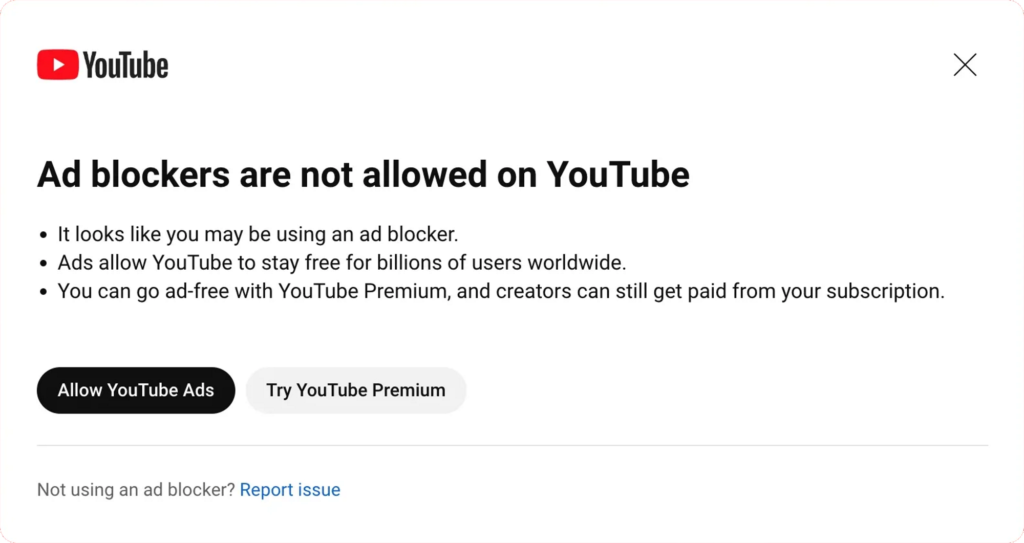
The video streaming giant began experimenting with this approach back in June, when it started displaying warning messages to users who employed ad-blockers while viewing content. These messages informed users that if they continued using ad-blockers, their access to the video player would be restricted after viewing just three videos. This initial experiment has now escalated into a full-scale campaign, as YouTube seeks to ensure that users either purchase a YouTube Premium subscription or allow ads to play during their viewing experience.

User Reactions and the Growing Irony of Ad Blockers on YouTube

The initiative has not gone unnoticed by the YouTube community, with numerous users taking to the r/YouTube subreddit to express their concerns and experiences. Many Redditors were quick to point out the irony of YouTube cracking down on ad-blockers while allowing advertisements related to ad-blockers on its service. This juxtaposition has sparked debates about the platform’s commitment to user experience and revenue generation. Users are left questioning the platform’s motives as it promotes anti-ad-blocker ads while penalizing those who employ ad-blockers.

YouTube, however, has not provided specific details regarding the extent of restrictions imposed on users employing ad-blockers in this experiment. In a statement, the company simply reiterated that the use of ad-blockers violates YouTube’s Terms of Service, leaving room for users to speculate about potential consequences.

YouTube’s pursuit of increased revenue and a broader user base is evident in its diverse strategies. The platform currently boasts 80 million paid users across its Music and Premium tiers. Nevertheless, YouTube’s parent company, Google, continues to experiment with alternative methods to bolster its user numbers. Some of these tests include prompting users to pay for access to videos in 4K resolution or subjecting them to multiple unskippable ads for an uninterrupted viewing experience. These endeavors indicate the company’s determination to strike a balance between user satisfaction and revenue generation.

As YouTube tightens its stance on ad-blocker usage, it remains to be seen how the community will react and whether these measures will succeed in pushing users toward YouTube Premium subscriptions or encourage them to tolerate advertisements during their video consumption. The evolving landscape of ad-blocker usage on YouTube underscores the ever-present tension between platform profitability and user preferences in the online video streaming industry.

Infosys Bucks Global Trend, Asks Some Staff Back in Office 10 Days a Month

Infosys Bucks Global Trend, Asks Some Staff Back in Office 10 Days a Month

Indian tech giant Infosys Ltd. is making headlines by defying the global trend and asking some of its employees to return to the office for a minimum of 10 days a month. This decision comes in stark contrast to many of its global peers who are moving towards greater remote work flexibility.

A Departure from Pandemic-Era Remote Work

Infosys Bucks Global Trend, Asks Some Staff Back in Office 10 Days a Month

Image Source: ca.finance.yahoo.com

This change follows a controversial statement by Infosys co-founder Narayana Murthy, who suggested that young Indians should work 70 hours a week, a stance that is at odds with Infosys’s official position on providing complete flexibility to its employees.

Infosys is not the only Indian IT services provider to ask employees to return to the office. Its larger Indian rival, Tata Consultancy Services Ltd., had already requested many of its employees to return to the office for five days a week, starting from October 1. This shift is driven by the desire to enhance efficiency as demand for their services faces challenges amidst a global technology spending slowdown.

On the global stage, major tech companies are also opting for office-centric approaches. Amazon.com Inc. in the United States has been taking measures to ensure that employees adhere to its mandate, requiring them to work in the office for three days a week. Alphabet Inc.’s Google faced backlash for its similar office return policy.

Infosys CEO's Perspective

Infosys’s Chief Executive Officer, Salil Parekh, emphasized during an earnings call that the company is witnessing an increase in employees returning to the office, despite maintaining a flexible work policy. He explained, “There are some instances, for example, with specific client work or specific types of engagement where we feel it’s better that everyone is working together. But in general, our view is we want to support this flexible approach. It’s something that we believe is appropriate given how we’ve set up the work-from-home infrastructure.”

As Infosys deviates from the prevailing global trend toward remote work, it remains to be seen how this move will impact its workforce and whether it will influence the wider Indian IT services industry’s approach to office work in the post-pandemic era.