Your Tech Story

Technology

China Claims World’s Fastest Internet With 1.2 Terabit-Per-Second Network


China Claims World’s Fastest Internet With 1.2 Terabit-Per-Second Network

China has surged ahead in the global race for lightning-fast internet, defying industry expectations by unveiling a groundbreaking next-generation service that outpaces existing routes by over tenfold. The nation proudly presents a network capable of transmitting data at a staggering 1.2 terabits per second, effectively leaping past the predicted timeline by a solid two years.

Boosting Data Speeds Beyond Imagination

This cutting-edge backbone network forms a vital data conduit linking Beijing, Wuhan in central China, and Guangzhou in the southern Guangdong province. Its unparalleled capacity sends data at a velocity equivalent to streaming a mind-boggling 150 films per second, showcasing a leap forward in digital connectivity.

China Claims World’s Fastest Internet With 1.2 Terabit-Per-Second Network

Image Source: firstpost.com

Despite Nigeria’s ongoing struggle with internet speeds affecting a significant portion of its 150 million users, China’s milestone marks a decisive step toward revolutionizing global internet infrastructure. Recent reports highlighted Africa’s persistent challenges, with average download speeds in Sub-Saharan Africa hovering around 12.11 Mbps, underscoring the urgent need for enhanced connectivity across the continent.

This technological marvel, spanning over 3,000 kilometers of optical fiber cabling, materialized from a collaborative effort involving Tsinghua University, China Mobile, Huawei Technologies, and Cernet Corporation. This alliance defied earlier expert projections, which anticipated such ultra-high-speed networks emerging closer to 2025.

The Beijing-Wuhan-Guangzhou connection forms a crucial segment of China’s ten-year-long Future Internet Technology Infrastructure (FITI) project, representing the latest iteration of the national China Education and Research Network (Cernet). Wu Jianping, FITI Project Leader, hailed this achievement as not only operationally successful but also a stepping stone toward even swifter internet capabilities.

Unprecedented Speed for a Connected Future

The implications of this milestone extend beyond mere speed records. Wang Lei, Vice-President of Huawei Technologies at Tsinghua University, lauded the network’s capability to transfer the equivalent data of 150 high-definition films within a single second. Xu Mingwei from Tsinghua University likened this new backbone network to a superfast train track, effectively replacing ten regular tracks in data transmission.

China underlines the pivotal role of backbone networks in serving national education, research needs, and the burgeoning demand for data transfer from industrial 5G applications like connected vehicles and mining operations.

With this remarkable achievement, China not only claims the title for the world’s fastest internet but propels the global digital landscape toward an era of unprecedented connectivity and data transfer speeds.

WhatsApp Introduces Secret Code for Locked Chats: A New Level of Privacy

WhatsApp Introduces Secret Code for Locked Chats: A New Level of Privacy

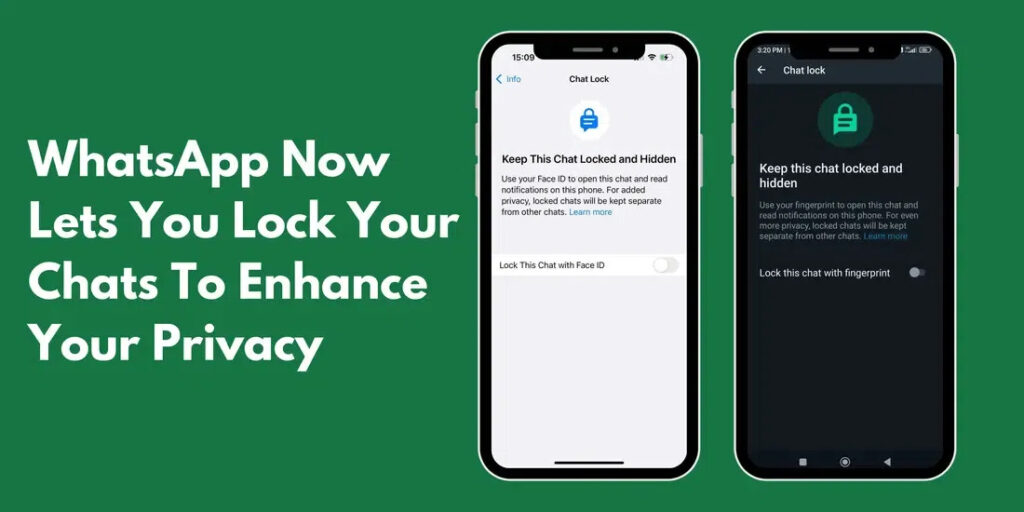
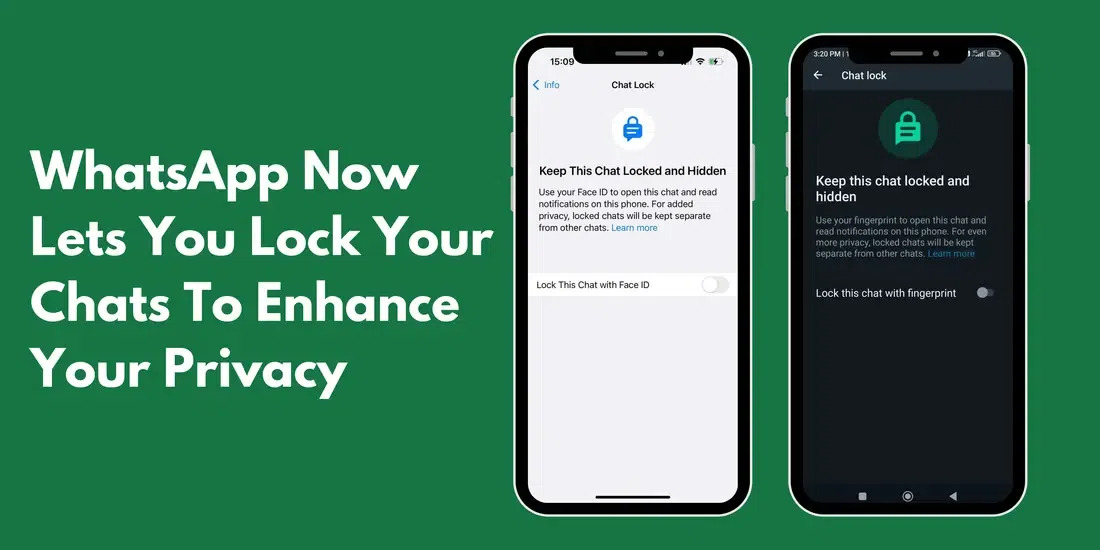
Meta-owned WhatsApp continues to bolster its security features with the testing of a new functionality named “Secret Code” for locked chats within its Android beta version. This latest addition aims to fortify user privacy by concealing the method to access secured conversations, enhancing the existing Chat Lock feature.

The Chat Lock feature, introduced earlier, allows users to secure their chats using their device password or biometric authentication. However, the Secret Code feature takes this security a step further by enabling users to hide the means to open these locked chats, ensuring an additional layer of confidentiality.

Enhanced Security Measures with Secret Code

This new Secret Code feature, spotted by WABetaInfo in the Android version 2.23.24.20, permits users to lock their chats using a unique code. Unlike accessing locked chats via the app’s home screen, Secret Code-protected chats remain invisible when pulling down the home screen. Accessing these chats requires users to enter the designated code in the Chats tab’s search bar, heightening protection, particularly for individuals who occasionally share their devices for various tasks.

WhatsApp Introduces Secret Code for Locked Chats: A New Level of Privacy

Image Source: geeksforgeeks.org

The procedure to employ the WhatsApp Secret Code feature is relatively straightforward. Users can access this functionality by navigating to the list of locked chats, clicking on the three-dot menu, enabling the ‘Hide locked chats’ option under Chat lock settings, and creating a secret code. However, it’s essential to select a memorable code as resetting it will result in the deletion of all locked chats.

Presently, this feature is exclusively available to a limited group of beta testers who have updated their WhatsApp beta for Android via the Google Play Store. However, it’s anticipated that this advanced security feature will soon be rolled out to a wider audience in the coming weeks.

In parallel news, recent reports indicate WhatsApp’s intentions to introduce advertisements on its platform. This development is noteworthy, given the previous denial by a senior executive regarding speculations about Meta-owned messaging platforms incorporating ads. This addition of ads might signal a shift in the platform’s monetization strategy, possibly impacting user experience.

How to Turn On Your Laptop's Keyboard Light: A Comprehensive Guide

How to Turn On Your Laptop’s Keyboard Light: A Comprehensive Guide

In the era of digital technology, the functionality of our devices is paramount. One feature that enhances both aesthetics and usability is the keyboard backlight. This article highlights the ins and outs of activating and using the keyboard light on your laptop, a feature that is not only about style but also about practicality.

Understanding Keyboard Backlighting

Definition and Purpose

Keyboard backlighting refers to illuminating your laptop’s keys, making them visible even in low-light conditions. It’s not just a fancy addition; This is a practical feature for many users.

Types of Keyboard Lighting

From single-color to RGB, keyboard lighting varies across devices, offering a unique user experience.

Checking If Your Laptop Has a Backlit Keyboard

Identifying Backlit Keyboards

Not all laptops come with this feature. We will guide you to check if your device supports keyboard lighting or not.

Manufacturer Specifications

Often, the easiest way to determine this feature is to refer to your laptop’s manual or the manufacturer’s website.

General Steps to Turn On Keyboard Lighting

Common Methods

How to Turn On Your Laptop's Keyboard Light: A Comprehensive Guide

Image Source: coolblue.be

Most laptops use a simple keyboard shortcut to activate the backlight. This section will cover these general steps.

Keyboard Shortcuts

We will provide a list of common shortcuts used by different manufacturers to help you quickly find the right shortcut for your device.

Troubleshooting Common Issues

Lighting Not Working

If your keyboard light isn’t working, we have some troubleshooting tips that may help.

Adjusting Brightness Levels

Learn how to adjust the brightness of your keyboard light for best visibility and comfort.

Benefits of Using a Backlit Keyboard

In Low-Light Conditions

The primary benefit of a backlit keyboard is its usefulness in dark environments – perfect for late-night work or gaming sessions.

For Gaming and Professional Use

Backlit keyboards aren’t just for looks; They have practical applications in gaming and professional contexts.

Conclusion

In conclusion, the keyboard backlight is a feature that combines functionality with aesthetics, enhancing the user experience in a variety of settings. Whether you’re a night owl, a gamer, or someone who appreciates the practicality of well-lit keys, it’s essential to understand how to activate and use this feature. Remember, the right lighting can make a big difference to your computing experience.

FAQs

Can I install a backlit keyboard on a laptop that doesn't have one?

It depends on the laptop model. Some allow this upgrade, while others do not.

Does using the keyboard light drain the battery much faster?

This may have an impact but is usually minimal. We provide tips for efficient use.

Are there different brightness levels for the keyboard light?

Yes, most laptops with this feature allow you to adjust the brightness.

Can I change the color of my keyboard light?

This depends on whether your laptop has RGB lighting or not. We cover how to adapt if this happens.

What should I do if my keyboard light isn't working?

We provide troubleshooting tips in the article to help resolve common issues.

OpenAI Pauses New Signups to Manage Overwhelming Demand

OpenAI Pauses New Signups to Manage Overwhelming Demand

In a surprising turn of events, OpenAI has announced a temporary pause on new signups for its paid ChatGPT Plus service, citing an overwhelming surge in demand. The decision was communicated by the company’s CEO, Sam Altman, through a post on Tuesday, November 14.

OpenAI Pauses New Signups to Manage Overwhelming Demand

Image Source: moneycontrol.com

The move follows OpenAI’s inaugural developer conference, where the company unveiled a host of new features and upgrades for its AI services. Notably, users can now leverage these enhancements to craft customized versions of ChatGPT, tailored to perform specific tasks. This innovation, dubbed GPTs, empowers users to create AI models without the need for coding, ushering in a new era of accessibility and versatility in artificial intelligence.

Altman acknowledged the unexpected surge in usage that followed DevDay, surpassing their current capacity. In his statement on X, formerly known as Twitter, he expressed the company’s commitment to ensuring an optimal user experience for both existing and potential customers.

A Glimpse into OpenAI's Dominance

OpenAI’s popularity has been on a meteoric rise, with approximately 100 million people engaging with its AI services every week. The company proudly revealed that over 90% of Fortune 500 businesses are actively building tools on OpenAI’s platform, underscoring the widespread adoption of its technology across diverse industries.

The introduction of GPTs marks a pivotal moment, allowing users to harness the power of AI for specialized applications, ranging from teaching mathematics to children to elucidating the intricacies of board games. OpenAI’s commitment to democratizing AI shines through, as it eliminates the traditional barriers of coding expertise.

OpenAI has ambitious plans for the near future, intending to launch a store later this month. This platform will enable users to discover and utilize tailored GPTs created by other users. Much like the App Store in Apple’s ecosystem, this marketplace not only facilitates knowledge sharing but also provides an avenue for users to monetize their unique AI creations.

While the temporary pause in new signups may disappoint eager users, it reflects OpenAI’s dedication to maintaining quality standards in the face of unprecedented demand. As the company continues to push the boundaries of AI accessibility, the brief hiatus could very well pave the way for an even more inclusive and innovative future.

Google will delete millions of Gmail accounts next month

Google Will Delete Millions of Gmail Accounts Next Month – Here’s What You Need to Know

In December, Google plans to finish a huge cleanup of its Gmail service, during which it expects to remove millions of user accounts. a few months ago, the firm announced that Gmail accounts would be deleted. The primary reasons for this action were “inactivity” and the desire to make Gmail a safer and more secure alternative.

“People want the products and services they use online to be safe and secure. Which is why we have invested in technology and tools to protect our users from security threats, like spam, phishing scams and account hijacking,” Ruth Kricheli, VP of Product Management at Google, shared in a post.

“Even with these protections, if an account hasn’t been used for an extended period of time, it is more likely to be compromised. This is because forgotten or unattended accounts often rely on old or re-used passwords that may have been compromised, haven’t had two-factor authentication set up, and receive fewer security checks by the user.”

bgr.com
Google will delete millions of Gmail accounts next month

Image Source: entertales.com

Even though we’ve been aware of the impending Gmail purge for a few months, people who don’t follow the media closely could have failed to receive the announcement. It is crucial that consumers understand what is going on here, as the cleanup will begin in less than a month’s time.

How to secure your Gmail account from removal

You must continue to use your Gmail account in order to prevent massive removal and to continue to keep it operational. That might mean several different things, but generally speaking, you have to log into your Google account in order to utilise it for various purposes, such as viewing YouTube videos or reading emails.

By doing this, you may make sure that when Google launches its major Gmail cleanse next month, your login and account are not counted as inactive. However, deleting outdated and potentially hacked accounts is a wise precautionary measure as well. It also implies that usernames that have been occupied for an extended period of time may be removed; thus, if you’ve been hoping to switch to a better username, it could become vacant once the purge starts. Of course, there’s no certainty.

How to Use Two WhatsApp Accounts on Your Phone at Once: Check Out WhatsApp's New Feature

How to Use Two WhatsApp Accounts on Your Phone at Once: A Step-by-Step Guide

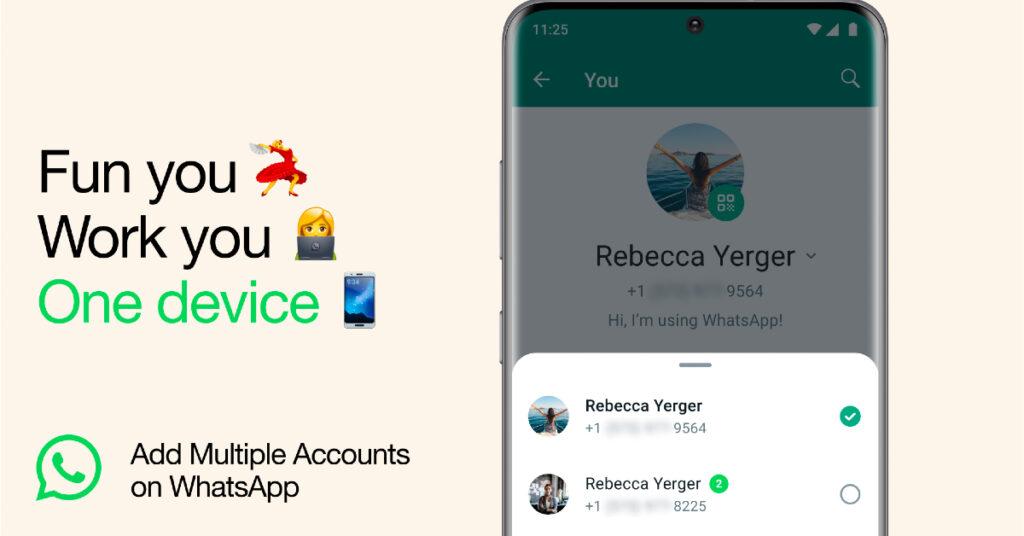
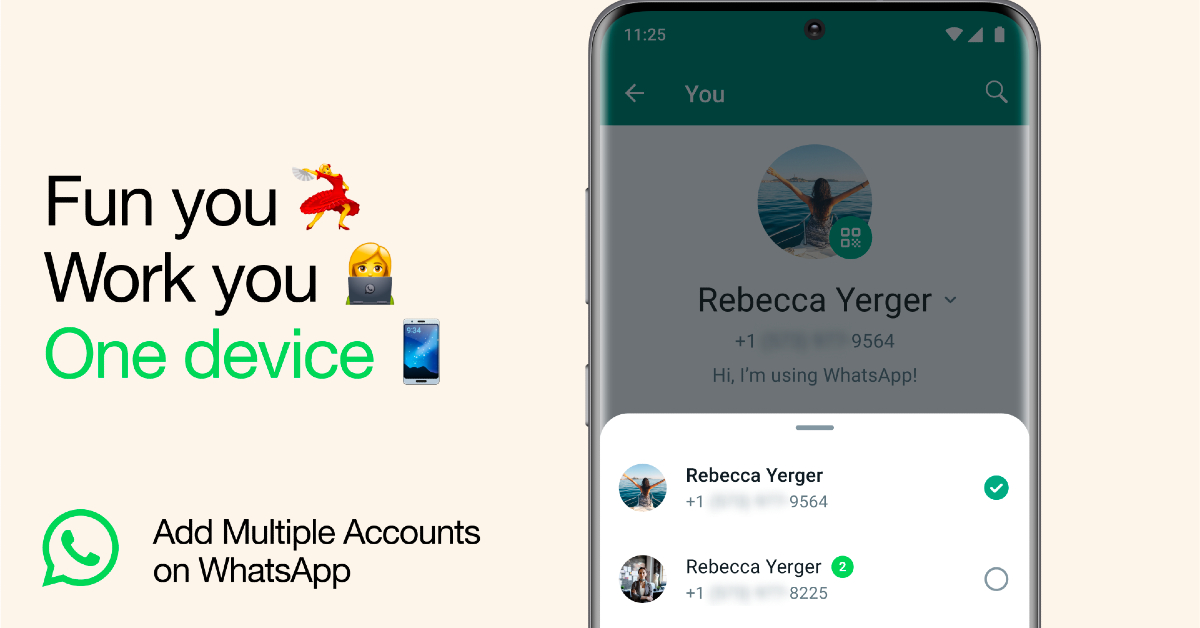
WhatsApp, the global leader in instant messaging, has always been at the forefront of innovation. Catering to the diverse needs of its billions of users, WhatsApp has introduced an unprecedented feature: the ability to use two accounts simultaneously on one phone. This feature addresses the growing demand to manage personal and professional life in a separate yet convenient way.

Understanding the Need for Two WhatsApp Accounts

Personal vs. Professional Use

In today’s fast-paced world, the line between personal and business communication is becoming increasingly blurred. Having two separate WhatsApp accounts allows users to maintain this important balance.

Managing Different Social Circles

With two accounts, users can easily separate their social circles, ensuring that messages and contacts don’t inadvertently overlap.

WhatsApp's New Feature: Dual Account Functionality

Announcement and Overview

How to Use Two WhatsApp Accounts on Your Phone at Once: Check Out WhatsApp's New Feature

Image Source: gadgetbridge.com

WhatsApp’s announcement of the dual account functionality has been met with enthusiasm. This feature allows users to have two different WhatsApp accounts on the same device.

Step-by-Step Guide to Setting Up Two Accounts

Initial Setup

The process starts with the standard setup of the primary WhatsApp account on the device.

Configuring the Second Account

Users can add a second account by following a series of simple steps, which will be detailed in the article.

Technical Requirements and Compatibility

Device Requirements

The article will outline the specific device requirements needed to support this feature.

OS Compatibility

Compatibility with various operating systems like Android and iOS will also be discussed.

Benefits of Using Two WhatsApp Accounts

Enhanced Privacy

This feature provides an additional layer of privacy, as users can keep their personal and business communications separate.

Better Organization

It also helps better organize chats and contacts, reducing clutter and confusion.

Security Considerations

Keeping Both Accounts Secure

Security is paramount, especially when handling two accounts. The article will discuss how to maintain the security of both accounts.

Best Practices for Privacy

Tips on privacy settings and best practices will be shared to help users keep their information secure.

Conclusion

Ultimately, WhatsApp’s new dual account feature is an important step in enhancing the user experience and functionality. This article provides a comprehensive guide on how to set up and use two WhatsApp accounts on one phone with tips, user feedback, and expert opinions. As WhatsApp continues to innovate, its commitment to user satisfaction remains evident.

FAQs

Can I use two WhatsApp accounts on any smartphone?

This feature requires specific technical specifications, which will be detailed in the article.

Is it possible to link the two accounts?

Currently, both accounts operate independently without linking feature.

Will I receive notifications from both accounts simultaneously?

Yes, users will receive notifications from both accounts, depending on their notification settings.

How does this feature impact data usage and storage?

Using two accounts may lead to increased data usage and storage. Tips on managing these will be provided.

Can I switch between accounts easily?

Yes, the article explains how users can switch between the two accounts seamlessly.