Your Tech Story

Technology

Philippines Orders Google and Apple to Remove Binance App from Stores


Philippines Orders Google and Apple to Remove Binance App from Stores

Citing worries about investor security and possible economic consequences, the Securities and Exchange Commission (SEC) of the Philippines has ordered Google and Apple to eliminate cryptocurrency exchange Binance from their local app stores. Here’s a closer look at the circumstances:

Taking Action on Regulations

Philippines Orders Google and Apple to Remove Binance App from Stores

Image Source: bitcoinist.com

On April 23, the SEC announced in a news release that it had ordered Google and Apple to take down any apps related to Binance that were accessible to Filipino consumers on the Google Play Store and the Apple App Store. Allegations that Binance violated Philippine securities regulations by acting as an unregistered broker and offering unregistered securities to Filipino investors led to the taking of this action.

SEC Chair Emilio B. Aquino emphasised the need for this action, claiming that investors are at risk and that the local economy may suffer if Binance applications remain available. Aquino underlined how critical it is to stop Binance from engaging in any further unlawful activity inside the nation.

Prior Bans and Advisories

The National Telecommunications Commission (NTC) blocked access to Binance websites in the Philippines on March 25, and this latest action by the SEC comes after that action. Since November 2023, the SEC has issued warnings to the public about the dangers of doing business with Binance because of its licence and regulatory compliance issues.

An SEC representative reaffirmed the alerts on April 8 and said that consumers were given an extension and a three-month window to remove their money from Binance. Following this grace period, the SEC said that they were unable to provide any means of getting money back.

On February 21, the Philippines launched a crackdown on unregistered cryptocurrency trading sites; at first, Binance was untouched by these legal measures.

Issues with Global Regulation and Binance's Reaction

Even if there are regulatory obstacles in the Philippines, Binance has advanced in other regions. Binance, which has previously violated local restrictions and paid a $2 million fine, announced its return to the Indian market on April 18. The same day, Binance also received a cryptocurrency licence in Dubai after co-founder Changpeng Zhao gave up his voting rights in the exchange’s local organisation.

In summary, the SEC’s decision to ban Binance from the Philippine Google and Apple app stores is a reflection of its continued efforts to uphold securities laws and shield investors from unsanctioned financial activity. This action emphasises the difficulties of negotiating regulatory regimes across numerous jurisdictions and the larger legal landscape that bitcoin exchanges face internationally.

 
How to Save Your TikTok Videos Without Watermark Before the Ban

How to Save Your TikTok Videos Without Watermark Before the Ban

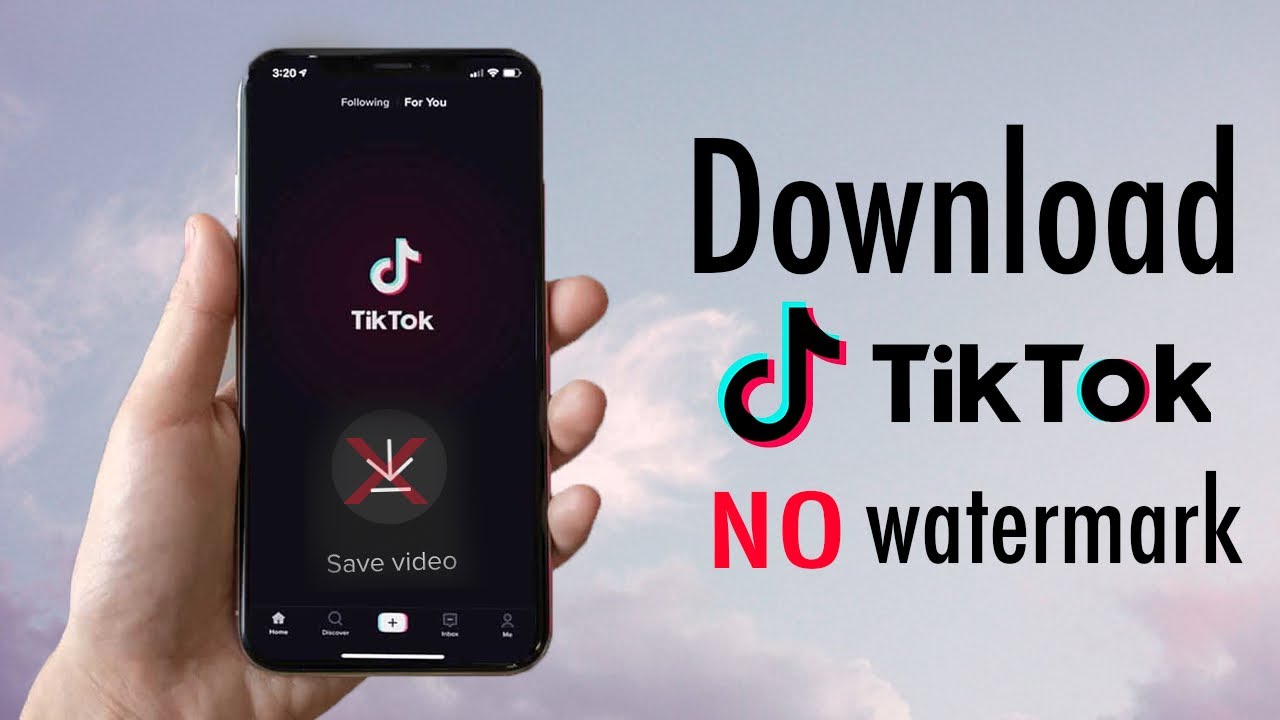
With growing concerns about data privacy and ongoing discussions over a possible ban on TikTok in different countries, many users are looking for ways to save their favorite TikTok videos. Whether you are a content creator who is worried about losing access to their work or a user who enjoys watching and sharing videos, knowing how to download TikTok videos without a watermark can be extremely useful.

Why Remove the Watermark?

How to Save Your TikTok Videos Without Watermark Before the Ban

Image Source: youtube.com

Removing watermarks from TikTok videos can be important for a few reasons. First, it gives the video a cleaner look, which is important if you’re reusing content for other platforms. Secondly, it helps maintain a more professional appearance when using videos for presentations or portfolios.

Using Third-Party Apps

Several third-party apps allow you to download TikTok videos without the watermark. Here are a few popular ones:

1. SnapTik

  • How to Use: Simply copy the URL of the TikTok video you wish to download and paste it into SnapTik. The app will process the video and provide a download link without the watermark.

  • Availability: Available as a web service and as an app for both Android and iOS.

2. MusicallyDown

  • How to Use: Similar to SnapTik, you copy the video URL from TikTok and paste it into MusicallyDown. The site will then offer a link to download the video sans watermark.

  • Availability: Accessible through its website.

3. TikTok Video Downloader

  • How to Use: Use this tool by entering the URL of the video into their website. It provides options to download with or without watermarks.

  • Availability: Primarily available online via their website.

Desktop Solutions

For those who prefer using a desktop, there are software solutions that can bulk download TikTok videos without watermarks:

1. 4K Video Downloader

  • How to Use: After installing the software, paste the TikTok video link into the application. Select the quality and format of your download, and make sure to select the option to remove the watermark.

  • Benefits: Allows downloading playlists and supports multiple formats.

2. YT Saver

  • How to Use: This software also works by pasting the video URL. YT Saver offers an option to download TikTok videos without the watermark and even convert them to different formats.

  • Benefits: Supports video conversion to formats like MP4, MP3, and more.

Precautions and Legal Considerations

While it is technically possible to download TikTok videos without watermarks, it is necessary to consider the legal and ethical implications. Always make sure you have the rights to download and use the content, especially if you plan to reuse it for commercial use. Additionally, be cautious when downloading third-party apps and software to avoid malware.

Conclusion

Downloading TikTok videos without watermarks is a useful skill to have, especially in view of the potential restrictions. Whether using web-based tools, apps, or desktop software, there are plenty of options available that suit different needs and preferences. Just remember to download and use content responsibly, respect the rights of the creators, and follow legal guidelines.

Amazon Shifts Focus from California to Arizona for Drone Delivery Plans

Amazon Shifts Focus from California to Arizona for Drone Delivery Plans

Amazon has declared that it will no longer be using drone delivery services in Lockeford, California. This indicates that the company will now be concentrating on extending the program to Arizona, where deliveries are expected to start later this year. These are the specifics:

Moving from California to Arizona

Amazon Shifts Focus from California to Arizona for Drone Delivery Plans

Image Source: cnbc.com

Undergoing strategic adjustments is the Prime Air drone delivery program, which has had difficulties since its establishment in 2013. In a blog post published on Monday, Amazon stated that it intends to expand drone delivery services to other American towns by 2025. The company aims to begin services in Tolleson, Arizona, a community west of Phoenix, later in 2024. This growth is a result of Amazon’s attempts to get the Federal Aviation Administration (FAA) and local government permissions required for drone delivery in the Phoenix region.

Lockeford Site Closure

Amazon has decided to close its Lockeford drone delivery location in order to devote resources to expanding the program in line with its long-term objectives. The corporation promised the people of Lockeford that their orders would still be delivered via alternate ways.

Testing Recently Developed Drone Technology

To ensure the MK30 delivery drone is dependable and capable, Amazon is testing it extensively. With its revised design, this model promises to be smaller, quieter, and function better in inclement weather and light rain.

Regulatory Partnerships and Benchmarks

After receiving the FAA’s Part 135 certification in 2020, Amazon has made progress in navigating regulatory challenges. In October of last year, the FAA loosened limitations on drone flight routes, allowing Amazon more operating flexibility.

Amazon and Embention, a company that creates drone autopilot systems, have strengthened their collaboration to improve safety features with improvements in both hardware and software.

Arizona's Prospects for the Future

Amazon’s dedication to innovation in its delivery network is demonstrated by its plan to broaden drone deliveries to Tolleson, Arizona. The Phoenix metro area’s clients will receive their items more quickly thanks to the efficient order fulfilment and delivery stations that combine hybrid technology.

Phoenix Adopts Unmanned Aerial Systems

Mayor of Phoenix Kate Gallego is excited about the use of drone delivery technology, noting that it may lessen pollution in the area and establish Phoenix as a centre for cutting-edge solutions.

Awaiting the Arizona Launch

Although specifics about the launch schedule and West Valley locations that qualify are still being withheld, Amazon plans to introduce drone delivery services in Arizona later this year. Customers who are interested in receiving information on Prime Air availability in their area can register for alerts.

The conclusion of operations at Lockeford by Amazon is indicative of the company’s strategic realignment towards augmenting its drone delivery capabilities. This move paves the way for revolutionary developments in the domain of autonomous package delivery.

Jack Ma: A Journey from Teacher to Billionaire

Jack Ma: A Journey from Teacher to Billionaire

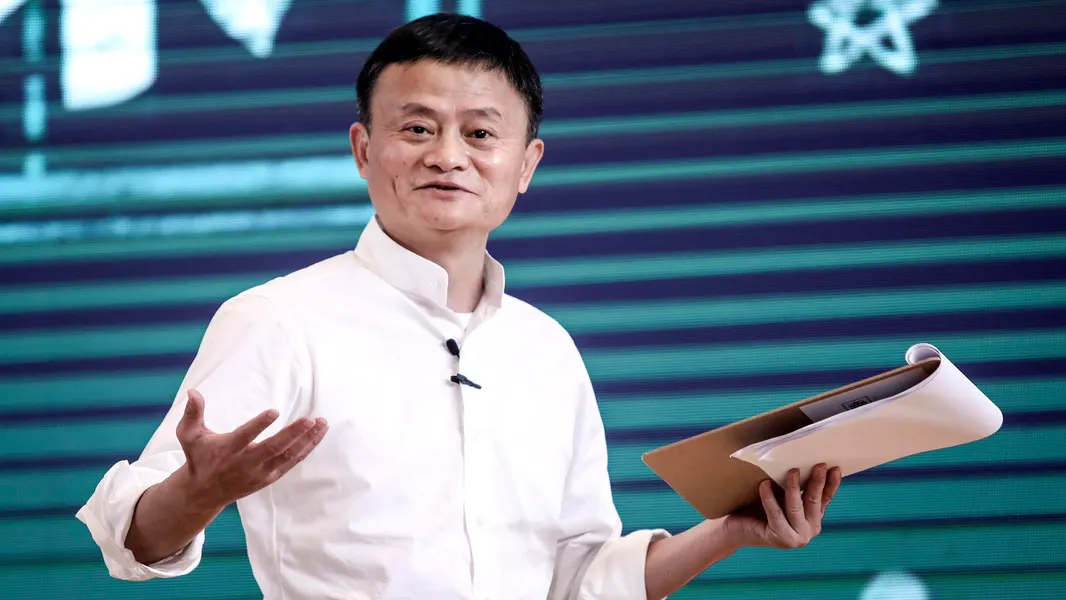
Jack Ma, born in Hangzhou, China, in 1964, faced academic challenges during his formative years. He failed college entrance exams twice and encountered job rejections post-graduation. Despite these setbacks, Ma’s determination remained steadfast.

Teaching Career and Discovery of the Internet

Jack Ma: A Journey from Teacher to Billionaire

Image Source: forbes.com

Ma’s career took a pivotal turn when he became an English teacher, earning a modest income. His passion for learning and exploration led him to discover the internet during a trip to the United States in 1995. This encounter sparked his visionary idea of bringing e-commerce to China.

Founding Alibaba: A Visionary Venture

In 1999, Jack Ma founded Alibaba, envisioning it as a platform to revolutionize Chinese commerce. Despite skepticism and challenges in a state-dominated market, Ma’s innovative thinking and perseverance propelled Alibaba’s growth.

Building a Global E-Commerce Empire

Alibaba initially focused on connecting Chinese manufacturers with international buyers, laying the groundwork for a comprehensive e-commerce ecosystem. Under Ma’s leadership, Alibaba expanded its services to include online payment systems (Alipay), cloud computing (Alibaba Cloud), digital media (Alibaba Pictures), and more.

Alibaba's Record-Breaking IPO

One of Ma’s career milestones was Alibaba’s IPO on the New York Stock Exchange in 2014, raising a historic $25 billion. This event solidified Alibaba’s position as a global tech giant and catapulted Ma to immense wealth.

Philanthropy and Advocacy

Beyond business success, Jack Ma is renowned for his philanthropic endeavors. He established the Jack Ma Foundation, focusing on initiatives such as rural education, environmental protection, and entrepreneurship development.

Challenges and Legacy

Despite his achievements, Ma faced criticism and clashes with Chinese authorities. In 2019, he stepped down as Alibaba’s chairman but remained involved in strategic decisions. Jack Ma’s journey from teaching to billionaire entrepreneurship serves as an inspiration, highlighting the transformative power of resilience, vision, and innovation.

Jack Ma’s success story exemplifies the journey from adversity to prosperity through unwavering determination and forward-thinking vision. His entrepreneurial legacy continues to inspire individuals globally, symbolizing the limitless possibilities of technology and perseverance in achieving extraordinary goals.

Japan Watchdog Accuses Google of Undermining Local Competitors

Japan Watchdog Accuses Google of Undermining Local Competitors

The Japanese Fair Trade Commission has raised worries about monopolistic activities in the internet industry by accusing Alphabet Inc.’s Google of using strategies that hurt Yahoo Japan’s ability to compete in focused search advertising. A summary of the problem and its ramifications is provided below:

Claims of Market Restrictions

Japan Watchdog Accuses Google of Undermining Local Competitors

Image Source: bloomberg.com

The Fair Trade Commission claims that between 2015 and 2022, Alphabet denied Yahoo Japan access to the technology required to produce targeted ad income from searches on mobile devices. Yahoo Japan’s capacity to successfully compete in the online advertising market was severely hampered by this restriction. Saiko Nakajima, an FTC officer, highlighted the significance of Google’s activities, saying that they significantly reduced competitiveness in the Japanese market.

Promises and Administrative Action

Soon after the problem was brought to Alphabet’s attention, the company changed its behaviour in response to the watchdog’s conclusions and pledged to give Yahoo Japan access to keyword-tied targeted advertising technologies. This pledge was a component of the FTC’s legal proceeding against Alphabet, which was the first of its kind in Japan in opposition to the tech behemoth.

Worldwide Antitrust Issues

The case highlights worries about the dominance of large tech giants such as Google, Microsoft, and Amazon that are widespread around the world. Antitrust authorities are concerned that these businesses are using their market dominance and technological know-how to suppress competition or buy out possible competitors, therefore maintaining their hegemony.

Investigations and Scrutiny of Regulations

In addition to Japan, Alphabet is under regulatory investigation in a number of other countries, including the US. Due to allegations from state solicitors general about limitations on developers’ access to customers through the Google Play app store, Alphabet is facing a $700 million settlement in the United States.

The fact that Japanese authorities are looking into Alphabet over claims that it forced regional smartphone makers to put its search services first on their products highlights the level of regulatory scrutiny that big internet companies are subject to.

Sustained Surveillance and Potential Reopening of Inquiries

The Japanese Fair Trade Commission is unflinching, signalling that it would keep a tight eye on the issue. The FTC has the authority to resume its investigation into Google at any time, which emphasises how crucial continuous regulatory supervision is to preserving fair competition in the online market.

To sum up, the steps taken by Japan’s watchdog against Alphabet demonstrate the increased regulatory scrutiny that large internet companies are subject to worldwide, highlighting the necessity of strong antitrust laws to maintain fair competition and innovation in the digital sector.

 
A Quick Guide to Cancelling Your Spotify Premium Subscription

A Quick Guide to Cancelling Your Spotify Premium Subscription

A Quick Guide to Cancelling Your Spotify Premium Subscription

Image Source: youtube.com

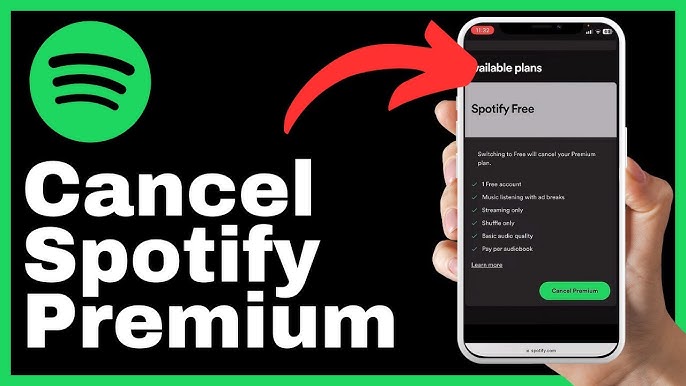
Are you considering canceling your Spotify Premium subscription? Whether you want to cut costs, switch to another service, or just don’t use it enough to justify the expense, canceling Spotify Premium is straightforward.

1. Via the Spotify Website

Cancelling your subscription through the Spotify website is perhaps the easiest way. Just follow these steps:

Step-by-Step Instructions:

  1. Log In: Visit the Spotify website and log into your account. You’ll need your username and password. If you usually log in through Facebook or Apple, use those credentials.

  2. Account Overview: Once logged in, navigate to your account page by clicking on your profile name in the top right corner, then select ‘Account’ from the dropdown menu.

  3. Subscription Details: In your account page, click on ‘Subscription’ in the sidebar. Here you’ll see your current subscription status and details.

  4. Change or Cancel: Click on ‘Change or Cancel’ to view your options. Select ‘Cancel Premium.’

  5. Confirm Cancellation: Spotify will likely try to persuade you to stay with various offers. If you’re sure about cancelling, continue and confirm your cancellation.

After these steps, your account will revert to Spotify Free at the end of your current billing cycle.

2. Using the Spotify App

While you can’t cancel directly through the Spotify app on your mobile device, you can use it to access the necessary web page where you can complete the cancellation.

Steps to Navigate:

  1. Open the App: Launch the Spotify app on your mobile device.

  2. Account Settings: Go to ‘Your Library’, tap on the settings gear in the top right corner, and then select ‘Account’.

  3. Subscription Page: This will redirect you to the Spotify subscription page in your web browser, where you can follow the same steps as listed above for the website to cancel your subscription.

3. Contacting Customer Support

If you encounter any issues or prefer not to navigate the cancellation process yourself, Spotify’s customer support is available to assist.

How to Reach Out:

  1. Customer Support Page: Go to the Spotify website, scroll to the bottom and click on ‘About’ where you will find ‘Contact Us.’

  2. Choose Your Issue: Follow the prompts to specify your issue – in this case, ‘Subscription’. You will then be directed to choose how you’d like to get help, either through email, live chat, or a community forum.

  3. Request Cancellation: Once in contact with a representative, request that your subscription be cancelled. They may ask for confirmation details such as your account information.

Things to Keep in Mind

  • Refunds: Spotify does not typically issue refunds for unused time unless there was an issue with billing. Check their refund policy for specifics.

  • Reactivation: If you decide to return to Spotify Premium, reactivating your subscription is just as easy as cancelling it.

  • Saved Music: Remember, once you revert to Spotify Free, you will lose access to premium features such as offline listening and ad-free music, but your playlists and saved music will remain intact.

Conclusion

Canceling your Spotify Premium subscription is easy if you follow the right steps. Whether you choose to navigate to their website, use the app to redirect you, or talk directly to customer support, Spotify has made the process as user-friendly as possible. Make sure you understand the terms and conditions of returning to a free account and make the decision that best suits your listening needs and budget.