Your Tech Story

Tech News

What to do When Your External Hard Drive Doesn't Show Up?

What to do When Your External Hard Drive Doesn’t Show Up?

It’s a common and frustrating problem: You connect your external hard drive to your computer, but it doesn’t show up. This article provides a comprehensive guide on how to troubleshoot and resolve this issue.

Understanding External Hard Drives

External hard drives are portable storage devices used to back up data. They suffer from problems like not being recognized due to various reasons.

Common Reasons for Non-Detection

Drives not showing up can also be caused by hardware problems, outdated drivers, or software conflicts.

Initial Checks and Quick Fixes

What to do When Your External Hard Drive Doesn't Show Up?

Image Source: windowsreport.com

Start with basic troubleshooting: check the USB port, try a different cable, and restart your computer.

Checking Connection and Power Supply

Make sure the drive is properly connected and receiving power, especially for drives that require an external power source.

Updating and Installing Drivers

Detecting outdated or missing drivers can be prevented. Updating or reinstalling the drivers may solve the problem.

Using Disk Management Tool

Windows Disk Management tool helps locate and manage drives. This can be used to identify whether the system recognizes the drive or not.

Checking for Disk Errors

Using a tool like CHKDSK can help identify and repair disk errors that may be causing the problem.

Formatting the Drive

If the drive is detected but not accessible, formatting may be necessary. Note that this will erase all data on the drive.

Recovering Data from Unrecognized Drives

If the drive contains important data, it is recommended to use data recovery tools or services before formatting.

Preventive Measures and Care

Regularly updating software, properly ejecting the drive, and avoiding physical damage can prevent problems.

Conclusion

Dealing with an external hard drive not showing up can be challenging, but following these steps can help resolve the issue in most cases.

Is AppleCare+ Worth Buying for Your iPhone?

Is AppleCare+ Worth Buying for Your iPhone?

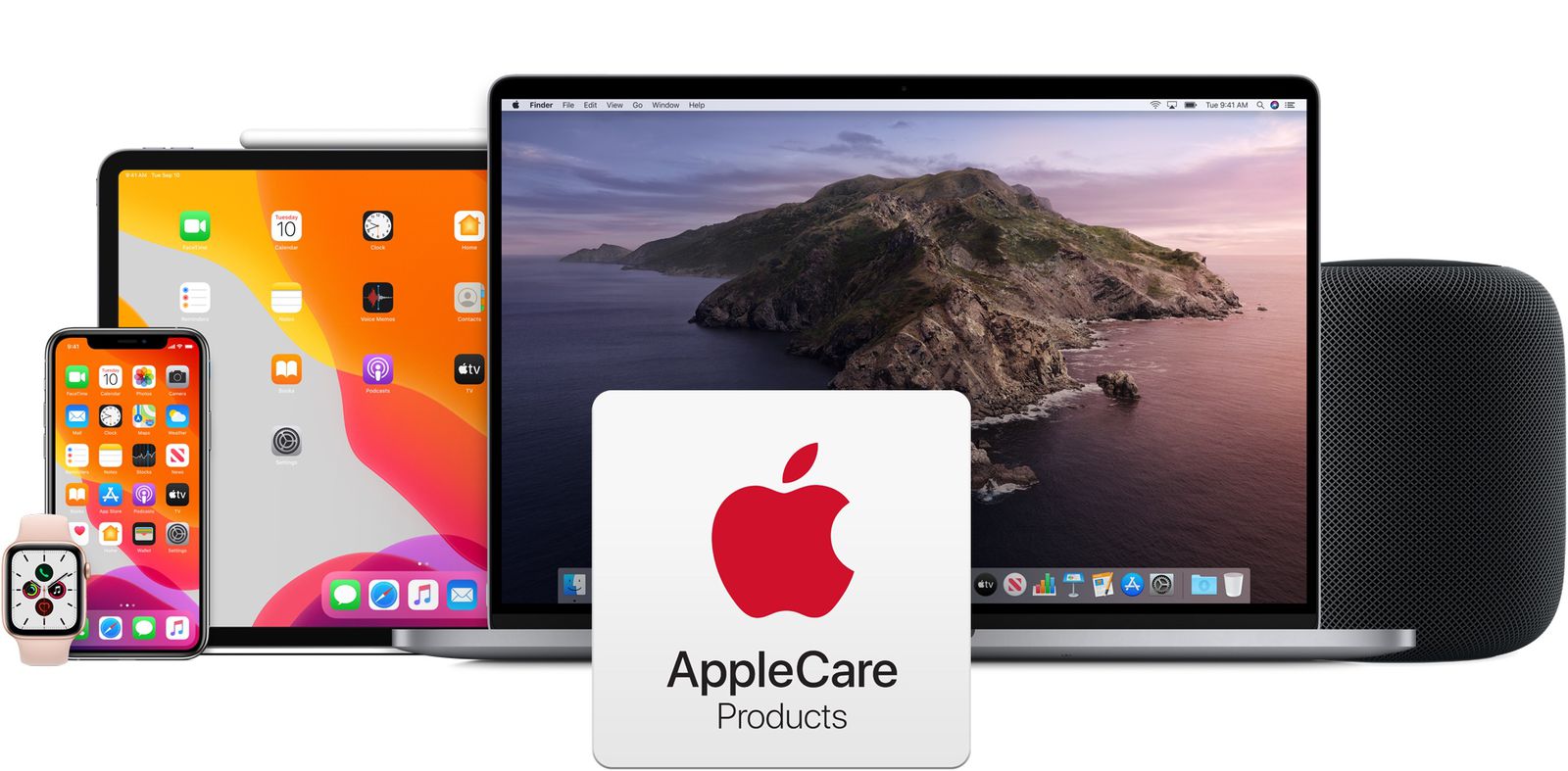
The iPhone is a significant investment in the smartphone world. Protecting this investment often leads users to consider AppleCare+, Apple’s extended warranty and support plan. But is it worth the extra cost?

What is AppleCare+?

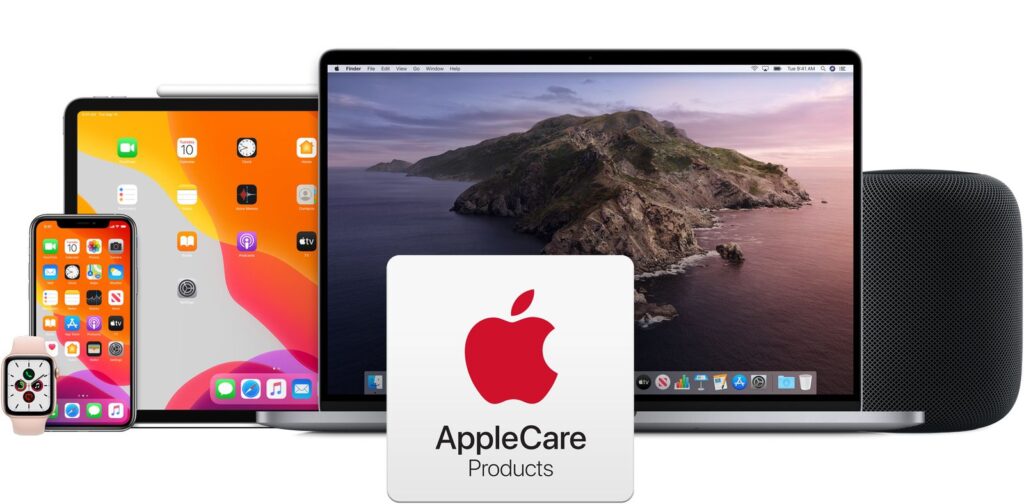
AppleCare+ extends the standard warranty and support for your iPhone, covering accidental damage and adding additional services like 24/7 technical support.

Cost of AppleCare+

The price of AppleCare+ varies depending on the iPhone model. It can be paid in advance or in monthly installments.

Coverage Details

AppleCare+ covers damage to the iPhone’s screen, battery, and other components. It also includes a maximum of two occurrences of accidental damage protection every 12 months.

Comparison with Standard Warranty

While the standard warranty covers manufacturing defects, AppleCare+ goes further by covering accidental damage and offering lower repair costs.

Limitations of AppleCare+

Is AppleCare+ Worth Buying for Your iPhone?

Image Source: macrumors.com

However, AppleCare+ doesn’t cover everything. Loss or theft of the iPhone is not covered, and there is a limit to how much accidental damage is covered.

User Experiences

Many users find peace of mind in AppleCare+, especially those who have to use it for repairs. Online forums and reviews provide countless evidence of its benefits.

Impact on Resale Value

Having AppleCare+ can also increase the resale value of your iPhone, as it assures potential buyers that the device is in good condition.

Alternatives to AppleCare+

For those who find AppleCare+ too expensive, there are options like carrier-provided insurance plans or third-party insurance.

How to Purchase and Activate

AppleCare+ can be purchased with your new iPhone or within 60 days of purchase. Activation is usually automatic when purchased with an iPhone.

Expert Opinions

Tech experts often recommend AppleCare+ to provide additional protection, especially considering the cost of iPhone repairs.

Conclusion

In conclusion, whether AppleCare+ is worth it depends on your circumstances and how you use your iPhone. If you’re prone to accidents or want the assurance of extended support, this is a valuable investment.

Can I Get Free Starlink Internet Service?

Can I Get Free Starlink Internet Service? 

Starlink, an ambitious project by SpaceX, aims to revolutionize global internet connectivity by utilizing a satellite internet constellation. 

With its promise of high-speed internet in remote and underserved regions, it has captured the attention of many individuals eager to explore the possibility of accessing this service for free. However, a closer look at Starlink’s costs and business model reveals intriguing insights into the potential for complimentary access.

Can I Get Free Starlink Internet Service?

Image Source: ts2.space

To access Starlink’s internet service, users are required to make an initial investment in hardware comprising a satellite dish and a Wi-Fi router. These one-time hardware costs, along with a monthly subscription fee, form the financial backbone of the service. Despite the initial expense, the monthly fee is competitive, particularly considering the unparalleled connectivity it offers in areas where traditional broadband services fall short.

The Quest for Free Service: Reality Check

As of the most recent updates in 2023, SpaceX and Starlink have not introduced any standard programs for free individual internet service. The established business model necessitates customers purchasing the requisite equipment and subscribing to the service. While there might be occasional trials or discounts, a completely free service is not part of the current offering.

However, avenues exist for potential assistance. Some governmental or non-profit initiatives aim to aid low-income households or communities in accessing internet services, potentially including satellite internet from providers like Starlink. Programs such as the FCC’s Lifeline program in the United States offer subsidies for eligible consumers. These programs, though limited, present possibilities for reducing the financial burden of internet access.

While the quest for free Starlink internet service directly from the provider remains unfulfilled as of the latest information, avenues exist for potential assistance through government or non-profit programs. The costs associated with hardware and subscriptions remain, but initiatives like the FCC’s Lifeline program offer hope for mitigating these expenses, ensuring a broader spectrum of access to high-speed internet, especially in areas lacking traditional connectivity.

As Starlink continues to expand and evolve, monitoring official sources for updates and exploring available assistance programs can be crucial for those seeking affordable internet access.

How to Download Videos from X (Formerly Twitter)?

How to Download Videos from X (Formerly Twitter)?

Although Twitter debuted as a micro-blogging platform, it has evolved into a massive social media platform that offers a wide variety of information in many formats. The platform, which is now called X, is a hub for original producers who only provide content as well as viral videos. If you frequent X, you have probably seen a video you liked and wanted to show your friends even if they don’t use the platform. Take a look at these short ways to download a 2023 X/Twitter video. 

Use the App itself to Download Videos from X (Twitter).

How to Download Videos from X (Formerly Twitter)?

Image Source: lifewire.com

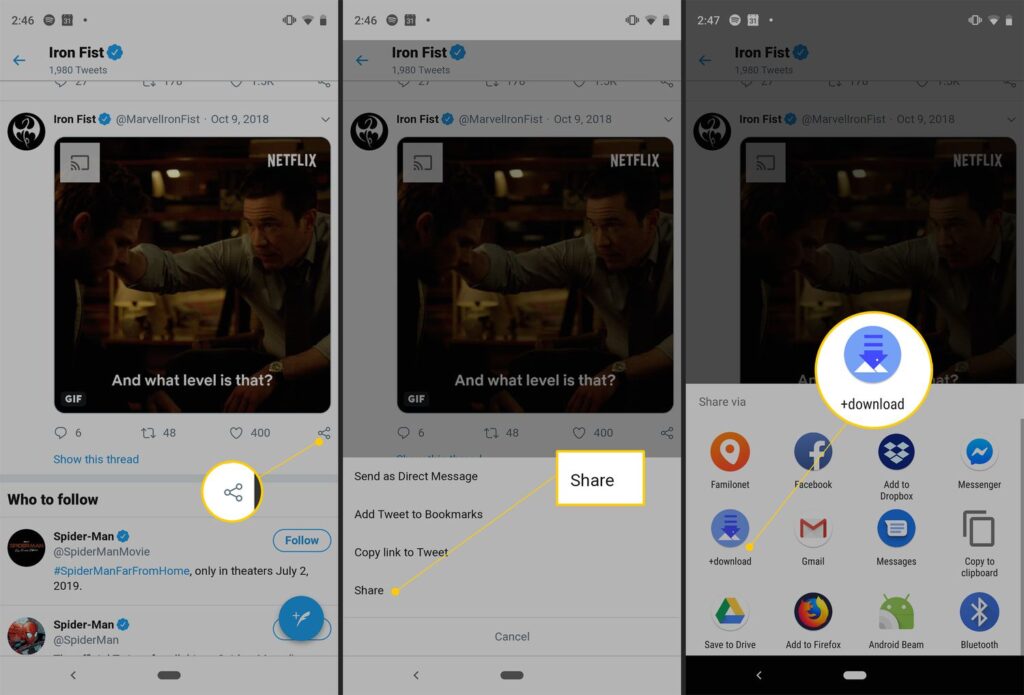
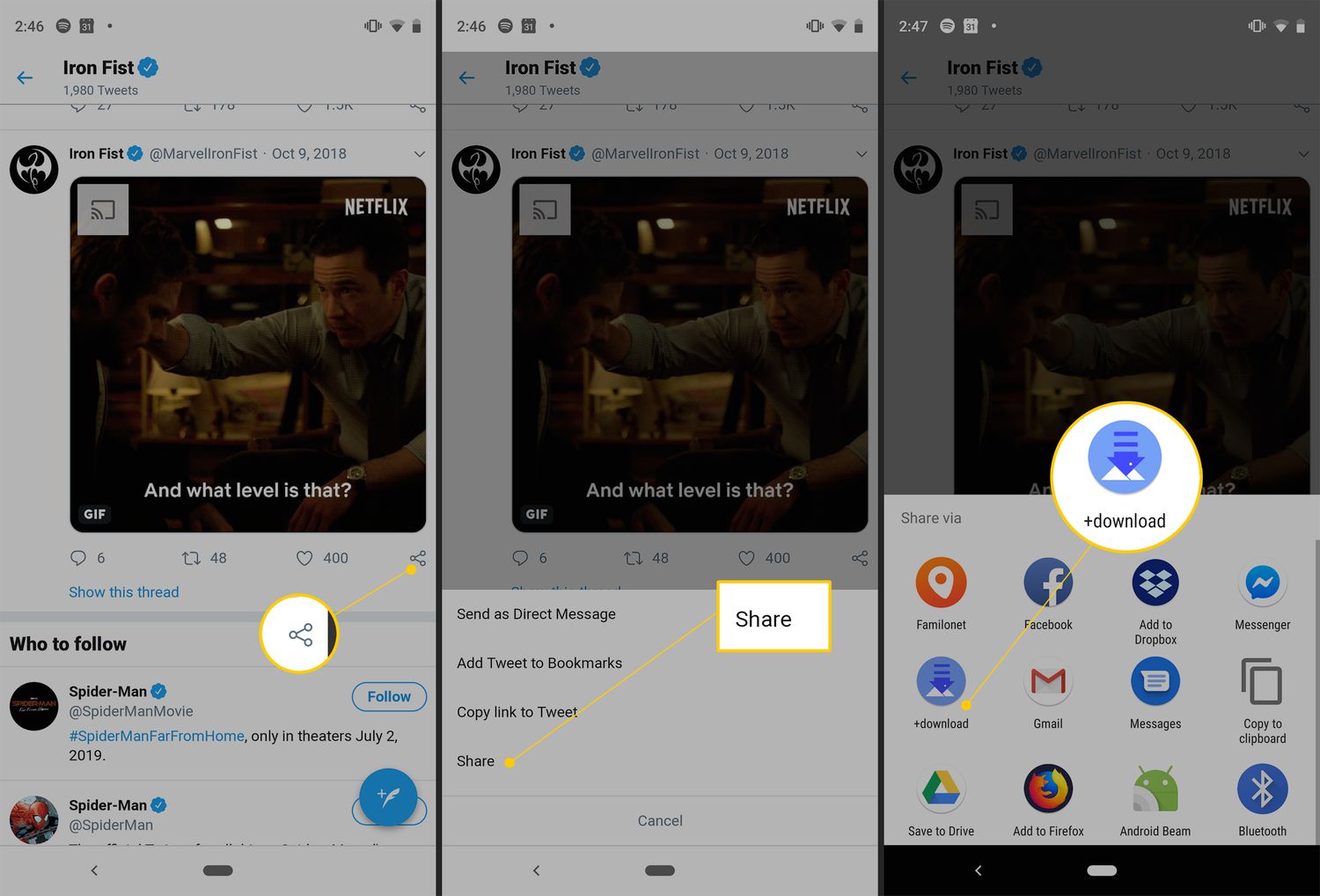
Only Blue members have the ability to download videos from Twitter natively. It’s possible that not every video on the site can be downloaded, though.

Video owners have the authority to determine if other people who use the app are permitted to save the video to their respective devices.

Step 1: On your smartphone, open the X app and choose the video you wish to download.

Step 2: Verify that the video is playing in its entirety.

Step 3: In the upper-right corner of the screen, press the ellipses in step three. 

Step 4: Choose Download video in step four. 

Your device will save the video.

Another Approach is to Download a Video Straight From the X App

A different method exists for downloading a video from X that does not need fullscreen mode. Although there is nothing inappropriate with this strategy, users may occasionally decide not to view videos, particularly if they are in the public eye and also do not have headsets on. Fortunately, X lets you download a video without ever viewing it. This is the method.

Step 1: Open the post with the clip on your phone by using the X app.

Step 2: Hold down the video for a prolonged period of time until a menu appears.

Step 3: Select “Download video.”

Make use of a Third-Party Tool

Even for Twitter Blue members, downloading videos from Twitter to a Desktop is not possible natively, therefore you will want the assistance of a third-party software. Here’s the way to use the Twitter Vid tool to accomplish that.

To Download Movies from X, Use a Chrome Extension.

It might be time-consuming to constantly switch to a third-party software if you frequently save Twitter videos to your computer. You’d be better off with a Chrome addon. You may download any video from Twitter using the extremely useful addon provided by Twitter Vid, the third-party utility we previously highlighted. 

Meta Announces Discontinuation of Cross-Messaging Between Instagram and Facebook

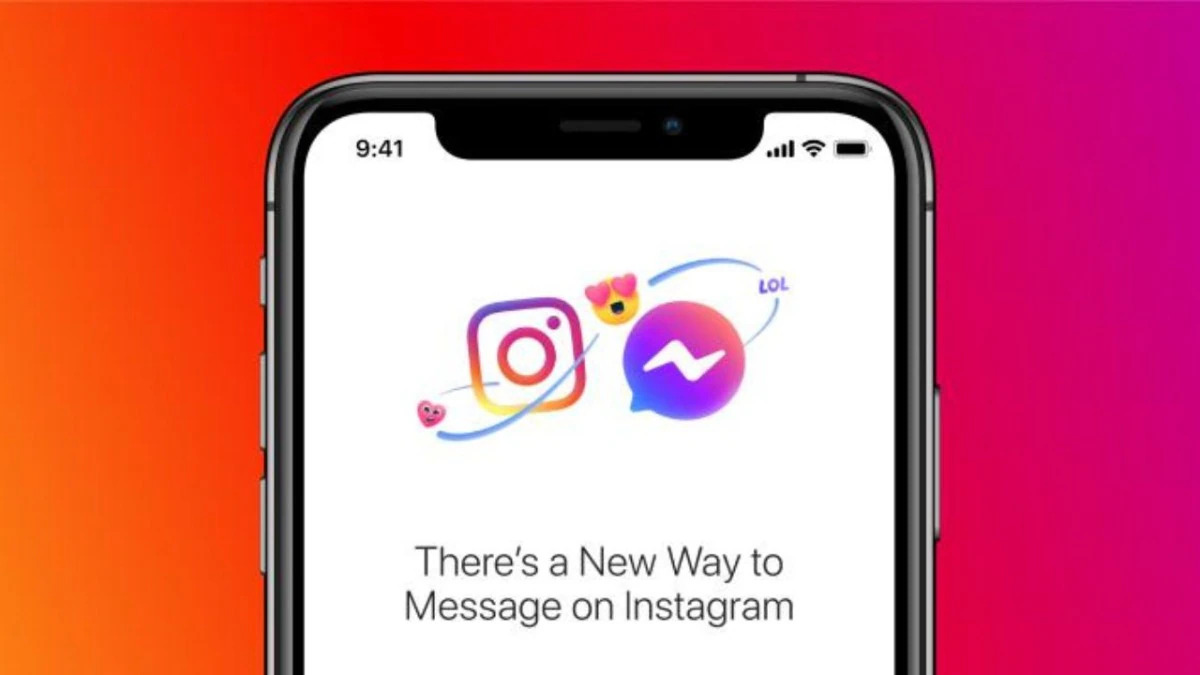
Meta, the parent company of social media giants Facebook and Instagram, recently unveiled plans to halt cross-app communication chats between the two platforms. Effective mid-December 2023, users will no longer have the ability to engage in chats between Instagram and Facebook Messenger accounts, a move that has sparked both curiosity and speculation among the online community.

The decision, announced without a clear rationale from Meta, is speculated to potentially align with Europe’s Digital Markets Act (DMA). This legislation mandates prominent tech entities to facilitate interoperability between various messaging platforms, a requirement that may have influenced Meta’s decision regarding cross-platform communication.

“Once cross-app communication isn’t available, you won’t be able to start new conversations or calls with Facebook accounts from Instagram,” Meta highlighted in its official update. Existing chats involving Facebook accounts on Instagram will be rendered as read-only, restricting users from initiating new messages within these threads.

Image Source: indiatoday.in

The implications of this change are significant for users on both platforms. Instagram users will lose the capability to initiate conversations with Facebook accounts, and the read-only status will prevent any new messaging activity. Furthermore, Facebook accounts interacting with Instagram won’t have access to the Activity Status or the ability to ascertain if a message has been seen.

Meta clarified that existing chats with Facebook accounts on Instagram will not transition to the Facebook or Messenger inboxes. To sustain conversations with Facebook-linked contacts, users will need to initiate fresh chats through Messenger or Facebook from their respective Facebook accounts.

Potential Preparations for DMA Compliance

While Meta hasn’t explicitly stated the motive behind this shift, speculations abound that this move aligns with Meta’s preparation for DMA-compliant interoperability within Messenger. The decision to discontinue this specific cross-app chatting feature hints at potential restructuring to comply with regulatory requirements.

As the digital landscape continues to evolve, Meta’s decision to sever the direct messaging link between its two major platforms raises questions about the future of cross-platform interaction and the company’s strategies to adapt to regulatory frameworks.

In response to inquiries regarding this announcement, Meta has yet to offer further details or explanations, leaving users and industry experts eager for more insight into the company’s motives behind this substantial alteration in messaging functionalities.

Google's 'Gemini AI' is here, but can it beat ChatGPT 4? All you need to know

Google’s ‘Gemini AI’ is here, but can it beat ChatGPT 4? All you need to know

The tech world is excited by the arrival of Google’s ‘Gemini AI’, an innovative artificial intelligence platform. But the burning question is can it surpass the capabilities of the renowned ChatGPT 4? This article explores everything you need to know about Gemini AI.

Gemini AI

Google’s journey in developing Gemini AI was driven by the need to push the boundaries of AI technology. This section throws light on the purpose behind its creation.

Comparing Gemini AI with ChatGPT 4

Google’s latest AI venture, Gemini, has sparked a competitive buzz in the tech world, claiming it can outperform OpenAI’s ChatGPT. The focus of this claim centers around the “Ultra” version of Gemini, which is touted to surpass ChatGPT-4 in various aspects. However, this version is slated for release only in 2024, leaving the current Gemini Pro to face comparisons with the free version of ChatGPT, GPT-3.5.

Google's 'Gemini AI' is here, but can it beat ChatGPT 4? All you need to know

Image Source: youtube.com

Early reports and user feedback indicate that the Ultra Gemini shows promise, but its current version, the Gemini Pro, is not living up to expectations. Users and technical reviewers have noted inconsistencies and inaccuracies in Gemini Pro’s responses compared to GPT-3.5.

Similarly, Matteo Wong of The Atlantic acknowledges that Gemini may surpass GPT-4 in some metrics, yet he describes its progress as “iterative progress” rather than a significant breakthrough. This perspective suggests that although Gemini may offer modest improvements over its predecessors, it falls short of a revolutionary leap forward in AI technology.

As things stand, anticipation is high for Google’s Gemini, especially the Ultra version. Nevertheless, Gemini Pro’s current performance, according to user experiences and expert reviews, suggests that there is still a way to go before it can definitively claim superiority over ChatGPT. The tech community is eagerly watching to see if Gemini’s full potential will be revealed in its future updates as promised.

Technological Innovations in Gemini AI

Gemini AI is built on cutting-edge algorithms and AI technology. We will analyze the technological backbone that powers this advanced AI system.

Privacy and Security Aspects

Data privacy and security are paramount in the digital age. We will see how Gemini AI handles user data and maintains privacy.

Community and Developer Support

A strong community and developer support is essential for any AI platform. Here, we discuss the resources available for both.

Conclusion

In conclusion, Gemini AI represents a significant advancement in AI technology. It remains a matter of discussion whether it is beyond ChatGPT 4, but its potential impact is undeniable.