New Update of Slack Gives Users’ More Control Over Their Notifications
Slack is a top-rated messaging application that organisations prefer due to its more professional design. A lot of companies and corporations use this messenger for internal communication. While it helps you stay connected to your employer, sometimes, the messenger intrudes your free time. Well, not anymore! Slack’s new update allows you to choose when you want to receive notifications, allowing you to free up your weekend. Here’s a quick look at how the update allows you full control over your weekends once again.
Slack New Update
The new update allows users to set a per-day basis for their notification received, ensuring they can keep work at bay during the weekends. Most people have had to struggle with maintaining a work-life balance with the app keeping them hooked to their jobs even on the weekends. However, this new update allows you to separate your personal and work lives, by freeing up your weekend. In the past, Slack allowed users to set tags like Available and Busy to determine how they received notifications. However, these settings automatically extended to the weekends as well, meaning you received work emails and texts during your off-days.
Weekend Fun
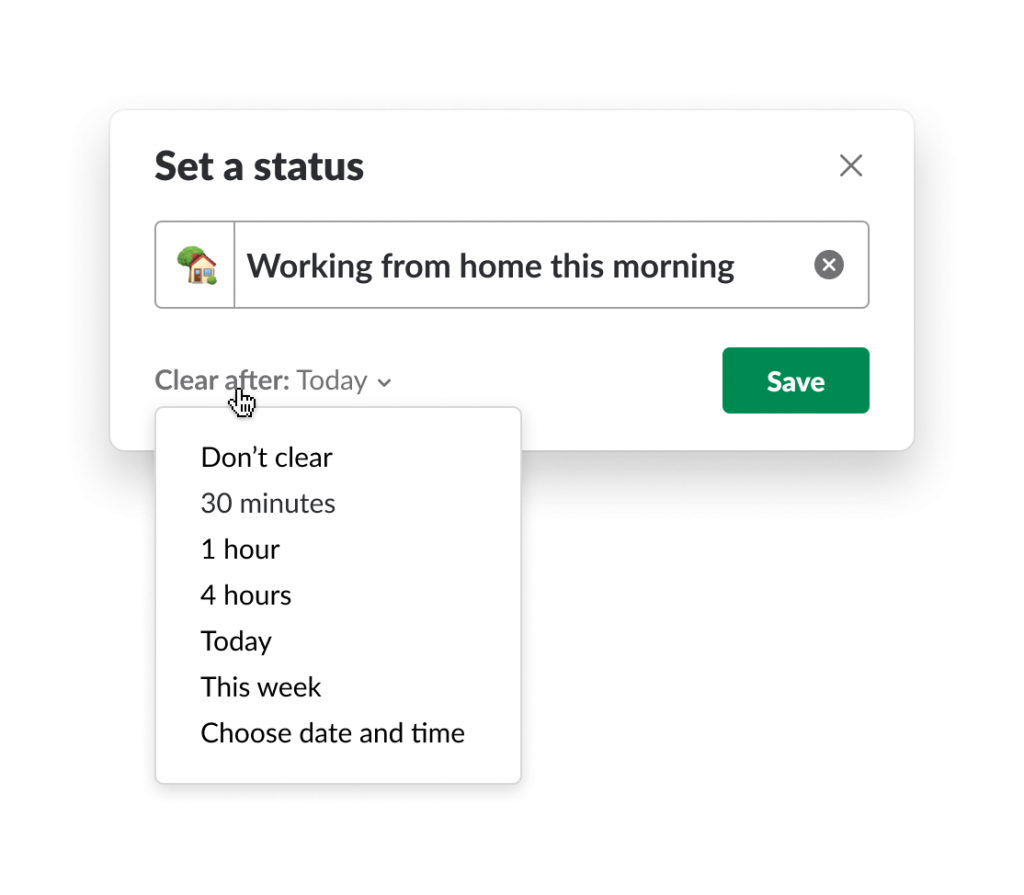
Users hated receiving important work texts while lazing around on the only free day they had, and the new update tries to solve this problem. It gives you back your Sundays by allowing you to set your preferences on a per-day option. That means users get to decide when they are comfortable receiving work-related messages. It will enable them to establish a no-notification policy for the weekends, or on days they have called in sick, to get some me-time for themselves.
DND Your Weekends
With the help of the new notifications settings, you can put your weekend in Slack’s Do-Not-Disturb mode. When the DND mode activates, your contacts will see a ‘z’ next to your name, indicating you do not wish to be disturbed. When you are in the DND mode, every group which mentions your name or a keyword related to you will have a red badge next to it. However, people can still ping you via Direct Message, which will lead to a notification on your device. Now that you know exactly what the new update does, here’s a look at how to fine-tune and customise the setting on your app.
Fine-Tuning Your Notifications
For the desktop app:
- Go to the Slack Homepage.
- Click on the arrow right next to the organisation’s name.
- Go to the Pause Notifications Tab and click on it to find a menu within it.
- From the menu, click on the Set a notification schedule option.
- On that tab, go to the Allow Notifications heading, and access the dropdown menu under it.
- From this menu, select the notifications setting you want – Daily, Weekdays, or Custom schedule.
- To fine-tune even further, you can opt for the time duration over which you want to receive notifications.
For the mobile app:
- Go to the main toolbar on the app.
- Click on the You Icon, and then the Notifications tab.
- From the menu, click on Notification Schedule.
- Next, click on Allow notifications, and then decide on the setting you want- Daily, Weekdays or Custom.
If you want to enable push notifications, here’s how you do it.
- In the Slack Mobile App, go to Channel Settings, and then click on Notification Preferences.
- Doing so will open up the Desktop/Mobile Push Notifications tab.
- From the tab, select your preferred settings and click on Done.
Once you have saved your settings, it will automatically sync with your devices. Doing so will help you organise your life, and prevent work emails from getting across on the weekends. This new update allows you to stay updated on the matters that are the most important. It also helps you achieve a healthy work-life balance, and de-stress your weekends. Set up your Slack Notifications and free up your weekends for some much-needed me-time.

Being a cinephile with a love for all things outdoorsy, Athulya never misses a chance to chase inspiring stories or poke fun at things, even when the subject is herself. Currently pursuing a degree in mechanical engineering, she is someone innately interested in technical and scientific research. Music reviews and op-eds define her as they allow her to explore different perspectives. Though sometimes she thinks she makes more sense playing the guitar than she does while writing.