
When a Windows PC and Android device are within 16 feet of one another, they can share photos, documents, and other files using the Nearby Share beta software.
With the release of their new Windows beta Nearby Share app, Google has made it simpler to share files across your Android phone and PC. In 2020, Google introduced Nearby Share, which enables users to share and receive content quickly between Android smartphones, tablets, and Chromebooks.
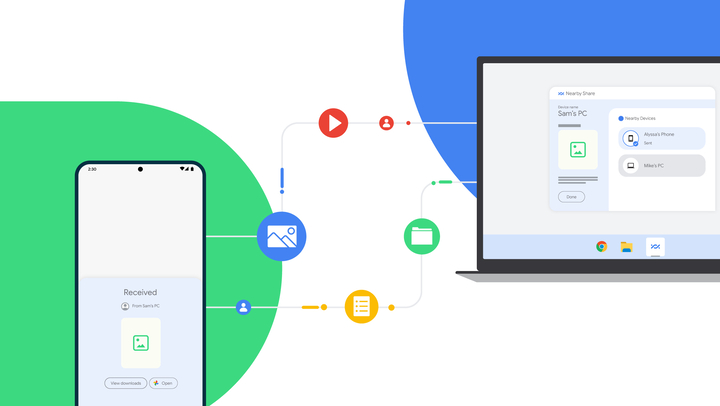
The feature, which was announced during CES 2022, is now downloadable via the Android website. Your PC must be operating Windows 10 64-bit or later in order to use it.
Also Read: E3 2023 has been canceled. But Why?
For this feature to function, you must enable Bluetooth and WiFi on your computer. The device visibility option lets you control who may send you files and see your device. Additionally, you have the option of making your PC accessible to everyone at once, just your contacts, only your own devices, or nobody at all.
Drag and drop files into the Nearby Share app or right-click them and select the Nearby Share option to transfer them from your PC to an Android phone. Transfers are processed right away even if the recipient’s screen is off if both devices share a Google account. But they both need to be within 16 feet of one another.
According to Priya Samnerkar, senior product manager for Android, “Nearby Share Beta works with your Windows PC whether the app is open on the desktop or running in the background. As we continue to fine-tune the experience and receive your feedback, we’ll expand official support to share content with other Google ecosystem devices.”
Except for a few countries, Google has made Nearby Share available in the United States and most other nations. Only Android smartphones and tablets are currently compatible with the beta application. The business does, however, intend to increase compatibility throughout its ecosystem.
In addition, this feature for Windows enables you to exchange internet access between your PC and mobile device. You can thus access the internet on your desktop or laptop using the data connection on your phone without a distinct WiFi hotspot being required.
Also Read: Finally, Arc is coming to iPhone. Will it replace Safari?
When working on the computer while on the go or in an area with spotty internet connectivity, the feature comes in particularly handy. Simply enable internet sharing in the Nearby Share app on the mobile device you’re using to use this function. And link the network of your phone to your PC.
Microsoft also offers its own Phone Link app. It works best with Samsung devices, so if you want seamless file transfers across a wider range of Android phones, Google’s own Nearby Share appears as a great alternative.

I am a law graduate from NLU Lucknow. I have a flair for creative writing and hence in my free time work as a freelance content writer.