Your Tech Story

tech story

outlook

Microsoft makes Outlook for Mac free. How to get it?

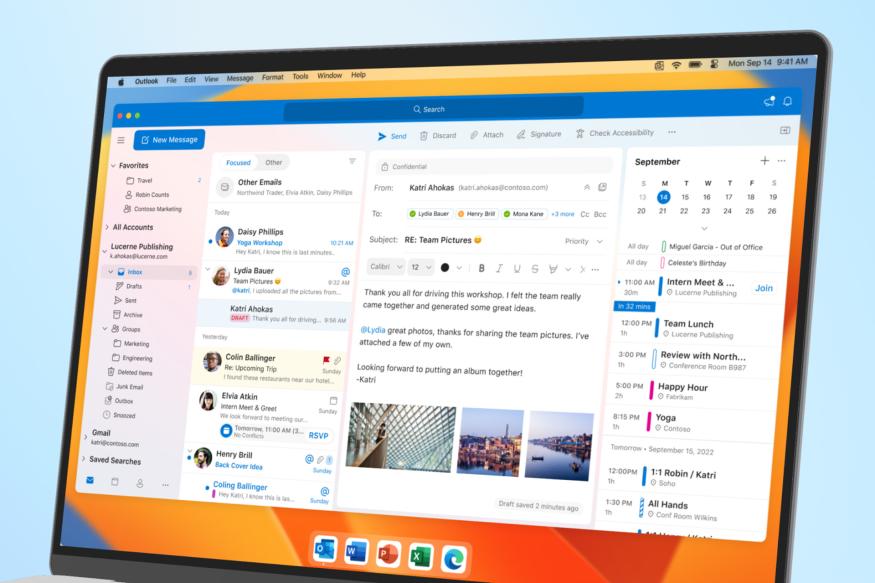
Microsoft declared that all Mac users can now download Outlook for free. Previously, using the email client application required a Microsoft 365 subscription.

Mac users can easily add Outlook.com, Gmail, iCloud, Yahoo!, or IMAP accounts in Outlook to enjoy the best mail and calendar app on macOS whether they are at home, at work, or in school.

MIcrosoft
Image Source: engadget.com

The Outlook for Mac application completes Outlook for iOS, offering users a dependable, powerful, and consistent experience that extends Outlook’s best-in-class functionality into the beloved Apple environment.

Also Read: How to Add Bing ChatGPT in Skype?

Users can handle numerous accounts, including those from Google, iCloud, Microsoft, Yahoo, IMAP, and more, in a single app with Microsoft Outlook for Mac. Using a personal email account to sign into Outlook gives users access to “enterprise-grade security, with secure sign-on to authenticate and protect your identity,” according to a blog post.

The app has a straightforward user interface, and it lets one view their calendar with an alert or a widget in the Notification Center to keep track of their schedule while using other apps.

Users can resume tasks where they left off between iOS and Mac devices using Apple’s Handoff feature. Microsoft Outlook will introduce Profiles in a later upgrade, linking users’ email accounts to Apple’s Focus experience.

With that, users won’t receive unnecessary alerts at the wrong moment, allowing them to concentrate on that crucial work email without getting sidetracked by personal emails.

The all-accounts view allows users who have multiple accounts to handle all of their inboxes simultaneously without switching between screens. This, according to Microsoft, is a fantastic method to view all incoming messages so you can decide how to respond.

Users can obtain the updated, revamped, free version of Outlook for Mac by downloading it from the Mac App Store. To use the free app, your Mac must run macOS 11 Big Sur or a later version. Expect snappier performance and quicker sync rates with this upgraded version of Outlook because it is optimized for Apple Silicon.

Microsoft made the decision to offer Outlook for Mac free at the same time that it was redesigning the Outlook for Windows application. For almost a year, Microsoft has been testing a new web-based version of Outlook with the intention of fusing the Windows Mail app and Outlook for Windows into a unified email client.

Also Read: Microsoft set to win EU nod on Activision with licensing offer

In essence, the new “One Outlook” app is Outlook.com as a Progressive Web App (PWA). This new client will handle a number of email providers and be free (like Windows Mail), much the same as Outlook for Mac. The company was clear that no updates to Outlook for Mac to a progressive web app are in the works.

A partner product group manager for Outlook named Michael Palermiti claims that the new Outlook for Mac is a native macOS program. Microsoft intends to keep creating and updating world-class native applications for iOS and macOS. Outlook for Mac won’t have any Progressive Web Apps.

Skype

How to Add Bing ChatGPT in Skype?

Users can now engage with Bing on Skype, which is powered by AI, thanks to Microsoft.

In contrast to conventional messaging via SMS, Skype is a messaging platform that provides text messaging, video calls, and voice calls over the Internet. Microsoft acquired Skype in 2011.

Skype
Image Source: gizmochina.com

The platform has gradually lost users over the last thirteen years, mostly to Zoom, Whatsapp, and Telegram. But with the recent integration of its latest Bing ChatGPT into the chat service, Microsoft has given Skype some new AI life.

Also Read: Snapchat launches A.I. chatbot powered by OpenAI’s GPT

How do you integrate Bing ChatGPT with Skype? The 5 easy stages are listed below.

  1. Register with the Bing Waitlist. You currently need to be chosen to be a part of the Bing Preview for using Bing ChatGPT on Skype, and you can join the preview by signing up for the waitlist. You can move on to the following step after receiving an email from Microsoft informing you that you have been chosen to test out the Bing Preview.
  2. Install the Skype application on Windows. If the Skype application is already installed on your PC, move on to step 3.
  3. Use your Skype or Microsoft account to sign in to Skype.
  4. Make Bing a contact on Skype. To start a conversation with Bing, select “New Chat > New Chat > Search “Bing” > Bing”. When you say “hello” to Bing, Skype will add it as a contact.
  5. Bing can be added to group chats (Optional). Go to your group conversation, click the gear-shaped setting button beside the group name, and then click “Add Participants > Bing” to add Bing as a participant. Simply add @Bing to the top of your message to start a conversation with Bing in the group chat.

That’s it; you can now use the voice call giant to communicate with the New Bing ChatGPT!

Upon request, Bing can also summarise group chats and make restaurant recommendations for you and your pals. Not to mention, you can download the Skype applications from the Google Play Store and the Apple App Store to use the service on Android and iOS.

Users of Bing can ask the chatbot queries or request information by using the voice search option. With a straightforward voice or text command, it will be able to reply with potential travel locations, weather reports, and hotel names and price lists, assisting users with chores like planning their upcoming vacation.

Users of Skype can rely on Bing to spice up conversations with peers by sharing poetry, jokes, quizzes, and other content. They can even suggest that the bot compose a song using the data they provided in their request.

Also Read: Instagram starts testing its age verification tools in more countries

Microsoft recommends mobile users anticipate connectivity issues in areas with low bandwidth. Soon, a fix ought to be made available. Because of its machine-learning capabilities, Bing is anticipated to grow its information base.

The likelihood of receiving personalized answers increases the more an individual responds with Bing. Since the recent update to the Edge browser, users can also view the new Bing.

Once its powers are polished, Microsoft wants to add this feature to Teams and other communications platforms.

iOS 16.4

What’s new in Apple’s iOS 16.4 update for iPhone users?

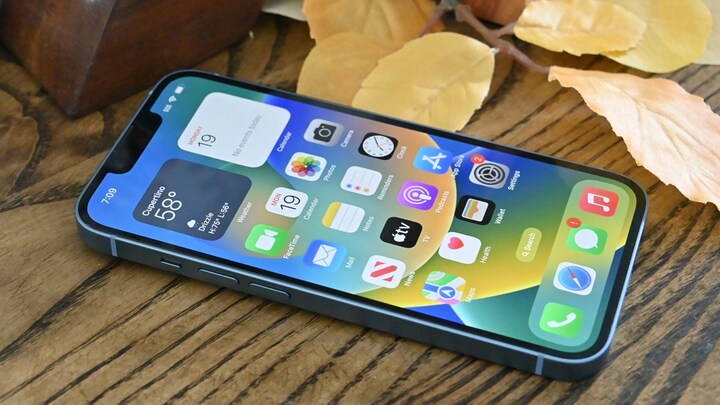
Currently, in beta testing, the software update will be made accessible to the general public in the spring, most likely in March or April. The iOS 16.4 upgrade from Apple, which brings a number of new features and improvements for the iPhone, is about to go live.

Image Source: appleinsider.com

With iOS 16.4, Safari on the iPhone now has opt-in compatibility for web-based push alerts.

Through this feature, users can receive notifications from webpages through Safari just like they would from applications downloaded from the App Store. Push message requests can only be made by websites that users have saved as web apps on their home screens.

Also Read: Instagram starts testing its age verification tools in more countries

A shaken face, a heart in 3 new color choices, a jellyfish, a moose, a donkey, and other new emoji are among the new Unicode 15.0 emoji that are included in iOS 16.4.

With iOS 16.4, a new “Beta Updates” menu has been added under General Software Update in the Settings app. This menu will make it easier for participants in Apple’s Developer Program to obtain developer betas of iOS without having to download configuration profiles from the website for developers.

The same menu also makes it simple to activate iOS’s public betas. Only if one’s iPhone is signed onto the same Apple ID that they used to join up for Apple’s Developer Program will the developer beta option be visible.

This new menu will serve as the sole method to allow developer betas in subsequent iOS releases, according to Apple, stopping config profiles from being utilized and distributed for free online.

In the Podcasts app for iPhone and CarPlay, iOS 16.4 adds a number of new features. The Up Next queue now includes episodes that listeners have stored in their Library and episodes that they stream from programs they do not follow.

A new Channels menu in the Podcasts app offers a list of podcast streams all in one place on the iPhone. The Listen Now and Recently Played queues, as well as audio suggestions in the Browse tab, are now accessible through CarPlay’s Listen Now tab.

Also Read: Google expands Gmail client-side encryption to more users

iOS 16.4 brings back Apple’s revised Home app architecture, which was originally introduced with iOS 16.2 but later removed due to problems.

After updating to iOS 16.4, the Home app offers an optional upgrade with the new underlying architecture. Apple claims that the new design will improve the app’s usefulness, potency, and dependability for controlling smart home devices. The new design comes after iOS 16.1 added support for Matter accessories to the Home app.

James Dyson

Inventive Journey of James Dyson: From Failure to Success

James Dyson is a British industrial designer, billionaire businessman, farmer, and inventor, who established Dyson Ltd. He is best known for developing the dual cyclone bagless vacuum cleaner that employs the cyclonic separation principle. With an approximate wealth of £23 billion, he is the second-richest individual in the UK, as per the Sunday Times Rich List 2022.

James Dyson
Image Source: wired.com

Early Life

James Dyson encountered many setbacks and disappointments from his earliest years. But he was adamant about making a significant impact on the world. While a student at the Royal College of Art in 1970, Dyson contributed to the creation of the Sea Truck.

His first unique creation, the Ballbarrow, was a wheelbarrow modified to use a ball in place of the wheel. This was covered by the BBC television show Tomorrow’s World.

Also Read: Alexandr Wang: From MIT Dropout to youngest billionaire

He made the decision to monetize this and build a company around it. James Dyson initially attempted to sell directly to the garden and home shops, but no one was interested, so he established a mail-order business and sold the Ballbarrows to customers.

While it was originally a huge success, over the period there was a decline and the business was engulfed in enormous amounts of debt. He made the decision to monetize this and build a company around it.

James Dyson initially attempted to sell directly to the garden and home shops, but no one was interested, so he established a mail-order business and sold the Ballbarrows to customers. While it was originally a huge success, over the period there was a decline and the business was engulfed in enormous amounts of debt.

Success Story

James Dyson was no longer trusted by anyone, but he wasn’t quite ready to give up. Despite being exhausted, despondent, and heavily in debt, he had plenty of creative ideas. His biggest strengths were in this. He proceeded to start over completely from the beginning.

Dyson came up with the concept of using cyclonic separation in the late 1970s to make a vacuum cleaner that would maintain suction as it gathered up dirt. After five years and roughly 5,127 prototypes, Dyson released the “G-Force” cleaner in 1983, partially funded by his wife’s income as an art instructor.

Dyson’s product was introduced in Japan via catalog sales because no maker or dealer would handle it in the UK because it would disrupt the lucrative industry for replacement dust bags. It received Japan’s International Design Fair Prize in 1991.

In 1980, he submitted a number of patent applications for his dual cyclone vacuum cleaner, EP0037674. Following the main manufacturers’ rejection of his invention, Dyson founded his own manufacturing business, Dyson Ltd.

The Dyson Dual Cyclone outsold some of the businesses that turned down his invention and went on to become one of the most well-known brands in the UK.

Also Read: From Engineer to Entrepreneur: The Rise of Kyle Vogt

From 1986 to 2001, Dyson leased the technology in North America to Fantom Technologies before entering the market on its own. As a result of his success, other significant makers started to sell cyclonic vacuum cleaners of their own.

Hoover (UK) was sued by Dyson in 1999 for violating their patent. According to the High Court, Hoover intentionally duplicated a key component of his patented designs when creating its Triple Vortex bagless vacuum cleaner line. Hoover consented to make a £4 million loss payment.

James Dyson has demonstrated to us the value of tenacity and creativity. His failure served as motivation for his achievement.

Meta

Finally, Meta’s AR/VR roadmap is out. Will Meta succeed again?

With a surge of AR (augmented reality) and VR (virtual reality) products, the parent company of Facebook, Meta now appears to be significantly investing in its metaverse plans.

Quest Pro, a premium virtual and augmented reality headset from Meta, was introduced in October of last year. According to reports, Meta plans to introduce its first set of smart glasses with a display in 2025 along with a smartwatch with a neural interface to operate them.

Meta
Image Source: theverge.com

According to the story, Meta’s AR glasses are anticipated to become available later in 2027. A Quest 3 headset is probably included in the social media juggernaut’s potential 2018 plan as well. In 2024, it might also reveal a headgear with the codename Ventura.

Also Read: Snapchat launches A.I. chatbot powered by OpenAI’s GPT

The Verge reported that the potential roadmap for many AR and VR devices from Meta for the years 2023 through 2027 has been leaked. The Meta Quest 3 headset with mixed reality interactions will be revealed later this year, according to the story, which cites personnel of Meta’s Reality Labs division.

The main headset could be two times as thin and potent as the Quest 2 and is anticipated to cost more than it does at present. The Verge reported that the potential roadmap for many AR and VR devices from Meta for the years 2023 through 2027 has been leaked.

The Meta Quest 3 headset with mixed reality interactions will be revealed later this year, according to the story, which cites personnel of Meta’s Reality Labs division.

The main headset could be two times as thin and potent as the Quest 2 and is anticipated to cost more than it does at present.

According to the report, the Mark Zuckerberg-led company intends to release a more “accessible” headset next year under the codename Ventura. The firm might then release an advanced headgear with photorealistic Codec Avatars, code-named La Jolla.

Additionally, the report claims that the company will introduce the second-gen of its Ray-Ban Stories this fall. The glasses for augmented reality were created in collaboration with Luxottica, the parent company of Ray-Ban.

The third version of smart glasses with a “viewfinder” display for reading incoming texts, scanning QR codes, and instantly translating written text from another language is expected to be unveiled by the company in 2025.

Also Read: Microsoft brings iMessage to Windows 11, will it last?

The “neural interface” band that will enable individuals to operate the glasses through their brains will be distributed along with them.

The “neural interface” band, which would enable users to operate the glasses through hand gestures, will be made available along with the glasses. According to other reports, Meta is also working on a smartwatch that will sync with smart glasses.

Additionally, it has been reported that Meta may reveal its long-rumored Orion augmented reality glasses to staff members internally in 2024. It might be accessible to everyone after 2027.

windows 11

Microsoft brings iMessage to Windows 11, will it last?

Microsoft announced on Tuesday that it intends to counter one of the major advantages enjoyed by Apple products by incorporating fresh interoperability features to Windows 11. These features will enable Windows 11 to interact with iPhones to view notifications, send texts, and make and take calls.

Windows 11
Image Source: androidauthority.com

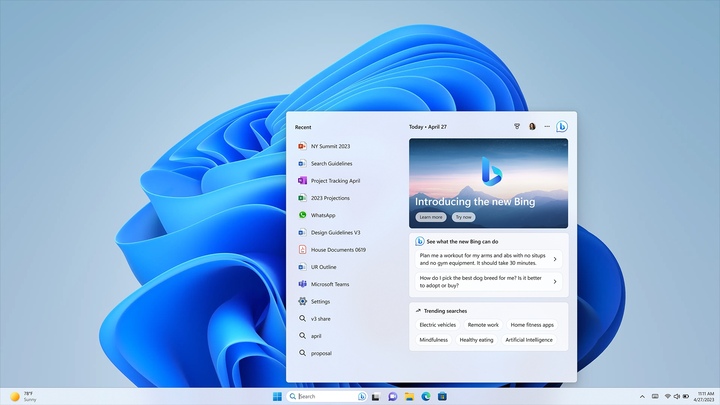
By connecting an iPhone and a Windows 11 computer via Bluetooth radio, the new feature, which Microsoft is dubbing Phone Link for iOS, will enable “basic” support for calls, texts, and app alerts.

The software is initially only available for limited public testing, and it prevents users from sending multimedia messages like pictures and videos or joining group message chats.

Also Read: Are all Google One subscribers now able to access Magic Eraser?

The feature’s announcement was made in a blog post by Microsoft’s chief product officer, Panos Panay. “This builds on our continued efforts to bring you closer to what’s more important,” he wrote. Microsoft’s attempts with its Phone Link software are merely the most recent in a line of initiatives to better integrate Windows PCs with Apple’s well-known products and services.

In particular, Apple’s iMessage tool for texting and iCloud for pictures, documents, contacts, and calendars helped make numerous sync and messaging services for smartphones popular.

Additionally, it has made use of those technologies to link up its Mac computers, iPad tablets, and iPhone smartphones in a way that observers of the market say makes Apple products stick out.

However, over the last few years, Microsoft has released enhancements that make Windows Computers more similar to Apple products, including an updated photos app that supports Apple devices, more iCloud syncing, and a phone link application for devices running Google’s Android operating system.

Microsoft announced on Tuesday that its new features for Android smartphones would be included in the Windows 11 upgrade, including the capacity to switch on a Samsung device’s personal hotspot from a computer.

According to Microsoft, Samsung customers will also be able to access websites they recently viewed on their phones from a computer. Both features have long been accessible on Apple devices.

Microsoft is starting testing with a “small percentage” of testers this week, but if you’re intrigued, you can test the new Phone Link feature for iOS in the Dev, Release Preview, and Beta networks for Windows Insiders.

Also Read: Will the iPhone 15 Pro have as much RAM as a MacBook?

The Windows team at Microsoft stated in a blog post, “We will increase the availability of the preview to more Insiders over time and based on feedback we receive with this first set of Insiders.”

Microsoft has never before supported calls or messaging for iPhone users, so this is a move in the correct direction. The Phone Link interface for iOS is basic in comparison to what’s available for Android. Contrary to other PC link applications we’ve seen from Dell, Intell, and others, Phone Link is included with Windows 11, making it native as well.