Your Tech Story

Tech News

A Complete Guide to Google Gemini AI on Android and iPhone

A Complete Guide to Google Gemini AI on Android and iPhone

Google’s Gemini app, an AI-powered chatbot, has recently undergone a significant expansion, making it accessible to users across 150 countries and territories, including India. With its innovative features and diverse language support, Gemini aims to revolutionize AI-driven conversations on both Android and iPhone platforms.

Global Accessibility: Breaking Boundaries

A Complete Guide to Google Gemini AI on Android and iPhone

The Gemini app, initially launched for Android users on February 8, has quickly captured attention for its groundbreaking capabilities. Its recent expansion to over 150 countries underscores Google’s commitment to democratizing AI-driven interactions on a global scale. By offering support in English, Korean, and Japanese languages, Gemini ensures inclusivity across diverse user demographics.

Embracing Diversity: Language Support and Accessibility

One of Gemini’s standout features is its multilingual support, catering to users from various linguistic backgrounds. Whether communicating in English, Korean, or Japanese, users can seamlessly engage with the chatbot, enhancing their digital experiences irrespective of language barriers.

Bridging the Gap: Gemini on iOS

While there isn’t a dedicated Gemini app for iOS, iPhone users can still leverage its capabilities through integration with the Google app. By simply toggling a feature within the Google app, iPhone users gain access to Gemini’s AI-driven conversations, expanding the reach of this innovative technology to a broader audience.

System Requirements: Ensuring Optimal Performance

To fully utilize the Gemini app on Android, users need devices with a minimum of 4GB RAM and running on Android 12 or later versions. Similarly, iPhone users must have iOS 16 or newer to activate the Gemini feature within the Google app. These system requirements ensure smooth functionality and optimal performance, guaranteeing a seamless user experience.

User Experience: Addressing Concerns and Enhancements

Jack Krawczyk, Senior Director of Product at Google overseeing Gemini, has been responsive to user feedback and concerns. By relaxing restrictions on image uploading and generation, Google aims to enhance user experience while maintaining responsible content alignment. Moreover, efforts to improve communication regarding Gemini’s capabilities vis-à-vis Google Assistant demonstrate a commitment to transparency and user satisfaction.

As Gemini’s global rollout continues, users worldwide can look forward to integrating this AI-powered chatbot into their digital routines, unlocking a new era of intelligent interactions on both Android and iPhone devices. With its expanding reach and continuous improvements, Gemini is poised to redefine the way we engage with AI technology, enriching our daily lives with seamless, personalized experiences.

OpenAI Introduces Sora: A Game-Changing AI Text-to-Video Model

OpenAI Introduces Sora: A Game-Changing AI Text-to-Video Model

With the release of Sora, its ground-breaking generative AI model for text-to-video, OpenAI has made a substantial contribution to the field of artificial intelligence. Sora is able to expand or smoothly insert frames into pre-existing video footage, as well as convert basic text prompts or pictures into high-resolution films. Though OpenAI is still considering whether to make Sora available for purchase, there is no denying that it might have a significant influence on editing and producing videos.

Revolutionising AI Technology

OpenAI Introduces Sora: A Game-Changing AI Text-to-Video Model

Image Source: isp.today

Although there are other text-to-video AI models, Sora is by far the best. In contrast to earlier attempts by Google and Meta, which resulted in jerky and low-resolution films, Sora produces 1080p videos at a smooth frame rate that are frequently identical to genuine footage. Early demos available on the OpenAI website show off Sora’s skill with human body proportions, realistic lighting, creative cinematography, and the ability to portray lifelike animals and imitate the aesthetics of classic films.

Advantages and Drawbacks

Though Sora is a fantastic tool, its output is not perfect. Certain videos have an odd weightlessness to them, and upon closer inspection, one may see the sporadic flaws typical of artificial intelligence-produced visuals. Recognising that Sora’s performance varies, OpenAI provides both excellent and poor examples, as well as situations in which people undertake motions that are not natural, such as jogging backwards on a treadmill.

Knowledge and Communication

Sora’s profound linguistic comprehension allows it to produce vivid emotions in videos with little assistance. Simple one-sentence inputs are enough to get the AI to produce imaginative and captivating visual stories; this is similar to ChatGPT’s picture creation function.

Prospects and Difficulties for the Future

Although Sora’s text-to-video features have been shown, information on its image-to-video features is still unknown. Furthermore, doubts persist about the efficacy of Sora’s frame-insertion and video-extending capabilities, which have the potential to transform video editing and restoration. By the end of January 15th, OpenAI intends to publish a white paper on Sora that will include details on its training set and methodology.

Getting Around Ethical Issues

OpenAI is working with legislators, educators, and artists to address public concerns about disinformation, hate speech, and bias before Sora is released as a commercial product. Working with experts, our goal is to evaluate the ethical implications of Sora and put policies in place, including C2PA metadata, to make content identification and moderation easier.

The possibility of democratising filmmaking and narrative with AI technology is becoming more real as OpenAI works to improve Sora and handle ethical issues. With Sora, artificial intelligence and multimedia might advance significantly, opening up new and exciting avenues for innovation and artistic expression.

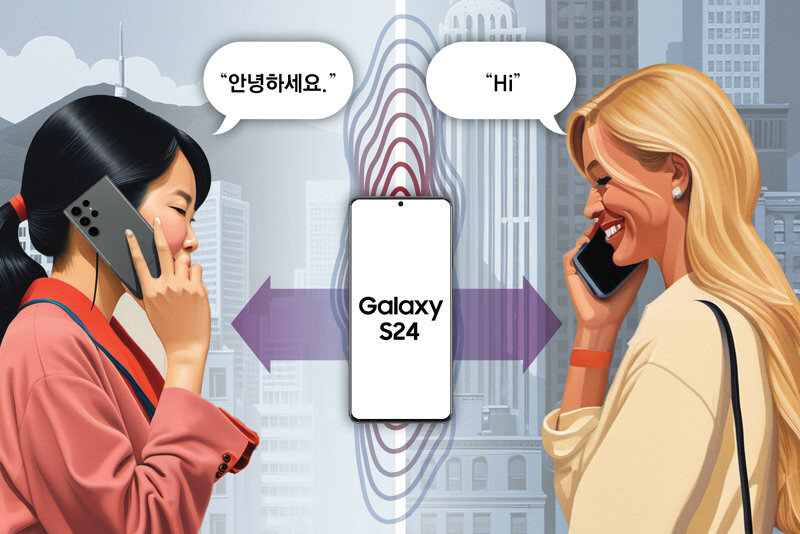
Galaxy AI Tutorial: Real-Time Translation of Spoken Conversations

Galaxy AI Tutorial: Real-Time Translation of Spoken Conversations

Galaxy AI Tutorial: Real-Time Translation of Spoken Conversations

Image Source: donga.com

In today’s globalized world, effective communication across languages is more crucial than ever. With the advancement of technology, language barriers are becoming less of an obstacle, thanks to innovations like the Live translate feature on the Galaxy S24. This groundbreaking feature harnesses the power of artificial intelligence to provide real-time translation during phone calls, making multilingual conversations seamless and effortless.

Setting Up Live Translate

Before diving into the world of multilingual conversations, it’s essential to set up Live translate on your Galaxy S24. Follow these simple steps to get started:

  1. Access Advanced Features: Open the Settings app on your Galaxy S24 and navigate to the “Advanced features” section.

  2. Enable Advanced Intelligence: Tap on “Advanced intelligence” and select “Phone” from the menu.

  3. Activate Live Translate: Toggle the switch to turn on Live translate. If prompted, follow the on-screen instructions to proceed.

  4. Customize Language Preferences: In the Live translate settings, set your preferred language in the “Me” section and the other person’s language in the “Other person” section. If necessary, download additional language packs for translation.

Using Live Translate During Phone Calls

With Live translate activated, engaging in multilingual conversations is as simple as making a phone call. Here’s how to utilize this feature effectively:

  • Initiate a Call: Dial the desired number or select a contact from your phonebook to begin a conversation.

  • Enable Live Translate: Once the call is connected, tap on the Live translate icon to activate real-time translation.

  • Seamless Translation: As you speak and listen to the other party, Live translate will provide instant translations of the conversation, allowing for smooth communication regardless of language barriers.

Additional Features for Enhanced Communication

Live translate on the Galaxy S24 offers more than just basic translation capabilities. Here are some additional features to enhance your multilingual communication experience:

  • Mute Voice: Block the other party’s or your voice during the call, ensuring that only the translated content is audible.

  • Language and Voice Presets: Customize language and voice preferences for specific contacts or phone numbers, streamlining communication for frequent conversations.

If you encounter any difficulties or have questions about Live translate or other Galaxy features, Samsung provides various support channels for assistance. Whether through WhatsApp, LiveChat, or other service channels, help is just a click away.

In conclusion, the Live translate feature on the Galaxy S24 revolutionizes the way we communicate across languages. By leveraging the power of AI, it eliminates barriers and fosters seamless interactions, bringing the world closer together one conversation at a time. So, next time you find yourself in a multilingual conversation, let your Galaxy S24 be your personal translator, bridging the gap between languages with ease.

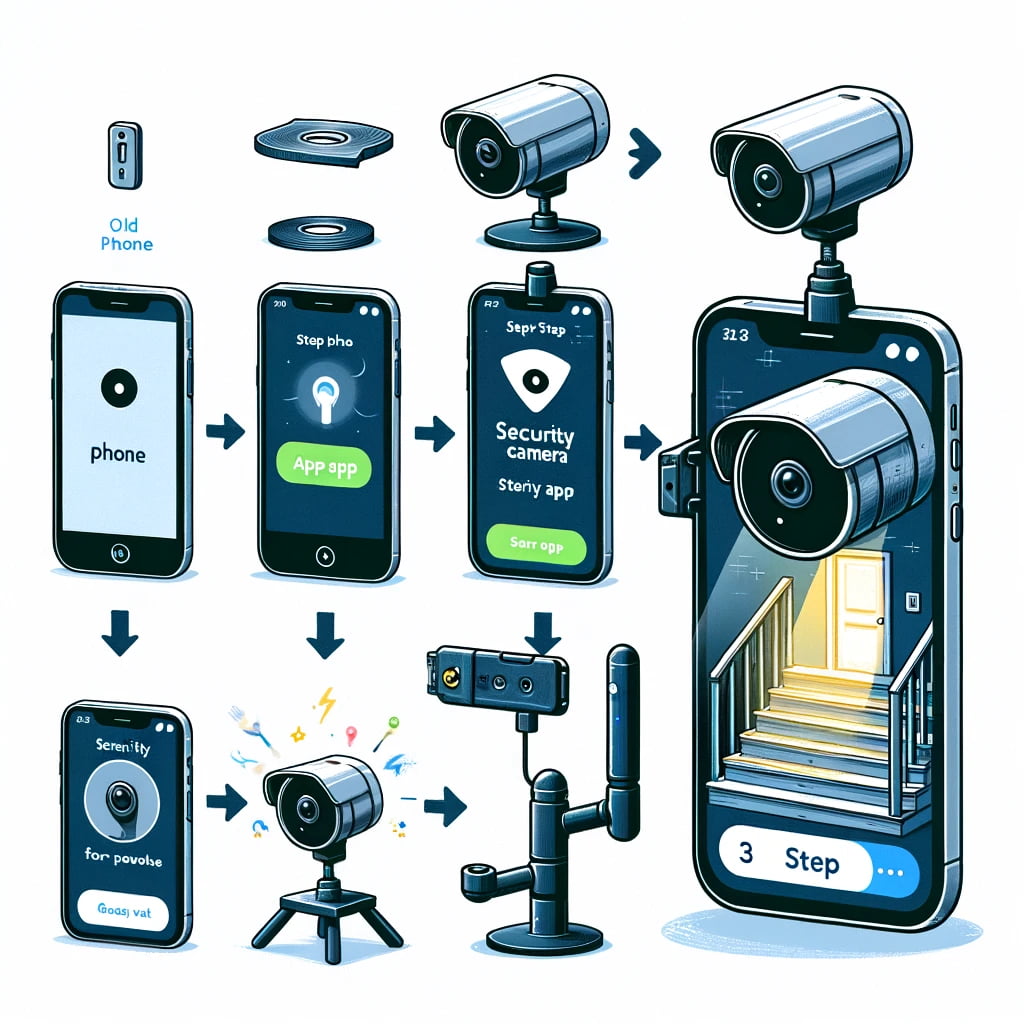
How to Transform an Old Smartphone into a Security Camera

How to Transform an Old Smartphone into a Security Camera

How to Transform an Old Smartphone into a Security Camera

It’s time to make use of those outdated smartphones that are collecting dust in a drawer. Rather than just letting them sit there, think about using some of the many useful apps available for iOS and Android devices to transform them into a temporary surveillance camera. We’ll walk you through turning your old phone into a security camera in this post so you can monitor your house while you’re gone.

Selecting the Proper App

Your outdated smartphone may become a security camera with a variety of programs, each with unique features and functionalities. Here are some good options to think about:

Alfred: If you want to turn your old phone into a security camera, Alfred is a great option because it has features like two-way communication, motion detection, and live streaming. It even has a “trust circle” function that lets pals use the camera when necessary.

AtHome Camera: AtHome has capabilities including two-way communication, night vision, and artificial intelligence that can identify moving objects. Additionally, for fast observation, it features a 24-hour time-lapse mode.

Manything: You may use the free iOS app Manything to convert your iPhone or iPad into a security camera that is connected to Wi-Fi. It has capabilities like IFTTT connectivity with other smart home devices and motion detection.

Dormi: With the help of the Android software Dormi, you can use any Android device as a security camera or baby monitor. It has functions like remote monitoring from your primary phone and automated warnings.

Cloud Baby Monitor: It is a multipurpose program that can be used as a home security camera and a baby monitor. It provides remote monitoring through iOS devices and Mac PCs, motion detection, and high-quality video streaming.

Configuring Your Safety Camera

It’s time to configure your security camera after selecting the ideal app for your requirements. To set up your old smartphone as a camera, install the app and follow the prompts. After everything is set up, you may use a mounting system to put your old phone in the perfect spot or hold it up on a sturdy surface.

Keep an Eye on Your House

Now that your security camera is installed, you may use your primary smartphone or tablet to remotely watch your house. Utilising features like two-way communication, motion detection warnings, and live streaming, the majority of apps let you monitor your house and interact with people nearby.

Conclusion

One inexpensive approach to maintain the safety and security of your house is to turn your old smartphone into a security camera. You may revitalise your outdated electronics and feel secure knowing that your house is safe with the aid of these helpful apps, without going over budget.

 
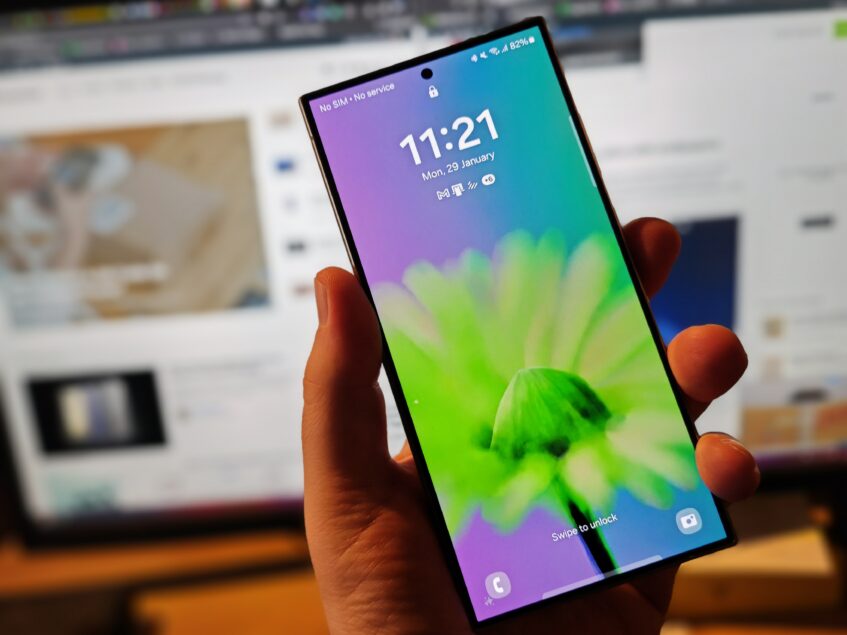
Samsung Confirms Galaxy S24 Displays Will be Fixed for 'Washed Out' Look

Samsung Confirms Galaxy S24 Displays Will be Fixed for ‘Washed Out’ Look

For the Galaxy S24 series, Samsung plans to provide a software update that should address display problems that consumers have been reporting since the phone’s introduction. The upgrade will also boost Galaxy AI and camera features, improving the user experience overall.

Display Issues: Colours That Seem "Washed Out"

Samsung Confirms Galaxy S24 Displays Will be Fixed for 'Washed Out' Look

Image Source: talkandroid.com

Users expressed issues about “washed out” colours on the Galaxy S24 Ultra’s display on internet forums when the Galaxy S24 series was released at the end of January. Even with settings adjusted for more intense colours, customers reported minimal change in display quality. All three of the Galaxy S24 series’ models seemed to be impacted by the problem. Samsung has responded by announcing the release of an upcoming software update that will directly address these issues.

Details of a Software Update

A new feature that will be included in the next update will let users change the vividness of their displays using a slider located in the Advanced Settings menu. This customisation option will address the observed “washed out” colours by giving customers additional control over contrast and colour saturation.

The camera experience will also be improved with this upgrade. When utilising the back camera, Samsung claims enhancements to the Portrait mode, low-light photography, and video shooting capabilities. Users may anticipate a general improvement in camera performance, even if the specifics of these upgrades have not been disclosed.

Software Updates Released on Schedule

Although there haven’t been any software upgrades for the Galaxy S24 series for a few weeks, Samsung’s announcement reassures customers that they will be available shortly. Android smartphones usually get day-one upgrades to fix any bugs, but this time there was a noticeable delay.

What to Expect

Users may adjust their display settings to their preference using the new Vividness slider function, which restores vibrancy and fixes the noted colour saturation concerns. Aside from improving important functions like zoom, portrait mode, night mode, and video recording, the update also promises better camera performance.

Although no further enhancements are mentioned in the announcement, customers should expect some small adjustments and bug fixes in addition to the February 2024 security patch.

In order to give customers of the Galaxy S24 series an enhanced and optimised experience, Samsung plans to start releasing the software update in February.

Threat to Starlink? US Intelligence has Confirmed that Russia is Developing Anti-Satellite Technology

Threat to Starlink? US Intelligence has Confirmed that Russia is Developing Anti-Satellite Technology

In a significant announcement that has caught the attention of global security experts and space enthusiasts alike, the United States has confirmed that Russia is in the process of developing an advanced anti-satellite (ASAT) system. This groundbreaking revelation not only raises alarms about the potential vulnerability of satellite networks that are crucial for global communications, including SpaceX’s ambitious Starlink project, but also signals a possible escalation in space-based warfare capabilities.

Starlink's Mission and Technology

Threat to Starlink? US Intelligence has Confirmed that Russia is Developing Anti-Satellite Technology

Starlink, the satellite internet constellation being deployed by SpaceX to provide high-speed internet across the globe, could face unprecedented threats if such anti-satellite technologies are operationalized. The system aims to blanket the earth with broadband coverage, especially targeting regions where internet access has been unreliable or completely unavailable. However, the Russian initiative to develop an ASAT system could jeopardize the operational integrity and security of these satellites, posing a significant setback to global connectivity efforts.

The Potential Threat to Starlink

The development of such anti-satellite capabilities is not just a concern for companies like SpaceX but also represents a broader threat to the peaceful use of outer space. Satellites play a pivotal role in various critical applications beyond communications, including navigation, weather forecasting, and global surveillance. The ability to target and potentially disable these satellites could have far-reaching implications for global security, environmental monitoring, and even everyday conveniences that have become integral to modern life.

This development has prompted a swift response from the international community, with calls for increased diplomatic engagement and the establishment of norms and treaties to govern the militarization of space. The confirmation of Russia’s anti-satellite system underscores the urgent need for a collaborative approach to space security, ensuring that space remains a domain for peaceful exploration and use.

“Although I am limited in how much I can share about the specific nature of the threat, I can confirm that it is related to an anti-satellite capability that Russia is developing,” White House National Security Communications Advisor John Kirby said on Thursday.

c-span.org

As the situation unfolds, the focus will be on how nations and private entities can work together to mitigate these emerging threats to satellite infrastructure. The future of global satellite communications, including ambitious projects like Starlink, may well depend on the ability of the international community to address these challenges head-on, ensuring the safety and security of critical space assets in an increasingly contested outer space environment.