Your Tech Story

Tech News

OxygenOS

OnePlus Combines OxygenOS And Oppo’s ColorOS In Order To ‘improve’ User Experience.

OnePlus has announced the merger of its OxygenOS and Oppo’s ColorOS in order to “improve efficiency and standardize the software experience” across devices. The Chinese company’s latest move comes just a few weeks after it announced its formal operational merger with Oppo. OnePlus and Oppo, both owned by the Guangdong-based conglomerate BBK Electronics, have been collaborating for quite some time. However, after integrating their research and development (R&D) resources, the companies decided to make their collaboration public.

Merging OxygenOS and Oppo’s ColorOS

OnePlus announced the merger of OxygenOS and ColorOS in a forum post, emphasizing that the change will occur at the codebase level. This means that, for the time being, end users are unlikely to notice any significant changes. “OxygenOS remains the OS for global OnePlus users as always,” the company said, “but now built on a more stable and stronger platform.”

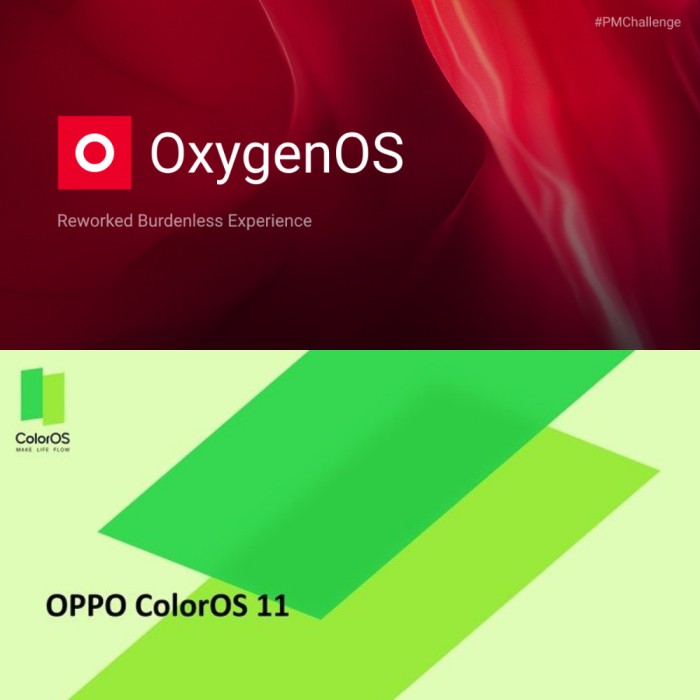
OxygenOS
Image Source: xda-developers.com and wallpapertodays.net

OnePlus also stated that the update will be applied to new devices in the future while existing devices that are still on the maintenance schedule will receive the codebase-level integration between OxygenOS and ColorOS via an over-the-air (OTA) update alongside Android 12.

The Shifts Expected Along With This Collaboration

The change is expected to assist OnePlus in delivering stable and timely software updates, which the company desperately needs to focus on given the issues it introduced with previous updates and the time it takes to update older hardware.

OnePlus has also announced an improved software maintenance schedule in which it will provide three major Android updates and four years of security updates to flagship phones such as the T and R models, as well as the OnePlus 8 and newer phones. However, in the case of the original OnePlus Nord and subsequent Nord models, as well as the OnePlus Nord CE 5G, the company has decided to provide two major Android updates and three years of security updates.

Importantly, OnePlus’s improved maintenance schedule will not apply to its previous flagship devices, which will continue to follow the original timeline, which included two major Android updates and three years of security updates. OnePlus replaced its native HydrogenOS with Oppo’s ColorOS for all Chinese variants of its flagship models earlier this year. This came months after OnePlus and Oppo had more deeply integrated their R&D resources.

It is currently unknown where OnePlus will take OxygenOS and how long it will remain distinct from ColorOS. The latest integration also calls into question OnePlus’s long-promoted independence, despite the fact that it is a subsidiary of BBK Electronics and shares resources with Oppo.

OnePlus Integrating With Oppo

OnePlus CEO Pete Lau has announced a “new journey” for the company, which includes plans to “further integrate our organization with Oppo.” It appears to be a bold move for OnePlus. OnePlus rose to prominence through rebellious marketing and hype-driven online retail strategies, positioning itself as a smarter alternative to larger smartphone brands.

However, it remained a private company with ownership ties to Oppo and the shadowy BBK Electronics empire, and it was clear from OnePlus’ phones that there were still some ties to Oppo. Components such as display panels appeared to be identical, and even ostensibly proprietary technology such as the Dash fast-charging system was cross-compatible with Oppo.

OnePlus, according to Lau, will continue to operate independently despite further integration with Oppo. However, he has not specified what will be integrated, and given the existing similarities between the two brands’ products, it is unclear what this will actually mean for consumers. Lau says OnePlus will continue to run its own events and customer feedback channels, but that Oppo’s larger resources will allow OnePlus to be more efficient with software updates.

If you’re a fan of OnePlus, however, there’s no reason to think the closer ties are a bad thing. The company has long abandoned its “flagship killer” roots, now competing at the high end with expensive “Pro” phones while offering a range of lower-to-mid-range Nord devices. Oppo, on the other hand, releases far more phones per year (mostly in Asia), but its high-end flagships are every bit as good. So far, my favorite phone of the year is the Find X3 Pro.

Whether OnePlus would admit it or not, the company has long been associated with Oppo. The biggest difference here is that OnePlus is now saying it out loud — while tightening the relationship even more.

Realme

Realme DIZO GOPods D Launched Alongside DIZO WIRELESS, Realme Buds 2 Neo, Trimmer, and Hair Dryer.

Realme has introduced two new audio-based products under the DIZO brand. DIZO GoPods D and DIZO Wireless are two examples. The DIZO GoPods D are TWS earbuds with a 10mm driver and a Bass Boost+ algorithm that are said to last up to 20 hours.

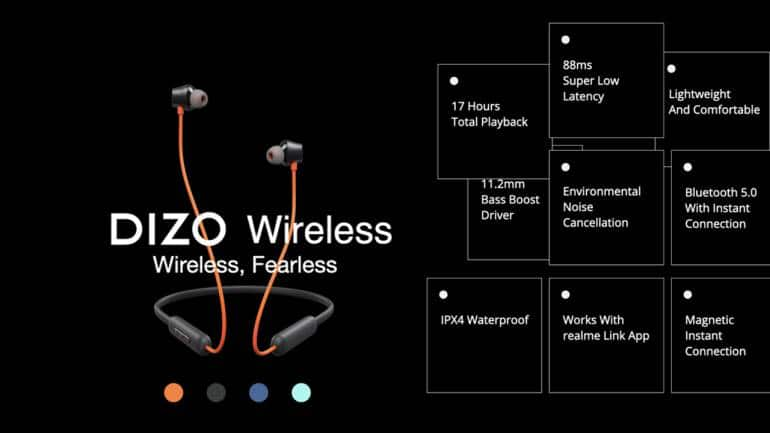
The DIZO Wireless has a neckband design, 11.2mm Driver with Bass Boost+ Algorithm, and is said to have a battery life of up to 17 hours. Here’s everything you need to know about DIZO’s new devices.

DIZO GOPods D Specifications

DIZO GOPods D weigh 4.1g and have a Radial Metallic Texture. The earbuds feature a 10mm driver and a Bass Boost+ algorithm-tuned sound. The TWS earbuds include a 40mAh battery for each earbud as well as a 400mAh charging case. According to the company, when used with the charging case, the earbuds can provide up to 20 hours of music playback and 5 hours of music playback when used alone. Furthermore, after a 10-minute charge, the device is said to provide 120 minutes of playback time.

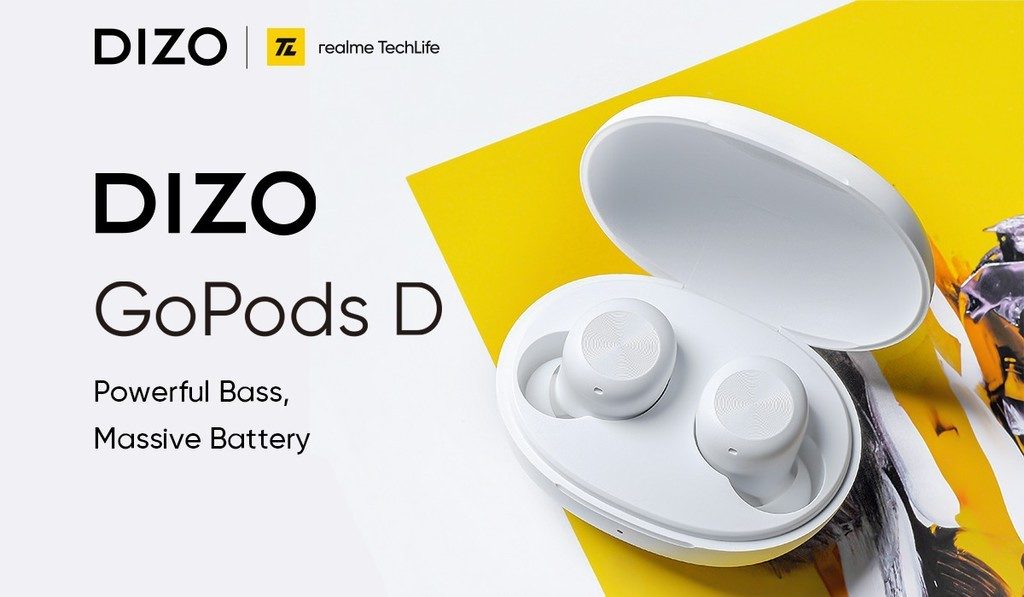
Realme DIZO GOPods D
Image Source: fdn.gsmarena.com

The DIZO GoPods D also includes a Game Mode with 110ms Super Low Latency for improved audio sync while gaming. There’s also the Environmental Noise Cancellation (ENC) algorithm, which is supposed to help block out ambient noises during calls. The TWS earbuds are Bluetooth 5.0 compatible, and there is a Realme Link App that can be used to customize the earbuds. The IPX4 rated earbuds also include Touch Controls, allowing you to control the device by tapping on the earbuds.

The DIZO GoPods D will come in two color options: black and white. From July 14, 2021 12:00 PM onwards, the DIZO GoPods D will be available on Flipkart for Rs 1,599. According to the company, the device will be available soon at select offline retail locations. DIZO GoPods D will be available at a special price of Rs 1,399 as part of the first sale offer.

DIZO Wireless Specifications

The DIZO Wireless weighs 23.1g and features an 11.2mm driver with Bass Boost+ Algorithm tuned sound. The device includes features such as Game Mode, Environmental Noise Cancellation, and Magnetic Fast Pairing (MFP). Users will be able to separate the buds to play the song track and clip them together to disconnect using the MFP.

Realme DIZO Wireless
Image Source: cdn.vnexplorer.net

The wireless earphones include a 150mAh high-capacity battery that is said to provide 17 hours of playback time on a single charge. According to the company, the device can be fully charged in 2 hours. Furthermore, after a 10-minute charge, the device is said to provide 120 minutes of playback time. Using the Realme Link App, you can personalize the device. For improved water resistance, the device is IPX4 rated.

The DIZO Wireless will be available in four different colors: orange, black, blue, and green. The device, which costs Rs 1,499 will be available on Flipkart beginning July 7, 2021 at 12:00 PM and soon at select offline retail stores. The DIZO Wireless will be available for Rs 1,299 as a first-sale item.

Specifications of the Realme Buds 2 Neo

Realme has expanded its AIoT lineup in India with the release of a beard trimmer series, a hairdryer, and Realme Buds 2 Neo wired earphones. Realme Beard Trimmer and Realme Beard Trimmer Plus are the two products in the beard trimmer series. According to the Chinese company, these are the first-ever products from ‘DIZO,’ the first brand in the Realme TechLife ecosystem. Furthermore, the company differentiated its entry into the AIoT 2.0 development phase with a ‘1+5+T’ strategy as opposed to its previous ‘1+4+N’ strategy.

Realme Buds 2 Neo
Image Source: lbimg.in.com/

Realme Buds 2 Neo have 11.2mm dynamic drivers that can produce a rich and deep bass. The music and calling functions are controlled by an in-line button. Customers will receive a 3.5mm jack angled at 90 degrees as well as a high-definition inbuilt microphone for a clear calling experience. Realme Buds 2 Neo costs Rs 499 and is now available for purchase on Realme.com, Flipkart, Amazon, and offline channels.

Specifications of the Realme Beard Trimmer

As previously stated, the Realme Beard Trimmer and Realme Beard Trimmer Plus are the two products in the Realme Beard Trimmer series. The Realme Beard Trimmer has a 10mm comb, 20 length settings, and is claimed to have 0.5mm precision. Stainless steel is used to make the blades. Meanwhile, the Realme Beard Trimmer Plus comes with 10mm and 20mm combs, 40 length settings, and 0.5mm precision. It has two stainless-steel blades and is water-resistant to IPX7 standards.

Realme Beard Trimmer
Image Source: cdn.mos.cms.futurecdn.net

Both the Realme Beard Trimmer and Realme Beard Trimmer Plus come with an 800mAh efficiency battery that can last up to 120 minutes. The trimmers also have a battery-level LED indicator. In terms of design, the beard trimmers are made of ABS materials, have USB Type-C ports, and come with a Travel Lock.

Specifications of the Realme Hair Dryer

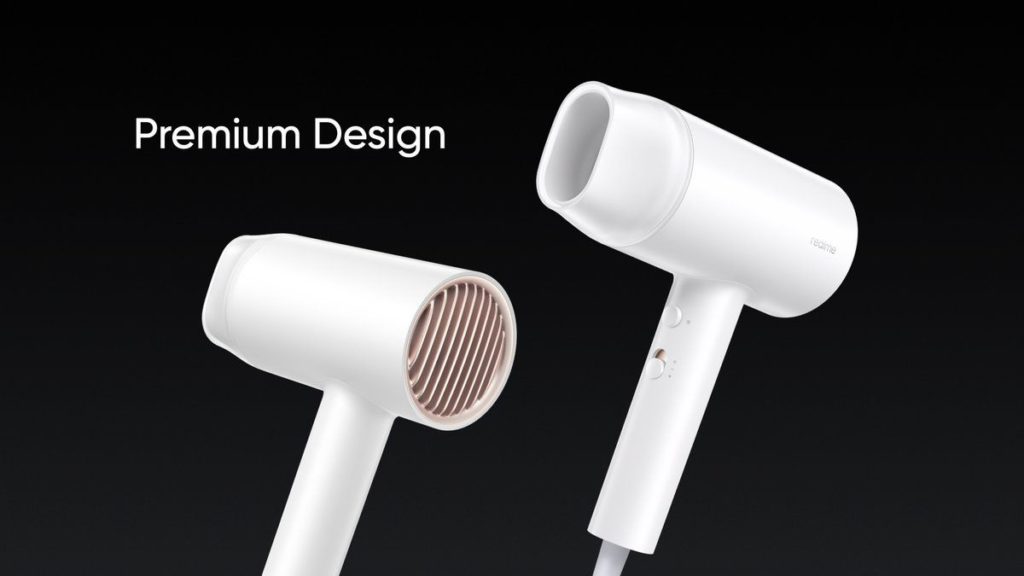
Realme Hair Dryer
Image Source: assets.mspimages.in

The Realme Hair Dryer has a 1,400W power output and a motor that spins at up to 19,000rpm. It provides users with the option of selecting between two wind speed levels. According to Realme, the hairdryer has advanced negative ion technology that generates 20 million negative ions per cubic centimeter. It is made of V-0 flame retardant ABS and PC high-grade insulation material.

Mi Notebook Pro X 15

Xiaomi launched the new Mi Notebook Pro X 15 with a 15.6-inch 3.5K Samsung E4 OLED Display.

Xiaomi is an internet company that focuses on smartphones and smart hardware that are linked by an Internet of Things (IoT) platform. Xiaomi strives for a high-quality user experience and operational efficiency while emphasizing both innovation and quality. The company works tirelessly to create amazing products at reasonable prices so that everyone on the planet can live a better life through innovative technology. With 324.8 million smart devices connected to its platform, excluding smartphones and laptops, the company has established the world’s leading consumer AIoT (AI+IoT) platform.

When a notebook or laptop launch appears on the horizon in a sea of smartphones, it instantly becomes an eye-ball grabber. In recent weeks, this has been happening with the Realme Book laptop, and now Xiaomi has launched its notebook. The company is rapidly expanding its notebook portfolio. The Mi Notebook Pro 14 and Mi Notebook Pro 15 were released earlier this year. Xiaomi has added another notebook to its Pro lineup today. The Mi Notebook Pro X 15, Xiaomi’s latest laptop, has been released in China, featuring high-end hardware and a high-resolution display.

Pricing for the Mi Notebook Pro X 15

The 11th-generation Intel Core i5-11300H processor variant with 16GB RAM and 512GB SSD storage is priced at CNY 7,999 (roughly Rs 92,100) for the Mi Notebook Pro X 15. At CNY 9,999, there is also a high-end Intel Core i7-11370H processor, 32GB RAM, and 1TB SSD storage (about Rs. 1,15,100). Both variants are currently available for pre-order in China, and shipments will begin on July 9. However, the Mi Notebook Pro X 15’s global availability and pricing have yet to be announced. Here are all of the laptop’s detailed specifications.

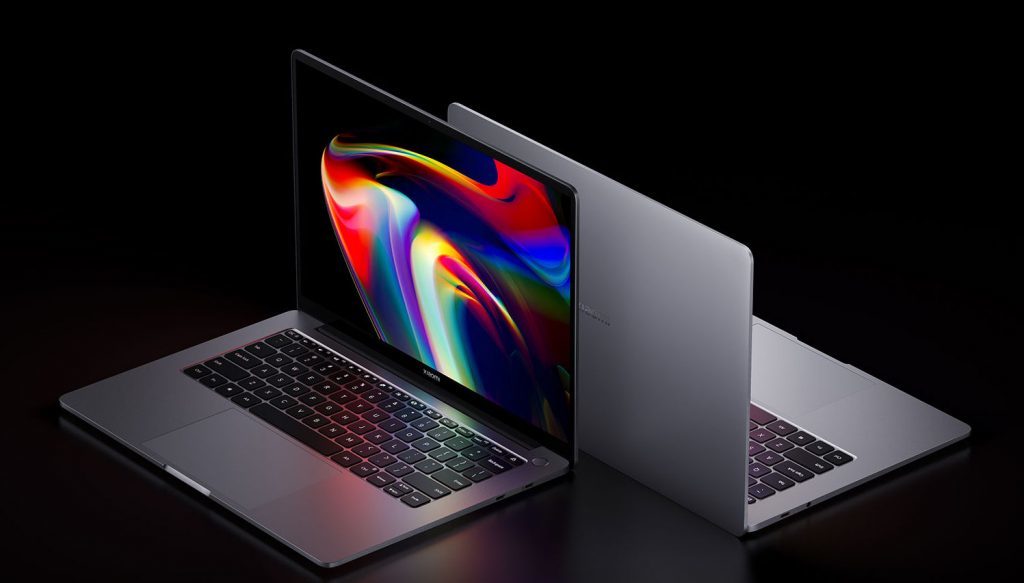
Mi Notebook Pro X 15
Image Source: fonearena.com

Details and Specifications

The Mi Notebook Pro X 15 runs Windows 10 Home and has a 15.6-inch 3.5K (3,456×2,160 pixel) Samsung E4 OLED display with 261ppi pixel density, a 16:10 aspect ratio, and a 100 percent sRGB and DCI-P3 color gamut. The display is also DC dimmable and has a peak brightness of 600 nits. In addition, the laptop has a thin profile, making it portable enough to be used as an ultrabook. The 348.9×240.2×18.47mm Mi Notebook Pro X 15 weighs 1.9 kilograms.

Xiaomi has also chosen a metal body for the laptop, giving it a premium look and feel. It’s made of a 6-series aluminum alloy that’s been shaped with a Computerized Numerical Control (CNC) machine. Under the hood, there is up to an 11th-generation Intel Core i7 processor, Nvidia GeForce RTX 3050 Ti graphics as standard, and up to 32GB of LPDDR4x RAM. The laptop also has up to 1TB of PCIe storage. The laptop has Nvidia GeForce RTX 3050 Ti graphics and faster-charging support for the built-in battery.

Xiaomi has included a full-size, backlit keyboard with 1.3mm key travel. A built-in ambient light sensor allows the machine to automatically adjust the lighting of the keyboard and display based on the environment. Users can also manually adjust the keyboard backlight in three different levels.

The Mi Notebook Pro X 15 has Bluetooth v.5.2 and Wi-Fi 6 and two USB-A 3.2 Gen 2 ports, a USB Type-C port, Thunderbolt 4, a 3.5mm headphone jack, and an HDMI 2.1 port. A fingerprint sensor is also embedded within the power key, allowing for one-key boot and unlock functionality. The Mi Notebook Pro X 15 features four DTS-enabled speaker units. A 2×2 microphone array is also included, as is a built-in 720p webcam for video conferencing.

On the Mi Notebook Pro X 15, Xiaomi has included an 80Whr battery that is rated to provide up to 11.5 hours of video playback on a single charge. The laptop is also equipped with a 130W USB Type-C power adapter, which is capable of charging half of the Mi Notebook Pro X 15’s battery in 25 minutes.

Dell UltraSharp Webcam

Dell UltraSharp Webcam for 4K Video Conferencing With AI-Based Auto-Framing Launched in India.

The Dell UltraSharp Webcam is a premium offering for 4K video conferences. The cylindrically shaped webcam is equipped with a 4K Sony sensor, which is said to provide improved video communication even in low light. Dell has also preloaded an Auto-Framing feature, which uses artificial intelligence (AI) to keep users focused even if they move slightly. The webcam also has a noise reduction feature that is powered by software. The Dell UltraSharp Webcam is being released at a time when video conferencing is becoming more popular as a result of the COVID-19 pandemic.

Specifications for the Dell UltraSharp Webcam

The Dell UltraSharp Webcam has an 8.3-megapixel Sony STARVIS CMOS sensor with up to 4K UHD resolution and a frame rate of 24fps/ 30fps. The webcam also has full HD and HD resolution with a frame rate of up to 60 frames per second. To capture more light, Dell has included a multi-element lens on top. The webcam has a Digital Overlap HDR capability for capturing vibrant colors. There is also a 3D/ 2D video noise reduction feature that eliminates grainy images using software algorithms.

Unlike traditional webcams, the Dell UltraSharp Webcam has a customizable field of view that can be set to 65, 78, or 90 degrees, as well as 5x digital zoom. The webcam also has a Dell Express Sign-In feature, which detects your presence using the built-in proximity sensor and automatically logs you out when you walk away. There is also an infrared (IR) sensor for seamless Windows Hello log-in. When you walk away, your system is locked for added security.

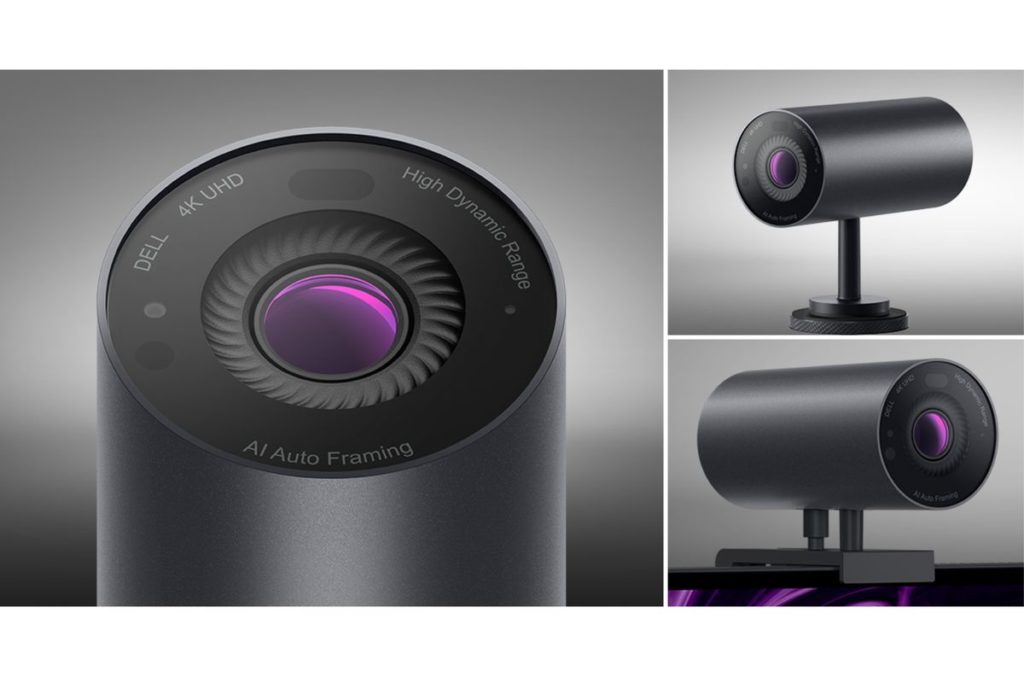
Dell UltraSharp Webcam
Image Source: theverge.com

The Dell UltraSharp Webcam is constructed of an all-aluminum cylindrical body with a smooth textured metallic finish on top. For easy clipping, the webcam also comes with a magnetic mount and a tripod adapter. The magnetic mount, which has a cable management slot, can also be used on a thin-bezel monitor.

In terms of connectivity, the Dell UltraSharp Webcam has a USB Type-C port that can be used to connect with a PC via the bundled USB-A-to-USB-Type C cable (two meters in length). When not in use, there is also a magnetic snap-on cover that can be placed on the front to protect your stay. When the webcam is in use, you can also snap the cover to the back.

In addition, the Dell webcam has a white LED light indicator to let users know when it is in use. This is similar to how on Apple MacBooks, a green indicator appears next to the webcam. For improved focusing, the webcam employs the AI-powered Auto-Framing feature, which keeps you in focus and in the center of the frame. Your webcam magnetically attaches to the mount and sits well on your monitor without blocking a single pixel, making it ideal for virtually borderless displays. Your setup is simple with the world’s most seamless webcam mounting solution.

Dell’s UltraSharp Webcam now supports both Windows 10 and macOS devices. The device requires the Dell Peripheral Manager software to be customized. It is also compatible with platforms such as Microsoft Teams and Zoom.

The Dell UltraSharp Webcam is 42 x 90 mm in size, with a mount that is 32 x 65 x 9.4 mm in size. Because there is no dedicated microphone on board, video conferences require the use of an external microphone. When not in use, a privacy shutter cap allows you to easily snap the cover on the lens and keep it safe.

Dell UltraSharp Webcam price and availability in India

The Dell UltraSharp Webcam costs Rs. 18,999 ($199.99 in the US) in India. Starting today, the webcam will be available for purchase worldwide through Dell’s enterprise channels (Tuesday, June 29).

Realme C11

Realme C11 (2021) launched in India with a 5000mAh battery and 6.5-inch HD+ Display.

The Realme C11 (2021) has been quietly launched in India in a subtle way. The new Realme phone is an improved version of last year’s Realme C11. It mostly has lower specifications than the previous year’s model but particularly has the same design. The Realme C11 (2021) has one rear camera, a 20:9 display, and a 5,000mAh battery. It also has an octa-core processor and 2GB RAM. Furthermore, the Realme C11 (2021) has expandable storage of up to 256GB.

Sky Li officially launched Realme, a technology brand, on May 4, 2018. Realme’s ambition is to provide products that provide a comprehensive superior experience for the young, and Realme is committed to being a trendsetting technology brand. Due to its capabilities in cutting-edge smartphone and IoT technologies, Realme brings consumers products with trendsetting technologies, features, and experiences that are first applied in the price segment. Realme announced its dual-driven strategy of “Smartphone + AIoT” at the start of 2020. In June 2020, Realme’s global smartphone user base reached 35 million, and its sales volume of AIoT audio products surpassed the one million mark.

Realme had a flurry of launches last year, leaving no time to catch a breath. It is clear that there will be several launches this year as well, but the game plan has clearly changed. Realme has progressed from the low-cost segment to the premium segment and now into the IoT space. And all of this has occurred in less than two years, which is commendable. Given the path Realme is currently on, it is clear that the company’s goal for this year is to be everywhere, including the budget and premium phone segments, smart TV, audio, smartwatch, and many more.

Realme C11 (2021): Price and Availability in India

The Realme C11 (2021) is priced at Rs. 6,999 in India for the 2GB RAM + 32GB storage variant. The phone is available for purchase on the Realme.com website in the colors Cool Blue and Cool Grey. The Realme C11 (2021) was first seen on the market in Russia and the Philippines. It debuted in the Philippines at PHP 4,990. (roughly Rs. 7,600).

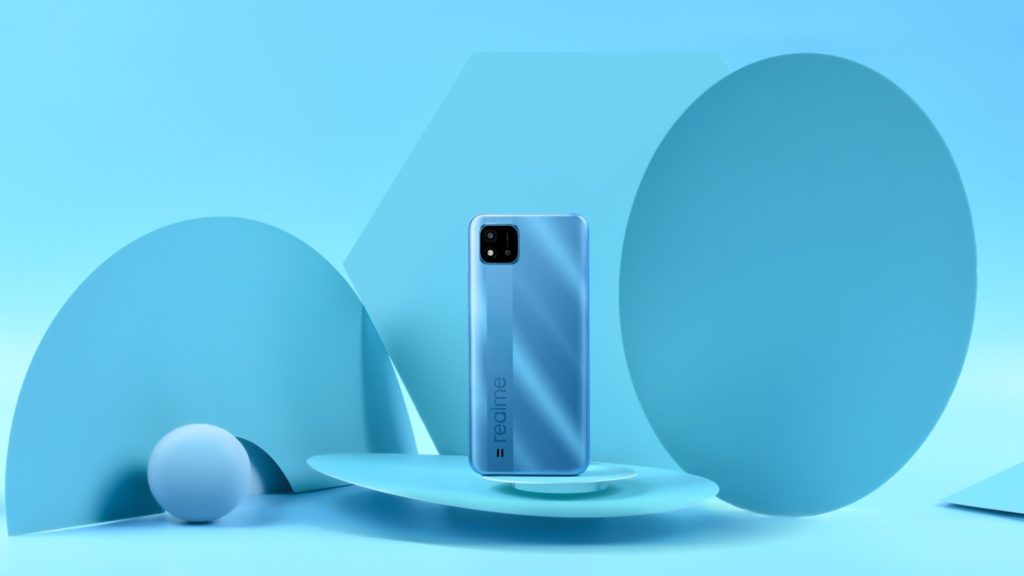
Realme C11
Image Source: static.realme.net

To put this in context, the original Realme C11 was priced at Rs. 7,499 in India last year for the same 2GB RAM + 32GB storage configuration. However, that model is no longer available on the Realme.com website. At the time of writing, it was still available on Flipkart.

Realme C11 (2021): Specifications

The dual-SIM (Nano) Realme C11 (2021) runs Android 11 with Realme UI 2.0 on the very top and specifically has a 6.5-inch HD+ (720×1,600 pixels) display with a 20:9 aspect ratio and a screen-to-body ratio of 89.5 percent which contributes to the phone’s hype in a big way. The phone is powered by an octa-core SoC and 2GB of RAM. The Realme C11 (2021) has a fairly single 8-megapixel primary rear camera sensor with an LED flash for photos and videos. This mostly is, in contrast, to last year’s Realme C11, which featured dual rear cameras, which is quite significant. In the front, there is a 5-megapixel selfie camera sensor.

The Realme C11 (2021) for all intents and purposes has 32GB of onboard storage that can be expanded via a microSD card (up to 256GB) that fits into a dedicated slot. 4G LTE, Wi-Fi, Bluetooth, GPS/ A-GPS, Micro-USB, and a 3.5mm headphone jack are among the connectivity options, which generally are fairly significant. The phone for the most part has a 5,000mAh battery and mostly supports wired particularly reverse charging, allowing users to charge definitely other phones using an OTG cable.

Windows 11

Windows 11 is out with New Features and Better Interface.

Exactly after six years of the launch of Windows 10 (July 2015), Microsoft has come up with another version of its Windows operating system, i.e. Windows 11. The company has made a few changes in terms of the look and feel of the OS and has also eliminated many old features that were no longer relevant. There have been a lot of talks about the new OS for the past year, and people have been successful in getting some information about it before the official release, but still, there is a lot that came with the actual launch of the product.

What’s New in Windows 11

Microsoft is the leading OS developer, and most people use Windows PCs because of its simplicity. This time too, the company has tried to simplify the interface even more for the users, such that to maintain its popularity amid the tough competition from rivals like macOS and Chrome OS. Though Microsoft has held its position quite strong, improvement is still important to stay relevant. The new Windows 11 has got a new UI, better windows management features as well as it will now offer support for Android apps as well.

Windows 11
Image Source: c.s-microsoft.com

The Updated Features

Talking about the redesign of the Windows 11 OS, the company has been making changes to the taskbar of the OS for past years, but the look has always been similar. This time, the company has shifted the windows icon and other app icons to the middle of the taskbar from the left but has kept the items in the right as it is. Microsoft has still kept the option to place the start button and other icons on the left open.

When we click on the windows icon, the start menu opens up in the center of the screen, having a search bar on the top of it. Below the search bar, the menu says Pinned Apps, under which a 6*6 grid of apps has been placed. Following the grid underneath, there is space for app recommendations. There is an option for putting up the user’s picture below the recommendation section in the menu on the left and the power off button on the right.

The next big change has been made to the startup tone of Windows along with the other notification tones as well as it has got new themes and wallpapers, too. Microsoft has also introduced a new feature Snap Layouts with Windows 11, which enhances the multitasking experience for the users as now the users can open multiple different screens on the desktop by hovering the mouse over the maximize button. The OS is capable of remembering the users’ choices as well, such that it will keep the previously selected windows and apps ready in the form of Snap Group for easy access in the future.

Microsoft has also added support for multiple monitors in Windows 11, so it becomes easier for the users to use the work on virtual desktops. This support for virtual desktops also includes the option to put different wallpapers for different screens. The company has also tried to improve the touch experience for the Windows tablets, which it had intended to do with its Windows 10X project, which never saw the daylight.

Side-by-side, Microsoft has also made some improvements to the touch keyboard and has included support for GIFs in partnership with Tenor. The keyboard allows the voice commands for making typing easier.

The new normal work and study from home culture have also inspired Microsoft to add some features for people. The company has incorporated the Teams app into Windows 11 and has also made it easier for the users to share their screens with each other during the meeting.

Microsoft has also kept the gamers in mind and has incorporated support for Auto HDR and DirectX 12 Ultimate as well as for xCloud in Windows 11. The users also get an Xbox Game Pass along with the OS, which lets them play popular games on their machines.

Microsoft has also revamped the design of its Microsoft Store for Windows 11 and has adopted the new zero-revenue share for the developers. According to the new policy, Microsoft has exempted the commission on uploading apps on Microsoft Store for the developers, so that it can attract more and more developers. Other than Microsoft Store, the company has also incorporated the Amazon AppStore into the new OS, so that to make Android App available for the users.

Also, the company claims that the new OS is faster in terms of installing updates as now the updates will be 40% smaller, and these will run in the background to provide a seamless experience for the users.

Availability, Free Upgrade, and Hardware Requirements

For now, Windows 11 has been made available to the insider members, and the Windows 10 users will receive the upgrade by the end of this year. Windows 11 is available in Windows 11 Home or Windows 11 Pro versions.

According to the company, the new PCs will be empowered by Windows 11 only, whereas Windows 10 PC users will have the access to the PC Health Check app, which will define if their PCs are suitable for Windows 11 upgrade or not. For the Windows 7 and 8 PCs, the Windows 11 be available only after the users purchase a Windows 10 license.

Talking about the hardware requirements, the OS will run on a 64-bit x86 or ARM processor and need 4GB of RAM as well as 64GB of storage.